Free tool
Revit vs ArchiCAD
Revit and ArchiCAD are both BIM programs for designing buildings as 3D models with data, and both are used on real projects. The biggest hard difference is the platform: Revit runs on Windows only, ArchiCAD on Windows and Mac. Answer five questions to see which one suits you, then read the side-by-side comparison.
Which one fits you?
ArchiCAD looks like the better fit
- On a Windows PC both programs run natively, so the computer does not decide this for you.
- For a small studio, ArchiCAD is architect-focused and Teamwork lets people reserve single elements. Revit works for small teams too.
- For architectural design and documentation, ArchiCAD is built for architects first.
A simple guide, not a rule. Both are mature BIM tools used on real projects.
Revit vs ArchiCAD side by side
| Revit (Autodesk) | ArchiCAD (Graphisoft) | |
|---|---|---|
| Platform | Windows. No native Mac version. | Windows and macOS, native on Apple silicon. |
| Project file | RVT | PLN |
| Team collaboration | Worksharing: a central model plus a local copy for each person. | Teamwork on BIMcloud: reserve the elements you change. |
| IFC | Certified import and export. Opens IFC2x3, 2x2 and 2x; links IFC4. Exports IFC4, 2x3 and 2x2. | Import and export of IFC2x3, IFC4 and IFC4.3. Supports BCF and IDS. |
| Disciplines | Architecture, structure and MEP tools in one product. | Architect-first. Built around architectural design and documentation. |
Platform: Windows only vs Windows and Mac
Revit has no native Mac version. Autodesk's Mac-compatible software page says Revit can be used on a Mac through a virtual machine, and its Revit 2026 system requirements recommend Parallels Desktop for that. On a Windows PC, Revit 2026 needs 64-bit Windows 10 (version 1809 or later) or Windows 11.
ArchiCAD runs natively on both macOS and Windows, and Graphisoft says the Mac version runs natively on Apple silicon without virtualization. Its supported system list for the latest release is Windows 11 and recent macOS versions. Check the Graphisoft system requirements page for your version, because the supported systems change each year.
If your team has both Mac and Windows computers, this is often the deciding point.
BIM workflow and modeling
Both programs build a single 3D model with plans, sections, elevations, schedules and sheets that update together. In Revit you work with categories and families (parametric components such as doors, windows and furniture) inside a project that also covers structure and MEP. ArchiCAD is built around the architect's workflow, and its model, drawings and schedules also stay linked.
Neither is faster for every task. Learning how a program expects you to model matters more than the feature list, so test both on one small house before you commit.
Collaboration: worksharing vs Teamwork and BIMcloud
In Revit, worksharing means a central model that stores who owns each workset and element. Each person saves a local copy, edits there and uses Synchronize with Central to publish changes. Other users get them with Reload Latest. The central model can be a file on your network or sit on a Revit Server.
ArchiCAD's Teamwork works through BIMcloud. Before you modify or delete an existing element you reserve it, and Archicad can do this automatically when you start editing. New items do not need a reservation. Other users see what you have reserved. Graphisoft offers BIMcloud Basic (self-hosted, with fewer features) and the full BIMcloud, including a cloud-hosted SaaS version; auto-reservation is not available in BIMcloud Basic.
Both approaches work for teams. Which suits you depends on your size, your network and what your partners use.
File formats and IFC
Revit saves RVT files and ArchiCAD saves PLN files. Neither opens the other's native file, so you swap models with IFC, an open buildingSMART standard.
Autodesk says Revit has certified IFC import and export. It opens IFC2x3, IFC2x2 and IFC2x, links IFC4, and exports IFC4, IFC2x3 and IFC2x2. Graphisoft says ArchiCAD imports and exports IFC2x3, IFC4 and IFC4.3, and supports the BCF and IDS standards for issues and information requirements.
IFC moves geometry and data well, but not every setting. Agree an IFC export setup with your partners at the start of a project and test it on a small model.
Learning curve and who uses each
There is no hard data on which is easier, and opinions differ. Many people find ArchiCAD gentler for architectural design, and Revit's family system and many options take time to learn. Treat that as a common view, not a fact. A short trial of each on the same plan will tell you more.
Revit is part of Autodesk's software range and is often chosen by firms that work with structural and MEP consultants on Autodesk tools. ArchiCAD is popular with architecture studios, including those on Mac. In practice, the program your clients, consultants or employer already use usually decides it.
Once you pick one, learn its shortcuts: see our Revit keyboard shortcuts finder. When the model is done, you can turn a view into a photoreal image with Revit to render or ArchiCAD to render.
How to choose between Revit and ArchiCAD
- On a Mac, or with a mixed Mac and Windows team: ArchiCAD runs natively on both.
- Structure and MEP engineers on your team or in your consultant group already use Revit: choose Revit.
- Open IFC, BCF and IDS workflows are in your contract: both can take part, and ArchiCAD lists all three as supported open standards.
- Job hunting: check which one local employers ask for in job posts.
- Still unsure: model one small project in each trial version and compare the drawings you get.
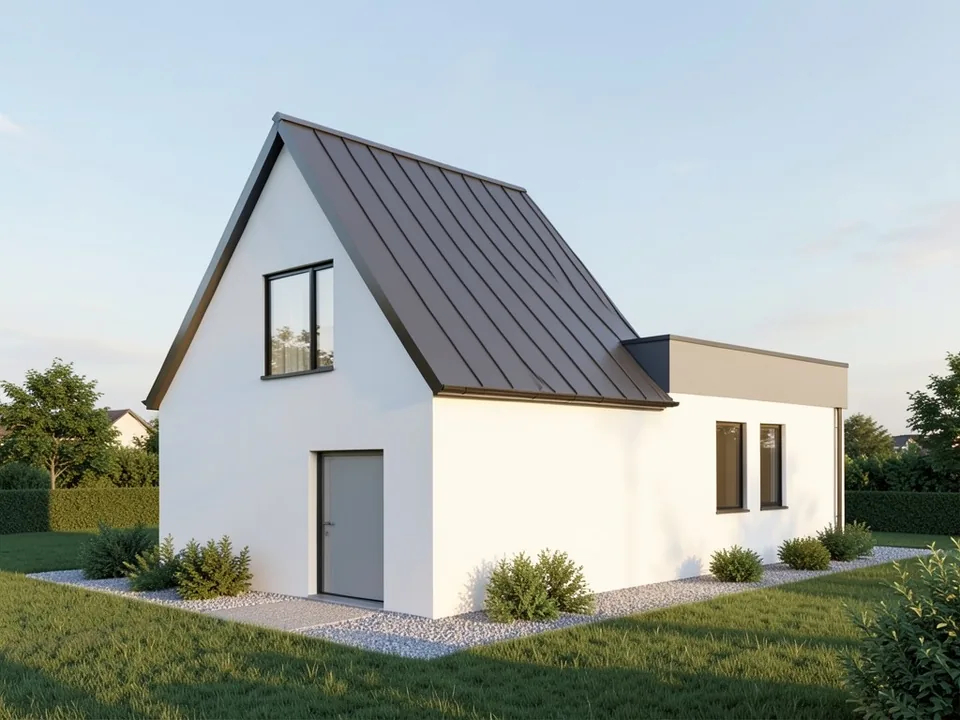
Show your BIM model as a photoreal render
Whichever program you pick, export a 3D or camera view and upload it. Our AI adds materials, daylight, sky and landscaping in your browser, with no plugin or render engine to set up.
Try ArchiCAD to renderSign in with Google or email to render. New accounts get 1 free render (watermarked).
Frequently asked questions
Is Revit or ArchiCAD better?
Neither is better for everyone. Revit has architecture, structure and MEP tools in one product and runs on Windows only. ArchiCAD is architect-focused and runs on Windows and Mac. The best choice depends on your platform, team and what your partners use.
Can ArchiCAD open Revit files?
Not the native RVT file. The two exchange models through IFC. Revit exports IFC4, IFC2x3 and IFC2x2, and ArchiCAD imports IFC2x3, IFC4 and IFC4.3. Test the export on a small model first.
Does Revit run on a Mac?
There is no native Mac version of Revit. Autodesk lists using Windows in a virtual machine on a Mac, and recommends Parallels Desktop in its Revit 2026 system requirements. ArchiCAD runs natively on macOS.
Which is easier to learn, Revit or ArchiCAD?
Opinions vary and there is no reliable data. Many people find ArchiCAD easier for architectural design, while Revit has a larger set of options. Try a short trial in each on the same small plan.
How do Revit and ArchiCAD handle teamwork?
Revit uses worksharing with a central model and local copies you synchronize. ArchiCAD uses Teamwork on BIMcloud, where you reserve the elements you edit. Both support several people on one project.
What does Revit cost compared with ArchiCAD?
Prices change often and depend on the plan and country, so we do not list them. Check Autodesk and Graphisoft for their current pricing and trial options.
More free tools for architects and designers
- Revit keyboard shortcuts
- Revit to render
- ArchiCAD to render
- SketchUp to render
- Revit price in 2026
- Archicad price in 2026
- Tile calculator
- Roof pitch calculator
- Architectural scale converter
- Cost to build a house calculator
- King size bed dimensions
- Standard door sizes
- Standard window sizes
- Bathroom vanity height
- Two car garage dimensions
- 1200 sq ft house plans
- Free house plans
Sources: Autodesk Help, Revit 2026 (About Revit and IFC; Enable Worksharing; Keyboard Shortcuts), Autodesk Mac-compatible software page and Revit 2026 system requirements; Graphisoft Archicad and Mac page, Archicad system requirements page, Archicad Help (Teamwork reservation) and BIMcloud product pages. Revit is a product of Autodesk and ArchiCAD of Graphisoft; we are not affiliated with either. Features change with each release.