Site analysis guide
Site Analysis Guide: Free Data Sources and a Concept Render of Your Site
This is a guide to doing a site analysis yourself: six layers to study, free data sources and a diagram checklist. Our tool does one separate thing: it paints a concept render of a building from a photo of your site or a view of your massing model. It does not analyse the site: no sun path, wind, slope or drainage.
Render your site photoSign in with Google or email to render. New accounts get 2 free renders (watermarked); free renders are not available in India on this site.
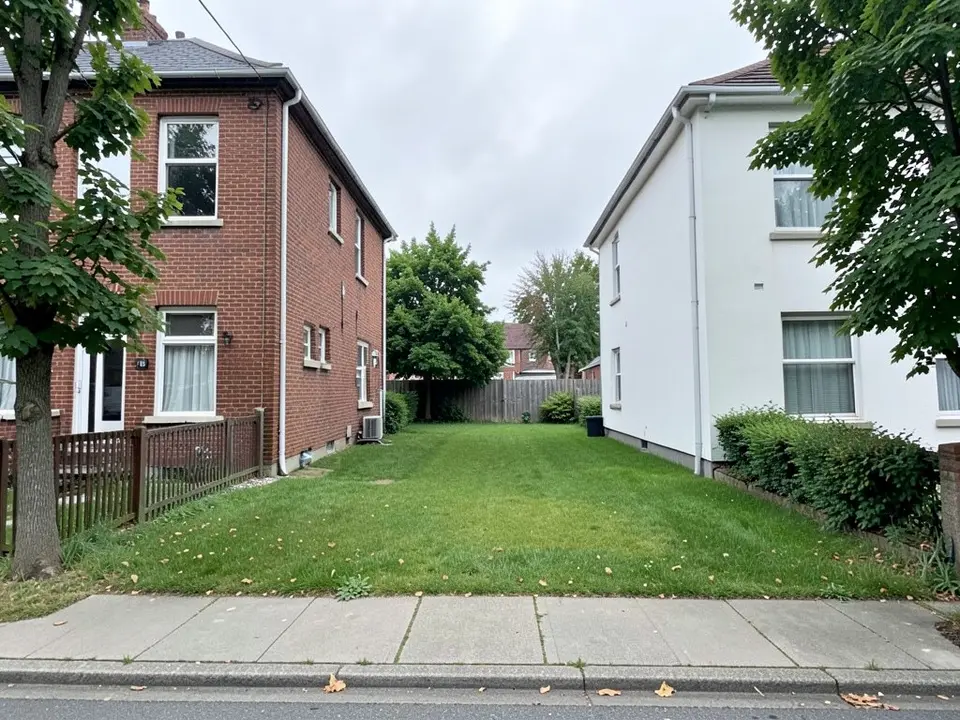
Before: site photo (AI-generated)
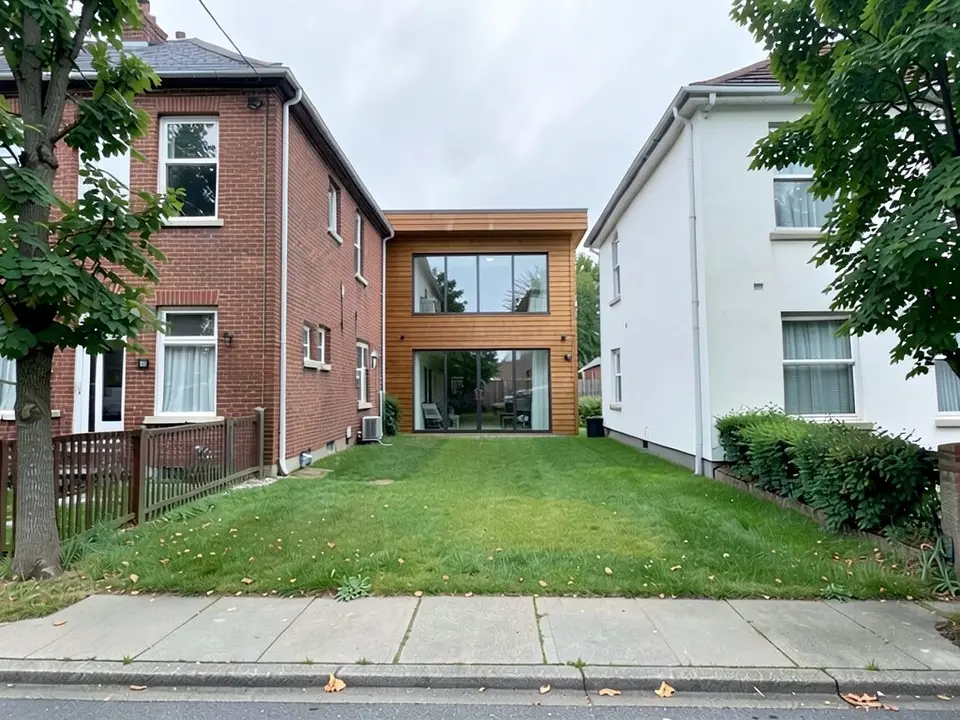
After: concept render: a house on the plot
What a site analysis is
A site analysis is the study of a plot and its surroundings before you design on it. You record what is there (slope, sun, wind, access, neighbours, rules) and decide what it means for the building. Guides on projectmanager.com, Wikipedia and learnarchitecture.net slice it into seven to eleven topics. Here it is in six layers.
The six layers of a site analysis
- Location and context. Where the plot sits, what surrounds it (neighbours, land uses, landmarks) and what you can see from it.
- Topography and drainage. Slope, contours, high and low points, where rainwater runs, and signs of flooding or poor soil.
- Climate. The sun path and the shadows it casts at different times of year, prevailing winds, rainfall and temperature range.
- Access and circulation. Roads, sidewalks, transit stops, entry points for people and cars, and noise from busy routes.
- Natural features. Existing trees, water, wildlife habitat and the best views to keep.
- Rules and services. Zoning, setbacks, height limits, easements, and where water, power and sewer connect.
Free data sources for each layer
We opened each source below. They suit concept-stage work only, not a licensed survey, and coverage varies by place.
- OpenStreetMap (openstreetmap.org): roads, buildings and land use worldwide, open under the ODbL licence with credit to "OpenStreetMap contributors". Completeness depends on the city.
- CadMapper (cadmapper.com): maps built from OpenStreetMap, NASA and USGS data. When we checked, city road networks were free without an account, custom areas up to 1 square kilometre were free with sign-up, and larger areas were paid.
- SunCalc (suncalc.org): sun position and shadow length for a place and date. Free, with an optional donation.
- NOAA Climate Data Online: free historical temperature, precipitation and wind records. Certified copies cost a fee.
- QGIS (qgis.org): free, open-source mapping software for combining your own layers.
- Government elevation and water data, such as USGS The National Map. Check each agency's terms and coverage first.
Site analysis diagram checklist
A site analysis diagram is a base map with clear layers on top. Check that yours has:
- A north arrow, a scale bar and the site boundary.
- Contour lines or slope arrows, with water flow where it matters.
- The sun path, plus a note of where summer and winter shadows fall.
- A wind rose or arrows for the prevailing wind.
- Roads, entrances, pedestrian and transit routes, and noise sources.
- Context buildings with heights, and views to keep or block.
- Existing trees and water, setback lines, easements and utilities.
What this tool does and does not do
It does: turn a photo of your site, or a screenshot of your massing model, into a concept render that shows a building in its surroundings.
It does not: compute sun, shadows, wind, slope, drainage, noise or zoning, produce a site plan or scaled drawing, or tell you whether you can build. The AI also adds things you did not draw, so check the result against your plans.
How to render your site photo
- Take or export a clear JPG or PNG of the plot or your massing model.
- Click "Render your site photo". The Render Architecture tool opens with Residential and Modern selected. Sign in with Google or email.
- Click Select Image and upload your photo.
- Choose the Architecture Type and Style that fit your idea, then press Generate Architecture and download the result.
- Render mode repaints the whole image. To change one element, use Custom Action or Edit Image on the result and describe it in a sentence; each uses credits.
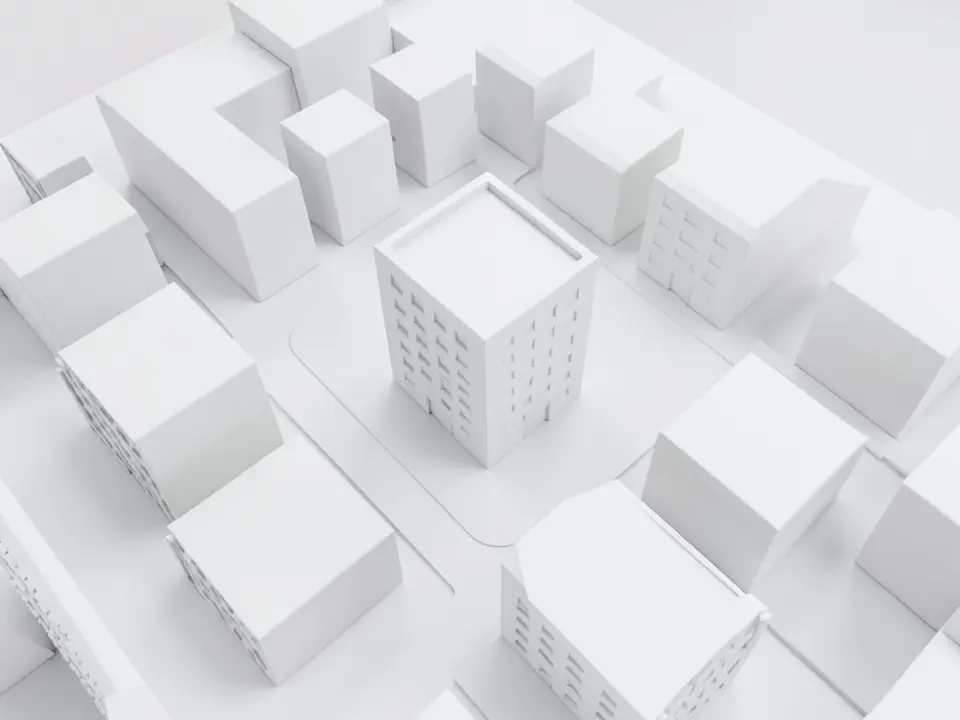
Before: white massing view (AI-generated)
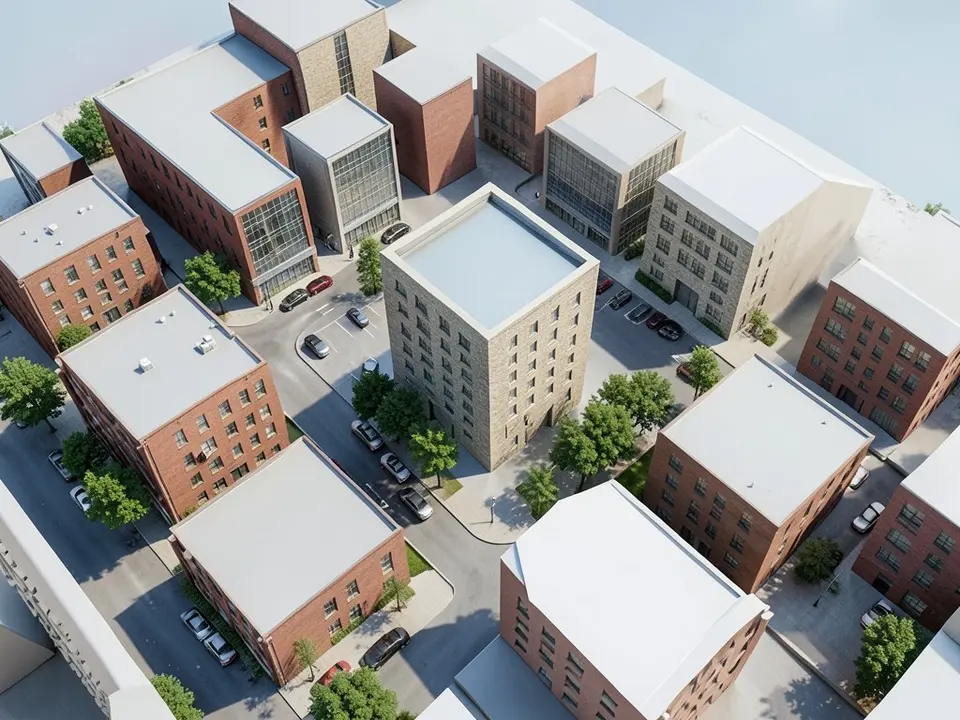
After: concept render: block in context
Free tier and plans
You need a free account to render. New accounts get 2 free renders, and free renders carry a watermark. In India this site does not include free renders, so a paid plan is needed there. Weekly, monthly and yearly plans for more renders without the watermark are on the pricing page.
Frequently asked questions
What is site analysis in architecture?
It is the study of a plot and its surroundings before design: terrain, climate, access, context, natural features and rules. The findings guide where and how you place the building.
Is there a free site analysis tool?
Several free data sources exist: OpenStreetMap, SunCalc, NOAA Climate Data Online and QGIS, plus a free tier on CadMapper. You combine them yourself. Our tool is not one of them; it renders a picture and does not analyse the site.
Can this AI do a site analysis for me?
No. It turns a site photo or a massing view into a concept render. It does not compute sun, wind, slope, drainage or zoning, and it makes no analysis diagrams.
How do I find the sun path for a site?
Enter the place in a tool such as SunCalc and note the sun direction and shadow length on key dates, such as the solstices. Mark them on your base map. This is a concept-stage method, not an approvals shadow study.
What should a site analysis diagram include?
A north arrow, scale, site boundary, contours, sun path, wind rose, access routes, neighbouring buildings and natural features. See the checklist above.
Is it free to try?
Yes. After you sign in, a new account gets 2 free renders with a watermark. In India this site does not include free renders. Paid weekly, monthly and yearly plans are listed on the pricing page.
Show your design in its setting
Do the analysis with the layers and sources above, then upload a site photo or massing view for a concept render. Your first 2 renders on a free account are on us.
Render your site photoRelated: Urban design rendering AI · Sketch to render AI · Landscape design tool · Render Architecture tool · Pricing