AI roof design
AI Roof Design: See a New Roof on Your Own House
A roof covers a large part of what you see from the street, and a small colour swatch tells you little about how it will look on your walls. Upload a photo of the front of your house, pick the Residential type, and ArchitecturesAI renders the same view; then describe the roof in a sentence to try a dark metal roof, terracotta tiles or a grey slate look. The result is an idea picture. It does not know your roof pitch, your structure or the rules where you live, so it helps you decide what to ask a roofer about, and it is not a quote or a specification.
Try a roof on your houseSign in with Google or email to render. New accounts get 2 free renders (watermarked); free renders are not available in India on this site.
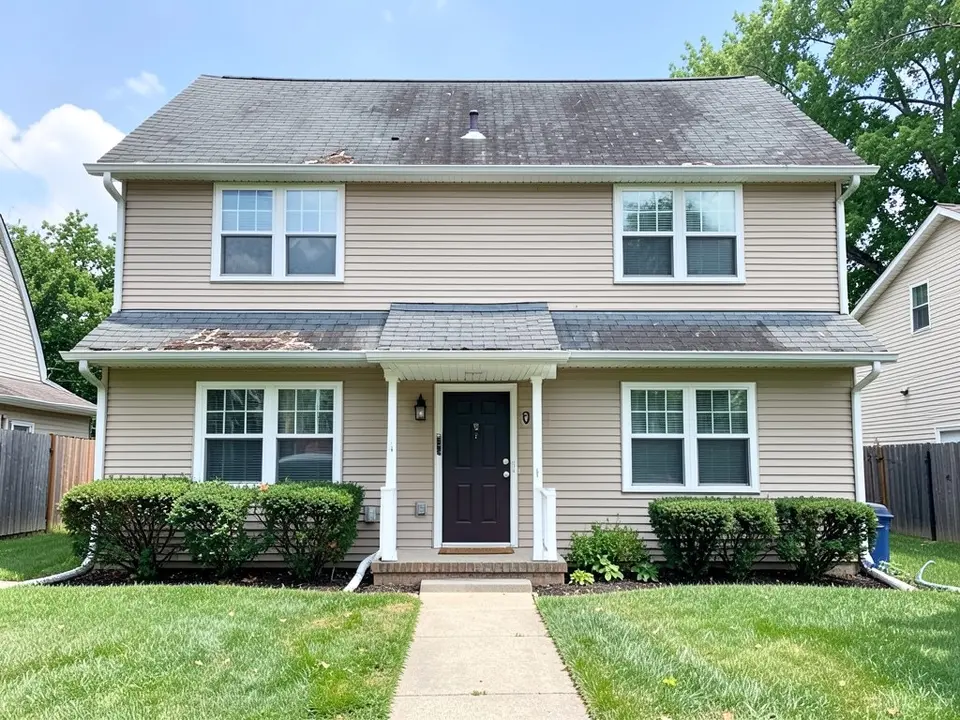
Before: house with a worn grey shingle roof (AI-drawn stand-in for a photo)
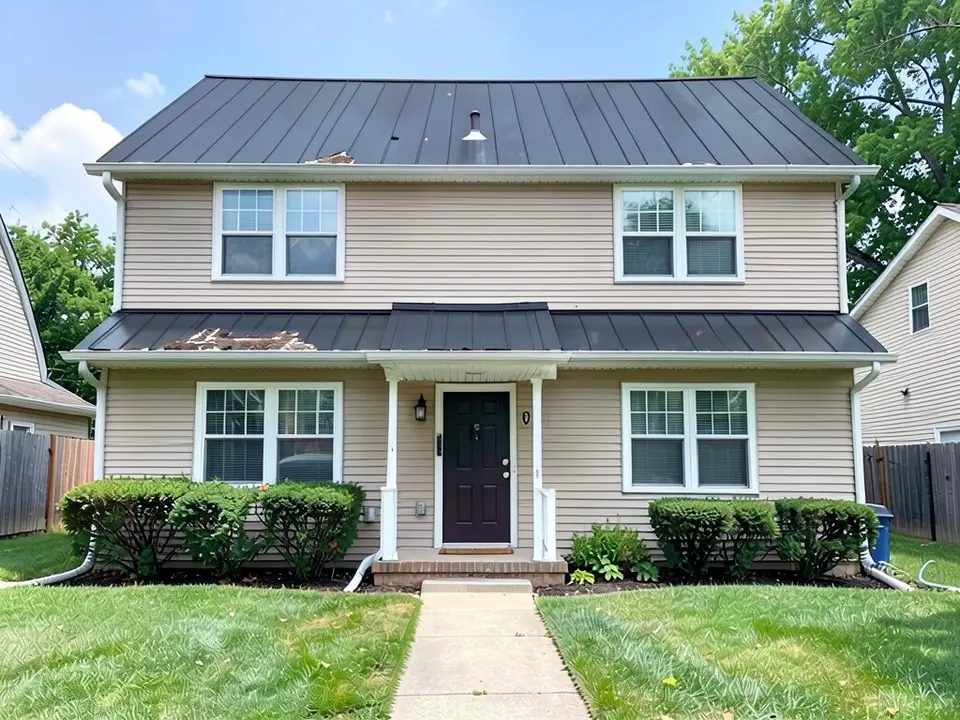
After: dark standing-seam metal roof
What an AI roof design tool does
A roof visualizer shows a roof colour or material on a picture of your own house so you can judge it against the walls, the windows and the street before you ask for quotes. Manufacturers and roofers offer colour tools tied to their own products, and an architect can mock one up on a drawing.
AI tools take a faster route. They start from your photo, keep the camera and the shape of the house, and repaint the roof as you describe it. Trying a few colours or materials costs little. The tool does not know your roof pitch, your structure or what a given product really looks like.
How to try a new roof on your house with ArchitecturesAI
- Click "Try a roof on your house". The Render Architecture tool opens with Residential selected under Architecture Type. Sign in with Google or email.
- Under "Please select an image", click Select Image and upload a JPG or PNG of the front of the house. Use a level, daylight photo with the whole roof and the roof edge in frame, taken from far enough back to see the ridge.
- Pick the Style closest to the look you want (25 in total) and generate. Free accounts can only use Low quality (Medium and High are marked PRO).
- To ask for the roof itself, use Custom Action or Edit Image on the result and describe it in a sentence: the material, the colour, and what must stay the same. Each edit uses credits. Run it a few times, since each result differs.
- The examples on this page ran directly on our image model with the written instructions shown, not through this tool, so your result will differ.
Roof ideas you can try
- A dark standing-seam metal roof on a house with a shingle roof, as in the first example.
- A slate-look roof in grey on a brick house, as in the second example.
- Terracotta barrel tiles on a stucco house, as in the third example.
- The same roof in two or three colours (light grey, dark brown, black) to compare against your walls and trim.
- A different colour for the small roofs over the door or the garage, to match or to contrast with the main roof.
Before: house with a worn grey shingle roof (AI-drawn stand-in for a photo)
After: dark standing-seam metal roof
What the AI keeps and what it may change
Use this as a checklist when you compare a result with your house.
- Usually kept: the camera angle, the walls, the windows and front door, the chimney, the lawn and the path.
- Often carried over by mistake: damage marks, stains and shadows from the old roof, which can reappear on the new covering, as in the first and second examples.
- Sometimes different from what you asked: the exact colour (a request for charcoal came back near-black) and the texture (a request for slate came back looking like a grey shingle).
- Sometimes wrong in physical terms: ribs or tile courses that do not meet at the ridge or the edges as a real roof would, or a roof edge with no trim.
- Never produced: measurements, a materials list, a quote or a check on whether your roof structure can carry the new covering.
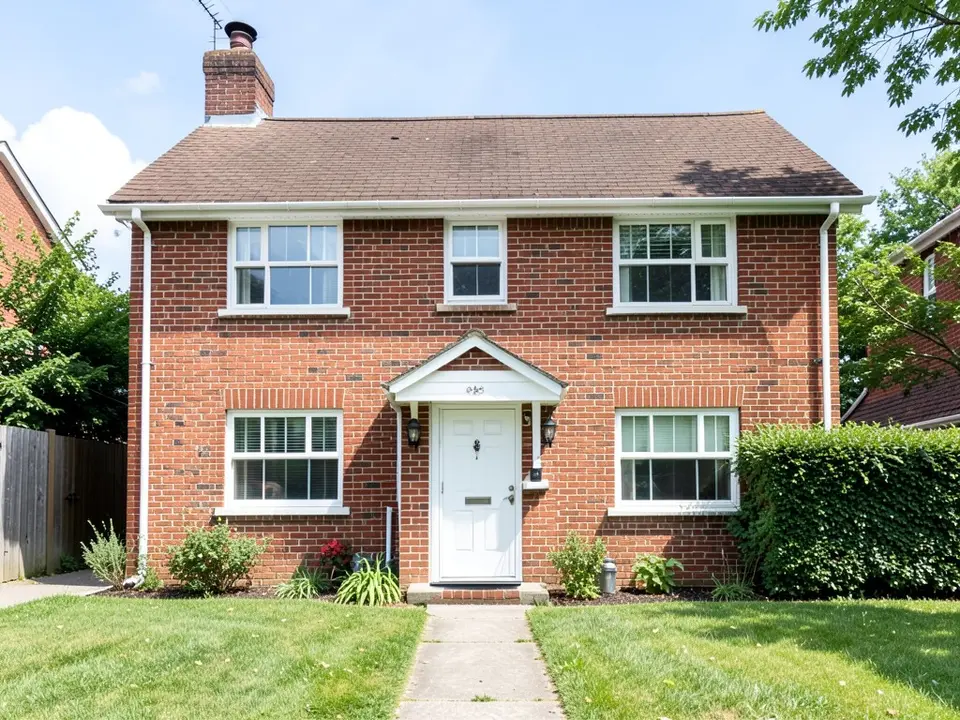
Before: brick house with a brown shingle roof (AI-drawn stand-in)
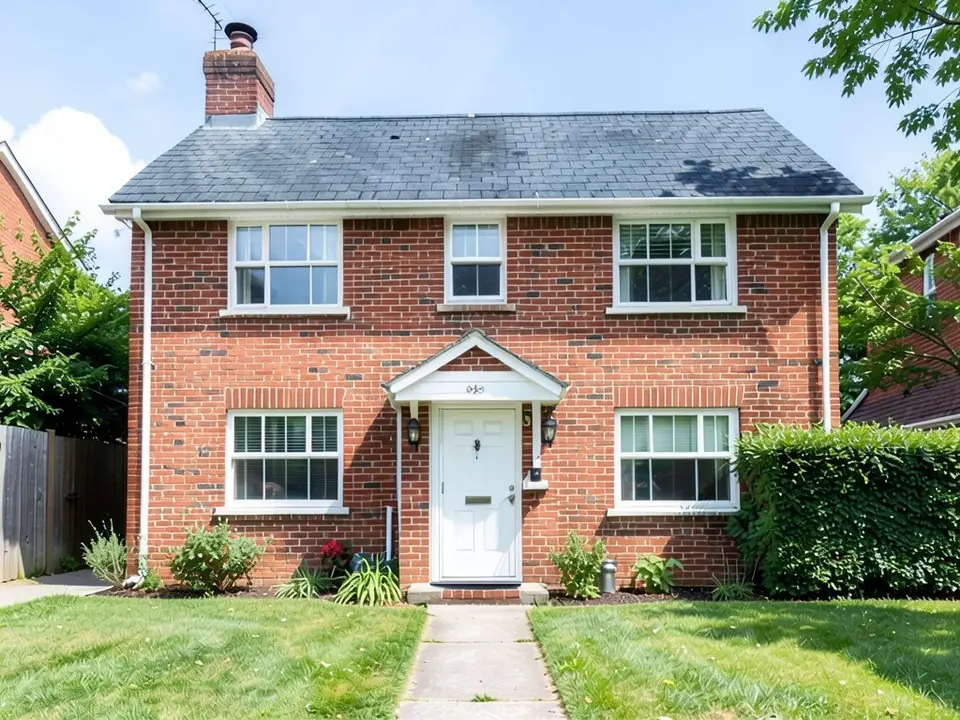
After: grey slate-look roof
From the idea to a real roof
The image is for deciding what you like and for explaining it to a roofer. A real roof change depends on the pitch, the structure under it, the weather where you live and, in many places, planning or building rules, and in some areas a historic or neighbourhood rule on materials or colours. Heavier coverings such as clay tile or slate can need the structure checked. None of that can be read from a picture. Show the image to a roofer, a builder or your local authority and ask what is possible on your house.
If the roof is part of a bigger change, see the house facade page for new wall finishes, or the house elevation page for a front view of a design.
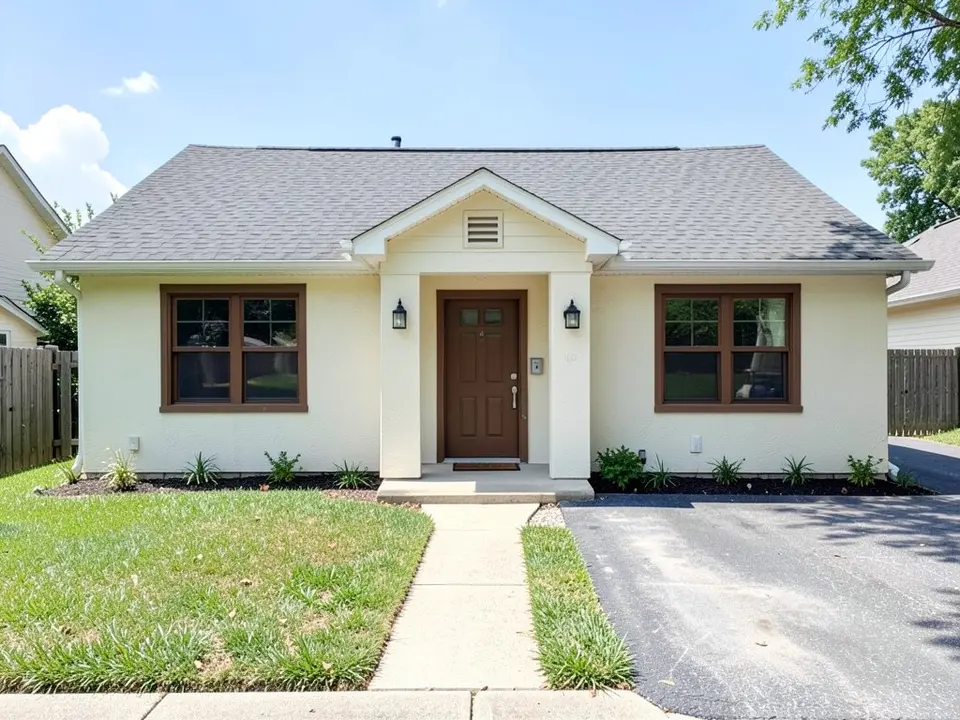
Before: cream ranch house with a grey shingle roof (AI-drawn stand-in)
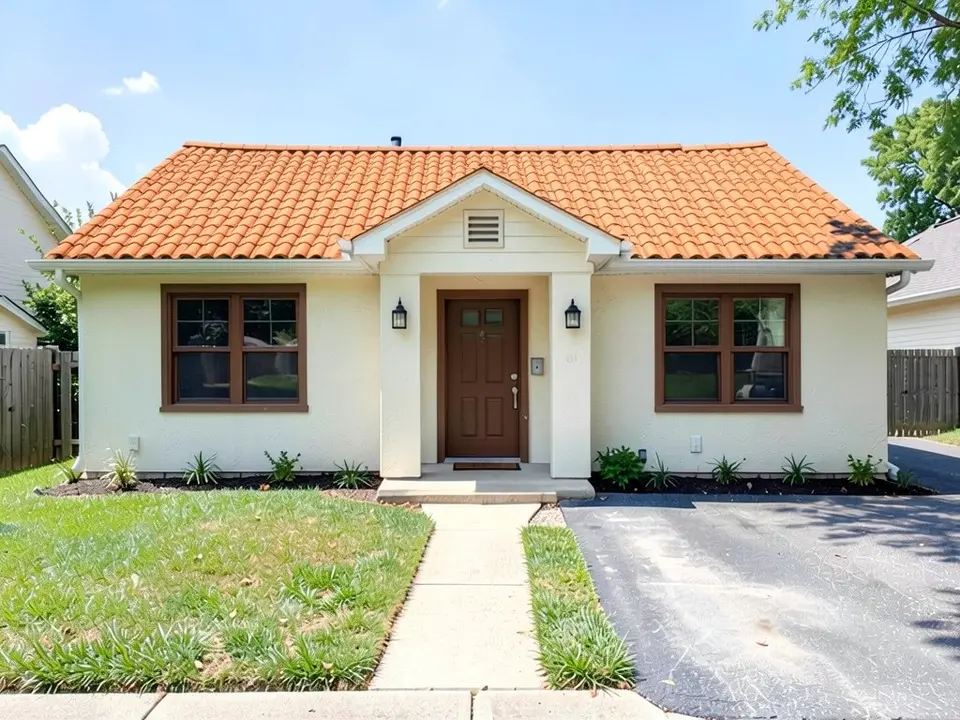
After: terracotta barrel-tile roof
AI idea picture, a manufacturer tool or a roofer?
- ArchitecturesAI. No setup: upload a photo, describe the roof and get a picture back. Good for comparing colours and materials; not to scale and not faithful to every detail of a product.
- A manufacturer or roofer colour tool. Shows that company's products on your photo, so the match to a real product is closer, and it leads to their quote.
- A roofer or builder. A site visit, a measured quote and advice on structure, fixings and the local rules. Needed before any work.
Free tier and plans
You need a free account to render. New accounts get 2 free renders, and free renders carry a watermark. In India this site does not include free renders, so a paid plan is needed there. Weekly, monthly and yearly plans for more renders without the watermark are on the pricing page.
The "before" images on this page are AI-drawn stand-ins, not photos of real houses.
Frequently asked questions
Can AI show a new roof on my own house?
Yes, as a concept picture. Upload a photo of the front of your house, then describe the roof with Custom Action or Edit Image on the result. It keeps the camera and the walls and repaints the roof, but it is not to scale and it does not know the product.
What should I write to describe the roof?
Say what changes and what stays: for example, replace the grey shingles with dark metal panels with vertical ribs and keep the walls, windows, door and lawn the same. In our tests the roof change followed the prompt, but colours came out a shade off and old stains sometimes carried over.
Will the picture show the real colour of the roofing product?
No. The colour on screen depends on the image model and your screen, and a request for charcoal came back near-black in our test. Ask the supplier for a real sample and look at it on your own house in daylight.
Can it show a different roof shape, not only a new covering?
It can try, but the examples on this page only change the covering. A new shape changes the structure, so the result is less reliable and needs a professional opinion.
Do I need permission to change my roof?
It depends on where you live, the house and the type of change. Some places have rules on materials or colours. A picture does not answer that. Ask your local authority or a professional, and check before you build.
What photo should I upload?
A level photo in daylight with the whole roof and the roof edge in frame, taken from far enough back to see the ridge, with as little clutter as possible. Crop out text and toolbars.
Is it free to try?
Yes. After you sign in, a new account gets 2 free renders with a watermark. In India this site does not include free renders. Paid weekly, monthly and yearly plans are listed on the pricing page.
See the roof before you pay for it
Upload a photo of your house, describe the roof, and compare a few colours and materials. Your first 2 renders on a free account are on us.
Try a roof on your houseRelated: House facade design · House elevation 3D render · AI porch design · House extension design · Real estate rendering · Render Architecture tool · Pricing