AI commercial exterior design
AI Commercial Exterior Design: See a New Look on Your Shop, Cafe or Office
A new paint colour, an awning or a cladding change can cost a lot to try on a real building. Upload a photo of the front of your shop, cafe or office, pick the Facade type, and ArchitecturesAI renders the same view; then describe the change in a sentence to try it. The result is an idea picture for choosing a direction and for talking to a painter, sign maker or architect. It does not know your lease, local rules or building materials, and it does not always do exactly what the sentence says, as the three examples below show.
Try a new look on your buildingSign in with Google or email to render. New accounts get 2 free renders (watermarked); free renders are not available in India on this site.
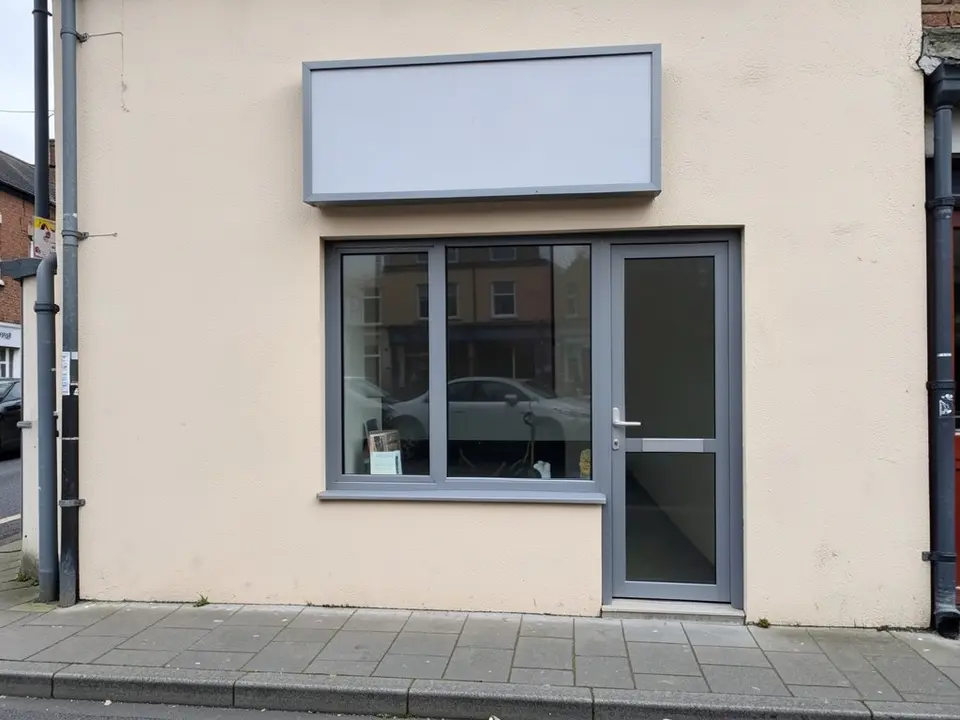
Before: cream shop front with a blank signboard (AI-drawn stand-in for a photo)
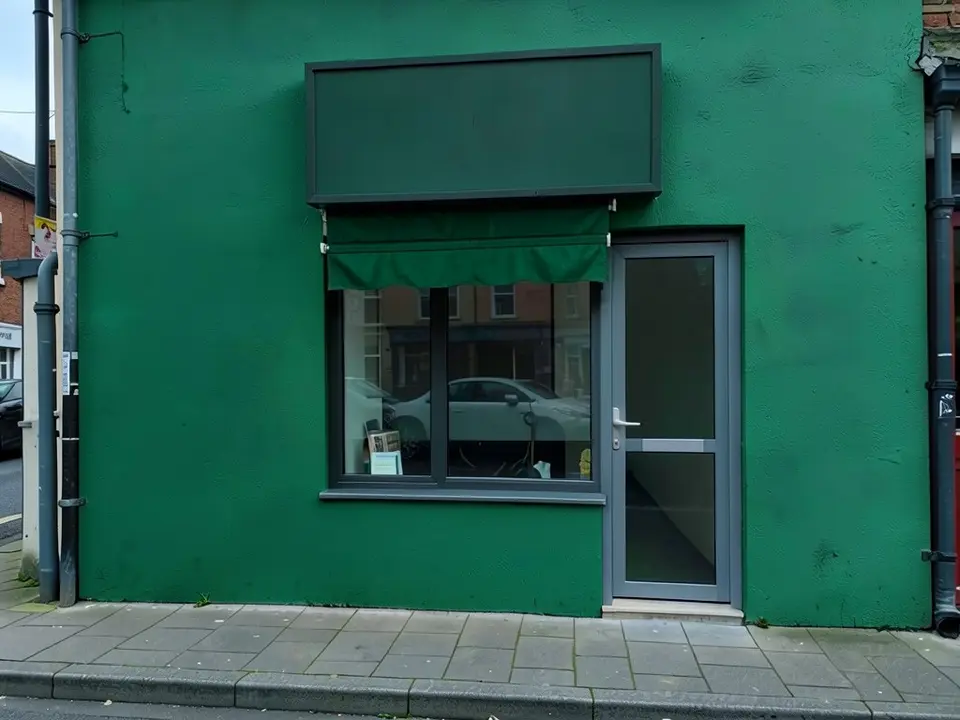
After: deep green wall with a green awning
What AI commercial exterior design does
A commercial exterior visualizer shows a shop, cafe or office with a new look before you pay for it. Paint charts and cladding samples show a colour on a small card. An AI picture shows the colour, an awning or a different cladding on your own building, in the light of your own photo.
AI tools start from your photo, keep the camera and the general shape of the building, and repaint or add what you describe. They are fast and cheap to repeat. They are not drawings: they do not know real sizes, and they do not follow every instruction.
How to try a new look on your building with ArchitecturesAI
- Click "Try a new look on your building". The Render Architecture tool opens with Facade selected under Architecture Type. Sign in with Google or email.
- Under "Please select an image", click Select Image and upload a JPG or PNG of the front of the building. Photograph it straight on or from a corner in daylight, with the whole front in frame and as few cars and people as possible.
- Pick the Style closest to the look you want, such as Modern, and generate. Free accounts can only use Low quality (Medium and High are marked PRO).
- To change one thing, use Custom Action or Edit Image on the result and describe it in a sentence: what to change, the colour or material, and what must stay the same. Each edit uses credits. Run it a few times, since each result differs.
- The examples on this page ran directly on our image model with the written instructions shown, not through this tool, so your result will differ.
Ideas you can try
- A new wall colour on a shop front, as in the first example.
- An awning above a window, as in the first and third examples.
- Cladding panels instead of brick on an office, as in the second example.
- Bistro tables and chairs on the pavement of a cafe, as in the third example.
- Two or three colours of the same wall, to compare before you buy paint.
Before: cream shop front with a blank signboard (AI-drawn stand-in for a photo)
After: deep green wall with a green awning
What the AI keeps and what it may change
Use this as a checklist when you compare a result with your building.
- Usually kept: the camera angle, the building shape, the door positions, the pavement and the sky, as in all three examples.
- Often changed without being asked: nearby surfaces, such as the signboard that also turned green in the first example.
- Sometimes not done: asking for a larger window or black frames did not work in the first example, wide glass windows did not appear in the second, and the white window frame and door stayed white in the third.
- Never produced: measurements, a materials list, a cost, or a check on whether the change is allowed.
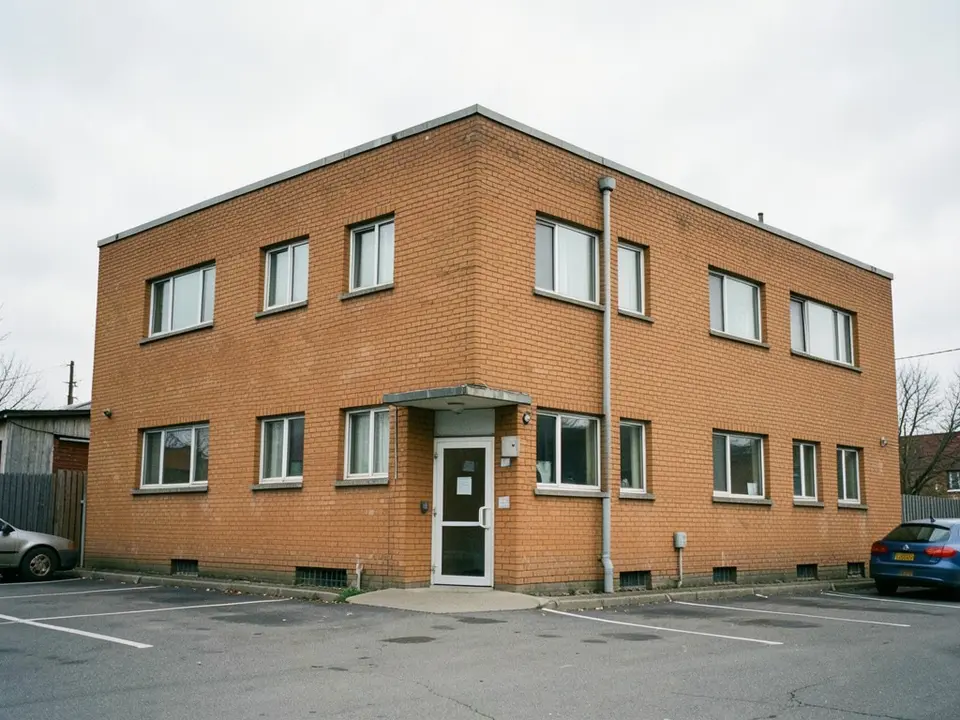
Before: brick office building (AI-drawn stand-in)
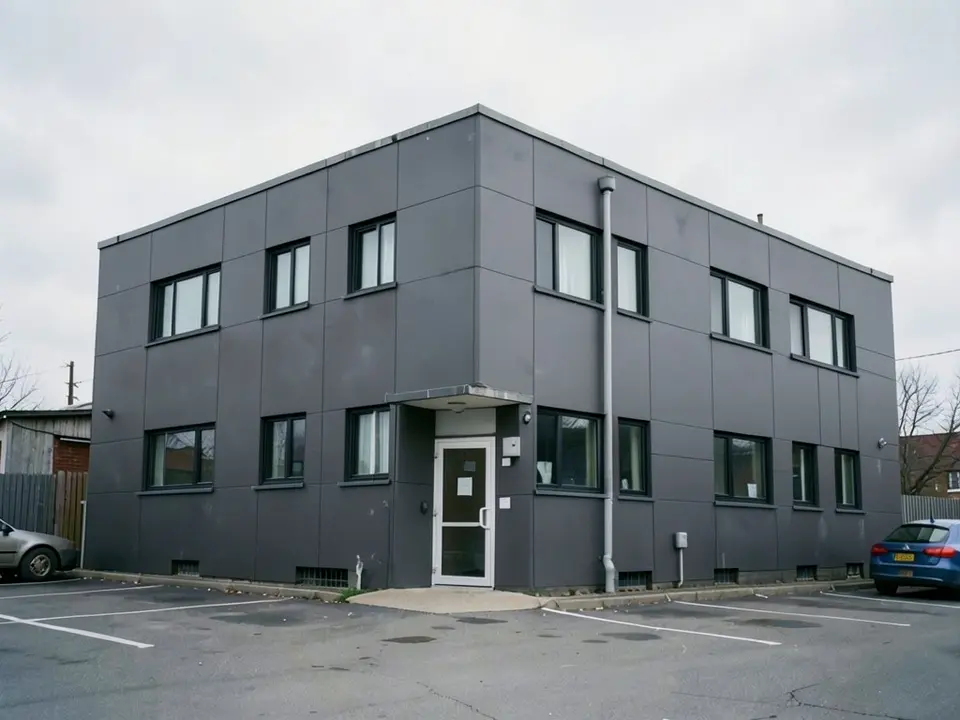
After: dark grey cladding panels, black window frames
Before you change a real building
The image is for choosing a direction. If you rent the premises, check your lease and ask the landlord before you paint or add an awning. Some places also have rules on signs, awnings, colours or changes to a listed or historic building, so ask your local authority before you start. Keep in mind that the picture shows none of this.
Keep the signboard blank in the picture if you plan to add your own name later: the AI should not be trusted to draw text or a logo. For the idea on a house rather than a business, see the house facade page.
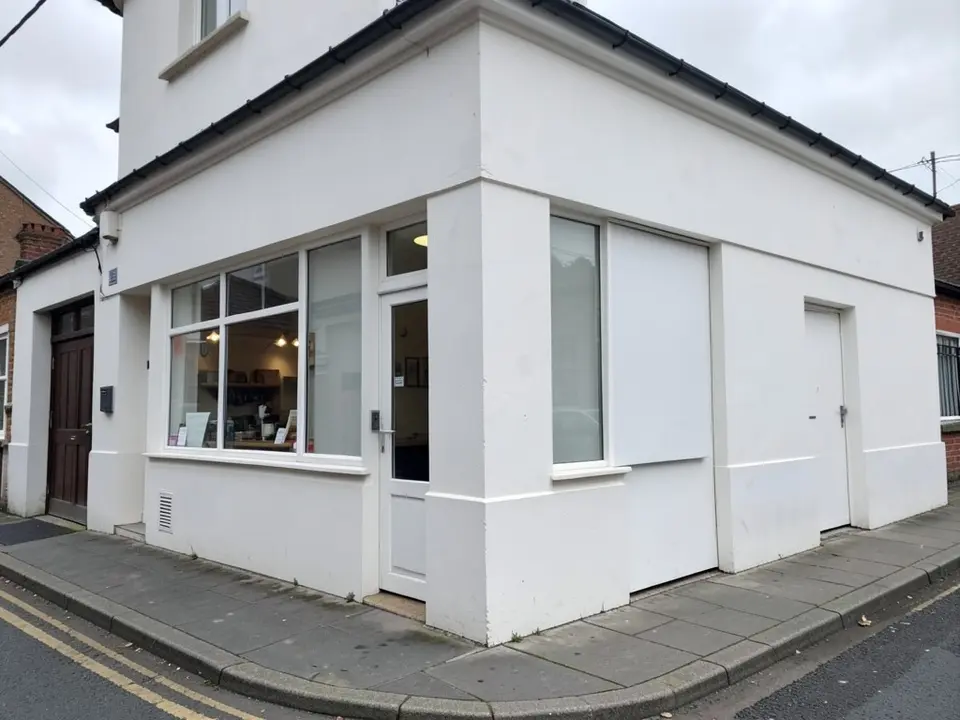
Before: white corner building at street level (AI-drawn stand-in)
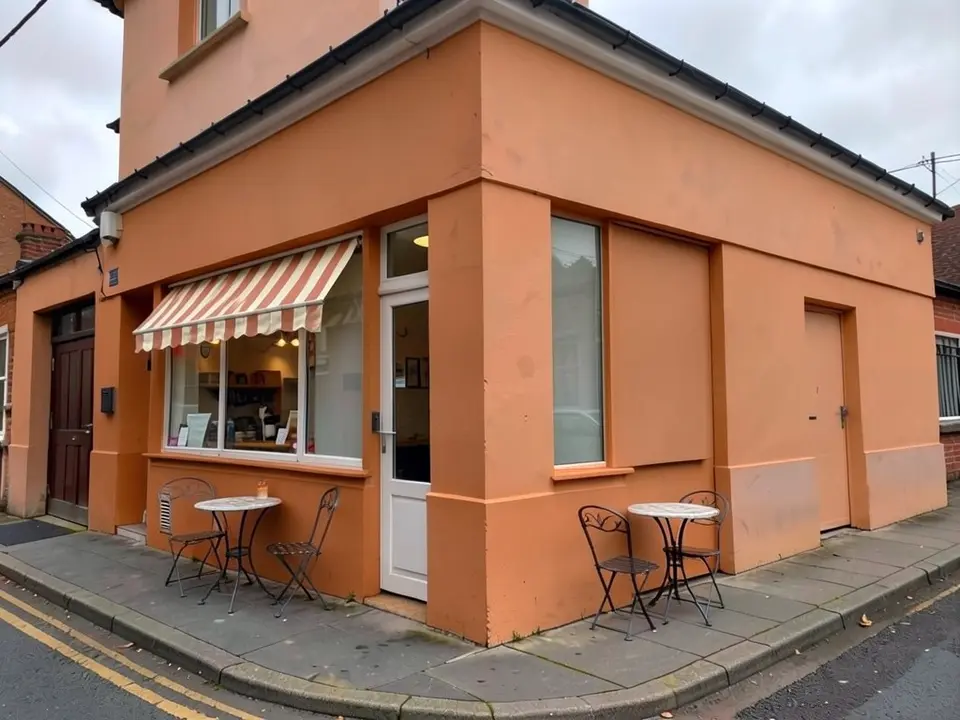
After: terracotta walls, striped awning, two bistro tables
AI idea picture, a mock-up or a designer?
- ArchitecturesAI. No setup: upload a photo, describe the change and get a picture back. Good for comparing colours and ideas; not to scale and not faithful to every instruction.
- A sign maker, painter or shopfitter. They can mock up your sign and awning to size and give a price, but you wait for them.
- An architect or your local authority. Needed for structural changes, planning rules and listed buildings.
Free tier and plans
You need a free account to render. New accounts get 2 free renders, and free renders carry a watermark. In India this site does not include free renders, so a paid plan is needed there. Weekly, monthly and yearly plans for more renders without the watermark are on the pricing page.
The "before" images on this page are AI-drawn stand-ins, not photos of real buildings.
Frequently asked questions
Can AI redesign the exterior of a shop, cafe or office from a photo?
Yes, as a concept picture. Upload a photo of the front, choose the Facade type, and describe the change with Custom Action or Edit Image on the result. It keeps the camera and the building shape and repaints or adds what you describe, but it is not to scale.
Will it do exactly what I write?
Not always. In our three examples it changed the wall colours and added awnings, but it did not enlarge a window, did not make wide glass windows and left a white window frame and door white. Check each result against what you asked for and run it again with a clearer sentence.
Can it add a sign with my shop name?
We do not recommend it. AI pictures often draw text wrongly, so we keep the signboard blank in the examples. Add your own name later with a sign maker.
Do I need permission to change my shop or office front?
That depends on where you live and whether you own or rent the building. Check your lease with the landlord, and ask your local authority about rules on signs, awnings, colours and listed or historic buildings.
What photo should I upload?
A level photo in daylight of the whole front, straight on or from a corner, with as few cars and people as possible. Crop out text and toolbars.
Is it free to try?
Yes. After you sign in, a new account gets 2 free renders with a watermark. In India this site does not include free renders. Paid weekly, monthly and yearly plans are listed on the pricing page.
See the new look before you paint
Upload a photo of your shop, cafe or office, describe the change, and compare a few ideas. Your first 2 renders on a free account are on us.
Try a new look on your buildingRelated: House facade design · Real estate rendering · AI architectural rendering · House elevation 3D render · AI roof design · Render Architecture tool · Pricing