School building design
School Building Design: See the School Before It Is Built
People searching for school building design are often architects and students working on a school project, or school boards and parents picturing a new building or a refurbishment. This AI school building design tool starts from a picture: upload a photo of the site or the old building, a sketch or a massing model, and ArchitecturesAI renders it in the same view; then describe the materials, the windows, the entrance and the outdoor spaces in a sentence. The result is an idea picture of the outside for early discussions. It is not a plan, a design brief or a cost estimate.
Upload your site photo or modelSign in with Google or email to render. New accounts get 2 free renders (watermarked); free renders are not available in India on this site.
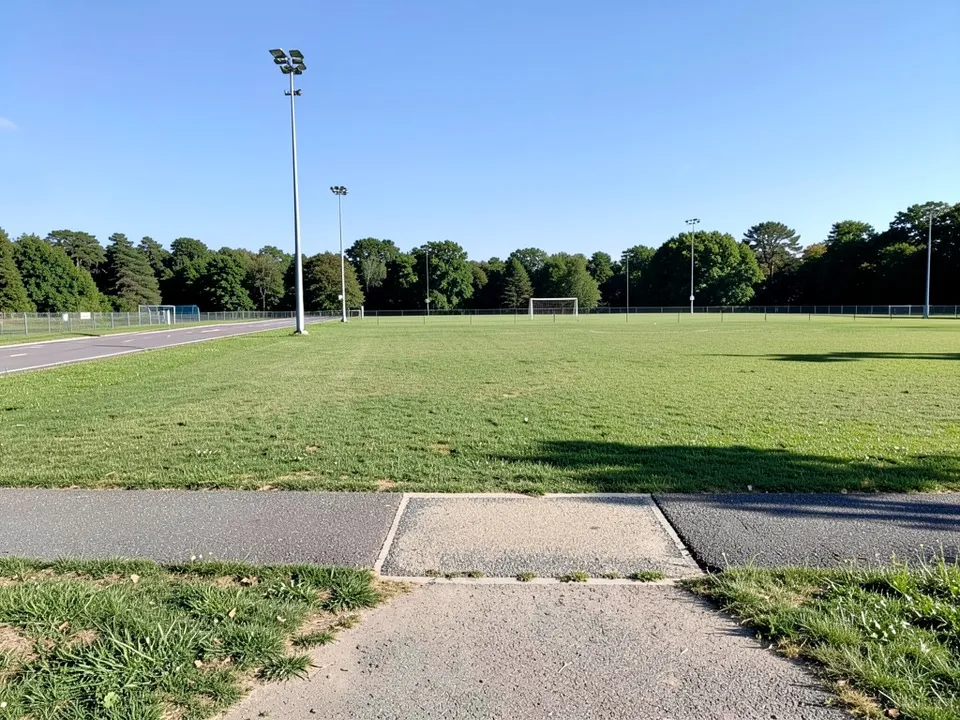
Before: open site by a sports field (AI-drawn stand-in for a photo)
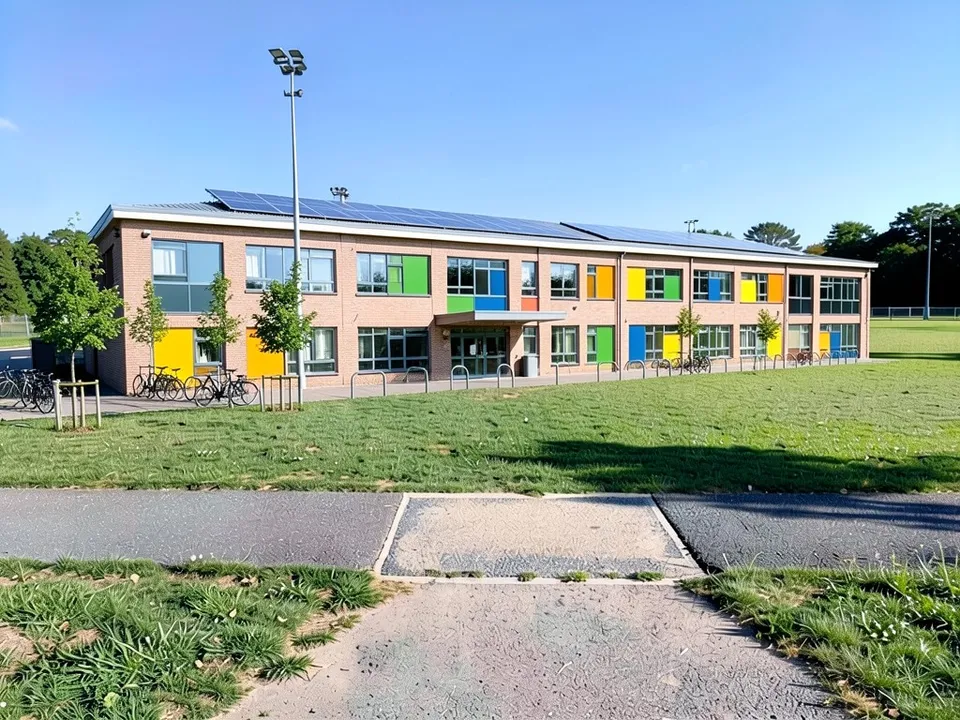
After: a new two-storey school on an open site
What schools are designed around now
Architecture sites such as e-architect and Building.co.uk keep returning to the same priorities, and the World Building of the Year at the 2024 World Architecture Festival was a school, Darlington Public School in Sydney. The common themes:
- Flexible learning spaces that can open up or close off.
- Plenty of daylight and views, and natural materials (biophilic design).
- Outdoor learning and play areas.
- Low energy use: solar panels, rainwater collection and good insulation.
- Step-free access, and parts the community can use after hours.
How to try a school building design with ArchitecturesAI
- In the editor above, the mode is Render Architecture, the type is Educational and the style is Modern. This mode has no prompt box: you start from an image.
- Under Select Image, upload a JPG or PNG: a daylight photo of the site or the existing school, or a sketch, a massing model or a screenshot from your 3D software.
- Click Generate. Free accounts can only use Low quality (Medium and High are marked PRO). Sign in with Google or email when asked.
- To steer the result, click Edit Image on it (the box is called Edit Instructions) or use Custom Action, and describe the materials, the windows, the coloured panels, the entrance and the outdoor spaces and what must stay the same. Each edit is another render and uses credits. Run it a few times, since every result differs.
- The three examples below ran directly on our image model with the written instructions shown. They did not go through the editor above, so your own results will differ.
A new school on an open site
A photo of the site is the usual starting point for an early concept. Our example followed the whole prompt and built over part of the field.
Before: open site by a sports field (AI-drawn stand-in for a photo)
After: a new two-storey school on an open site
Refreshing an old block, or rendering a massing model
An old concrete block can be shown with new windows, louvres and colour without changing its shape. A massing model keeps its wings and entrance and gains materials and play areas.
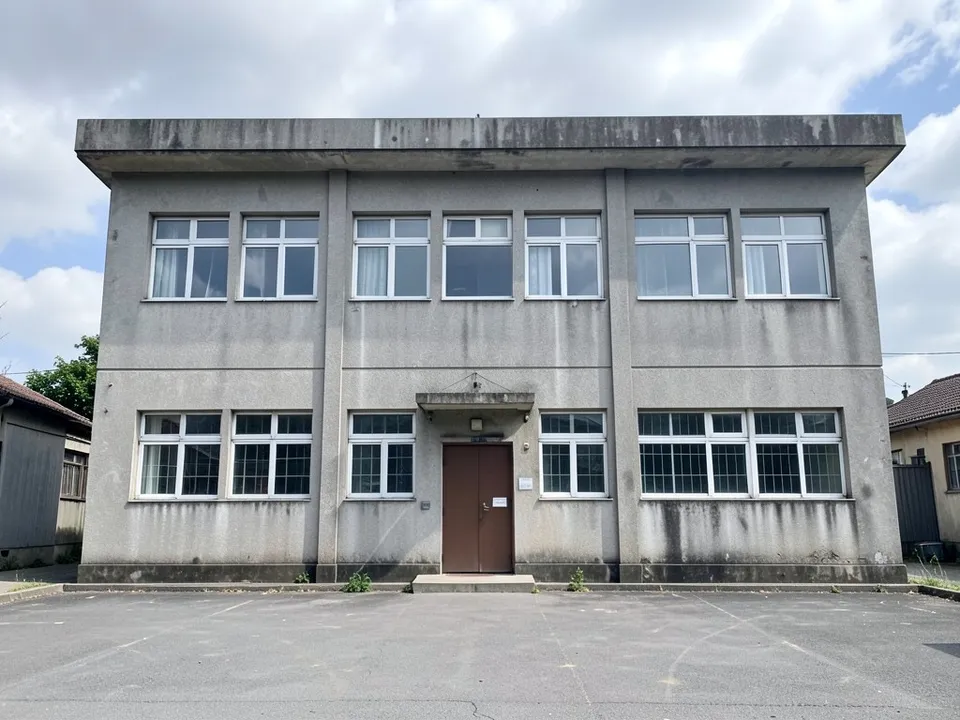
Before: old concrete school block (AI-drawn stand-in for a photo)
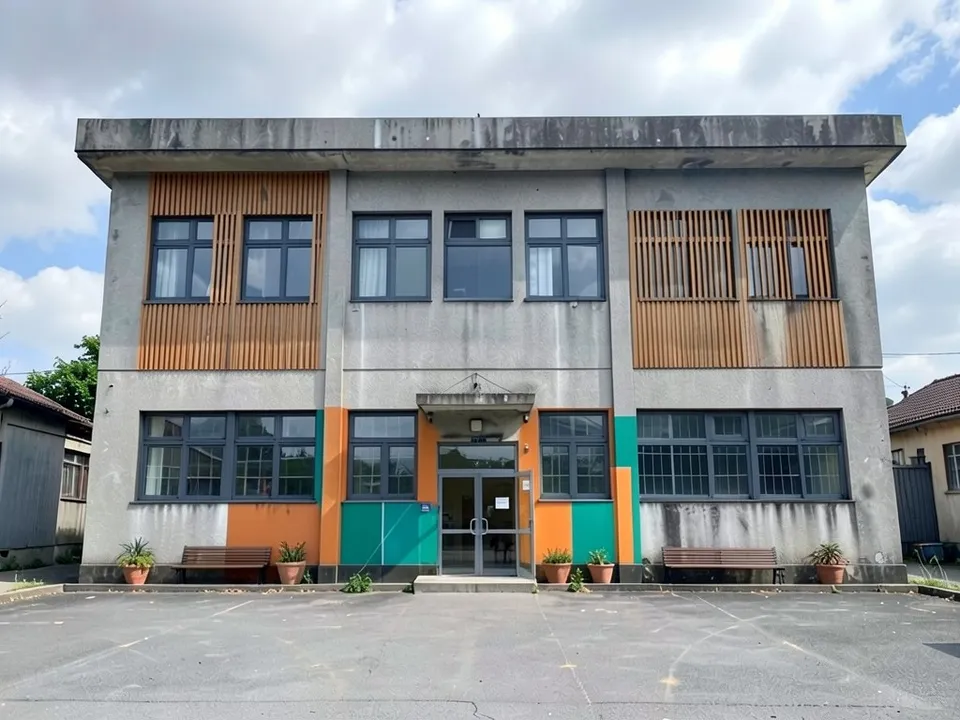
After: the same block after a facade refresh
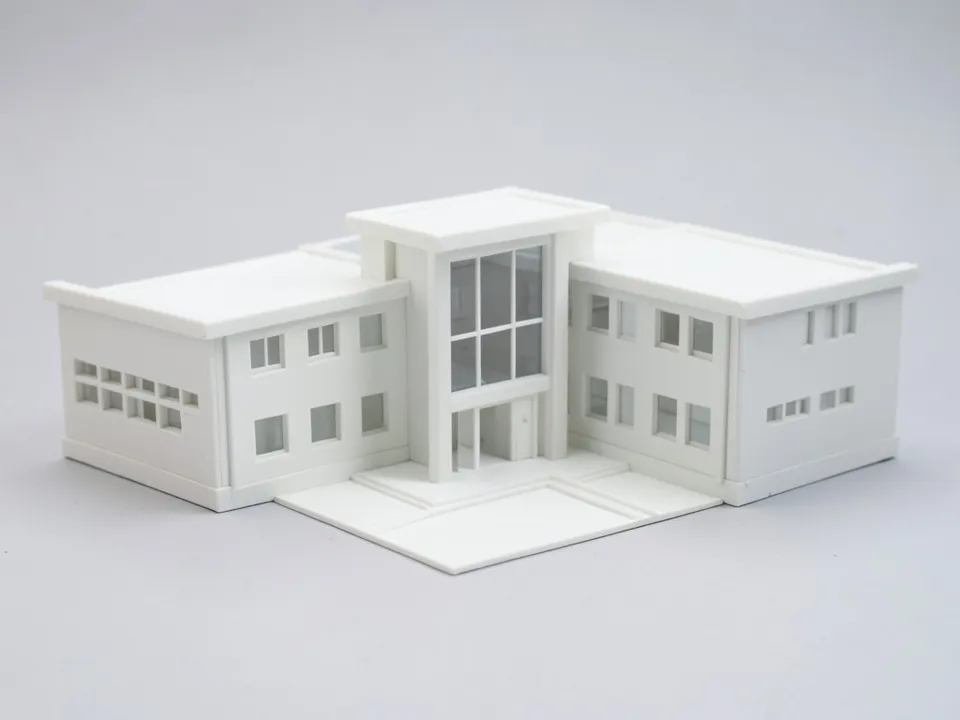
Before: clay massing model of a school (AI-drawn stand-in for a 3D model)
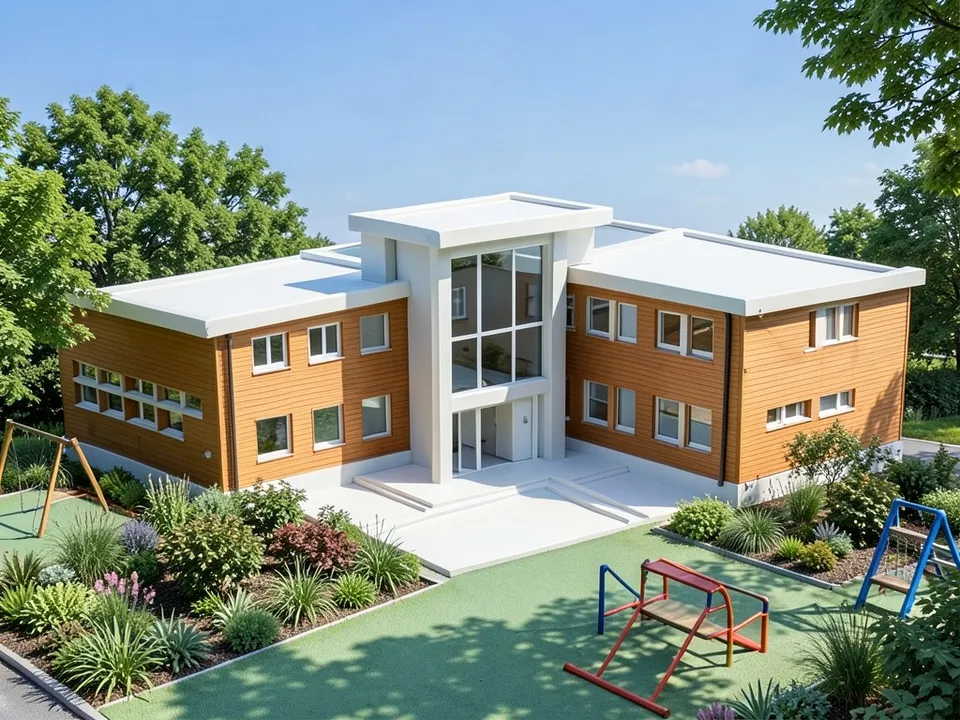
After: clay model turned into a timber school
What the AI keeps and what it may change
- Usually kept: the camera angle, the site, and the shape and floors of an existing building or model.
- Often different from what you asked: canopies, how much of a worn surface is renewed, and where a building sits on a site.
- Often added without being asked: play equipment, extra colours and planting.
- Never produced: plans, room layouts, compliance with school building standards, structure or cost estimates.
Other building types
For shops and offices, see our commercial exterior design page; for whole streets and neighbourhoods, see urban design rendering.
Free tier and plans
You need a free account to render. New accounts get 2 free renders, and free renders carry a watermark. In India this site does not include free renders, so a paid plan is needed there. Weekly, monthly and yearly plans for more renders without the watermark are on the pricing page.
The site, the school and the clay model on this page are AI-drawn stand-ins, not real. Each example was run directly on the model, not through the tool above.
Frequently asked questions
Can AI design a school building?
It can draw exterior concept pictures for early discussions: a school on a site photo, a refresh of an old block, or a render of a massing model. It does not plan classrooms, meet school building standards or replace an architect.
Can students use it for architecture projects?
Yes. Upload a photo of your model or sketch. The results are idea pictures; check your course rules on AI images.
Is there a text box in the editor?
The prompt box exists only in Architecture Generator mode. The editor above opens in Render Architecture, where you upload an image and change the result with Edit Image (Edit Instructions) or Custom Action.
Is it free to try?
Yes. After you sign in, a new account gets 2 free renders with a watermark, in Low quality. In India this site does not include free renders. Paid weekly, monthly and yearly plans are listed on the pricing page.
See the school before it is built
Upload your site, the old building or your model, compare a few versions, and take the best one to the next design meeting. Your first 2 renders on a free account are on us.
Upload your site photo or modelRelated: Commercial exterior design · Urban design rendering · Architectural visualization · AI architectural rendering · Sketch to render · Render Architecture tool · Pricing