Glass house design
Glass House Design: See the Glass House in Its Setting
A glass house is built around the view: full-height glass walls, a thin roof, and a few solid walls in stone, timber or concrete. People search for glass house design when they plan a house on a plot with a view or want to see a design before talking to an architect. This AI glass house design tool starts from a picture: upload a photo of your site, a sketch or a clay model, and ArchitecturesAI renders it in the same view; then describe the glass, the frames, the solid walls and the light in a sentence. The result is an idea picture of the outside. It is not a floor plan, a structural design or a quote.
Upload your site photo or sketchSign in with Google or email to render. New accounts get 2 free renders (watermarked); free renders are not available in India on this site.
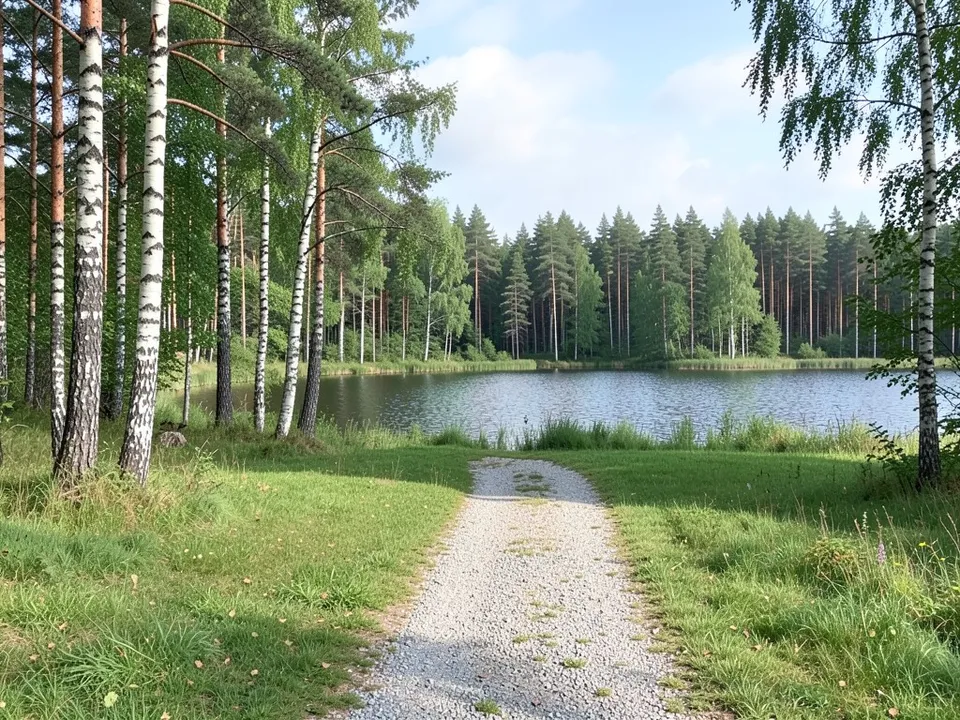
Before: forest clearing by a lake (AI-drawn stand-in for a photo)
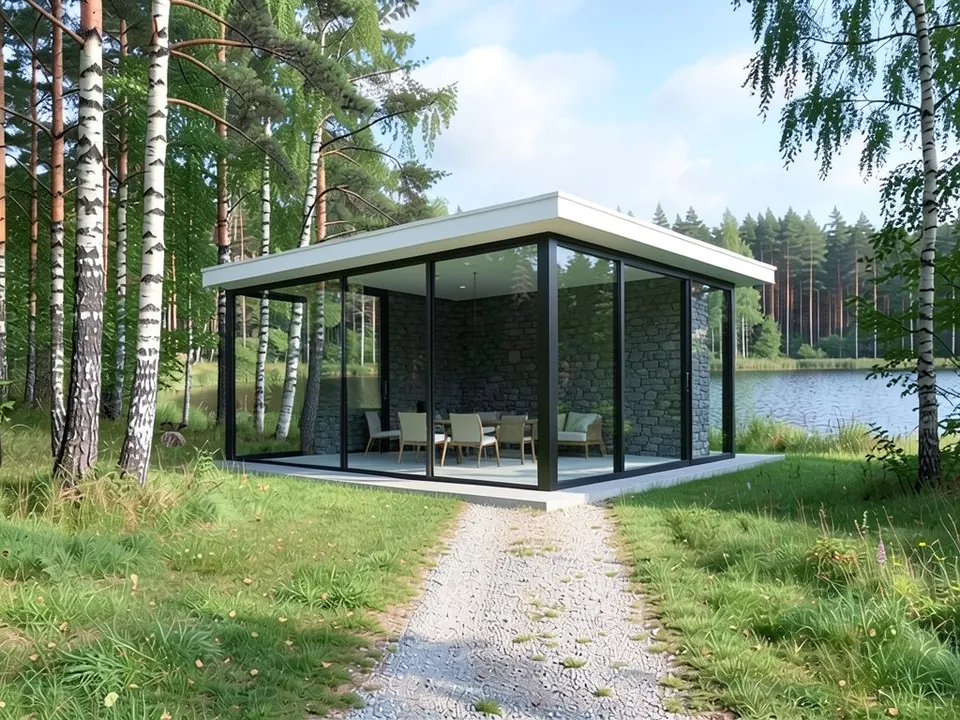
After: a glass pavilion by a lake
Designing a glass house that works
Glass houses go back to Philip Johnson's Glass House and Mies van der Rohe's Farnsworth House. Houzz and Yanko Design list what makes newer ones livable:
- Glass where the view is, with at least one solid wall for privacy and storage.
- Glass set against stone, timber or concrete.
- Triple glazing and low-e coatings to limit heat loss and heat gain.
- Deep roof overhangs or shading, and careful orientation to the sun.
How to try a glass house design with ArchitecturesAI
- In the editor above, the mode is Render Architecture, the type is Residential and the style is Minimalist. This mode has no prompt box: you start from an image.
- Under Select Image, upload a JPG or PNG: a daylight photo of your site, or a sketch, a clay model or a screenshot from your 3D software.
- Click Generate. Free accounts can only use Low quality (Medium and High are marked PRO). Sign in with Google or email when asked.
- To steer the result, click Edit Image on it (the box is called Edit Instructions) or use Custom Action, and describe the glass, the frames, the solid walls, the roof and the light and what must stay the same. Each edit is another render and uses credits. Run it a few times, since every result differs.
- The three examples below ran directly on our image model with the written instructions shown. They did not go through the editor above, so your own results will differ.
A glass house in a landscape
A site with a view is the natural starting point. Our example kept the forest and the lake and drew a small glass pavilion with one solid stone wall.
Before: forest clearing by a lake (AI-drawn stand-in for a photo)
After: a glass pavilion by a lake
From a clay model or a sketch
If you have a model or a sketch, the render keeps the glass and the solid parts where you drew them and adds materials and light.
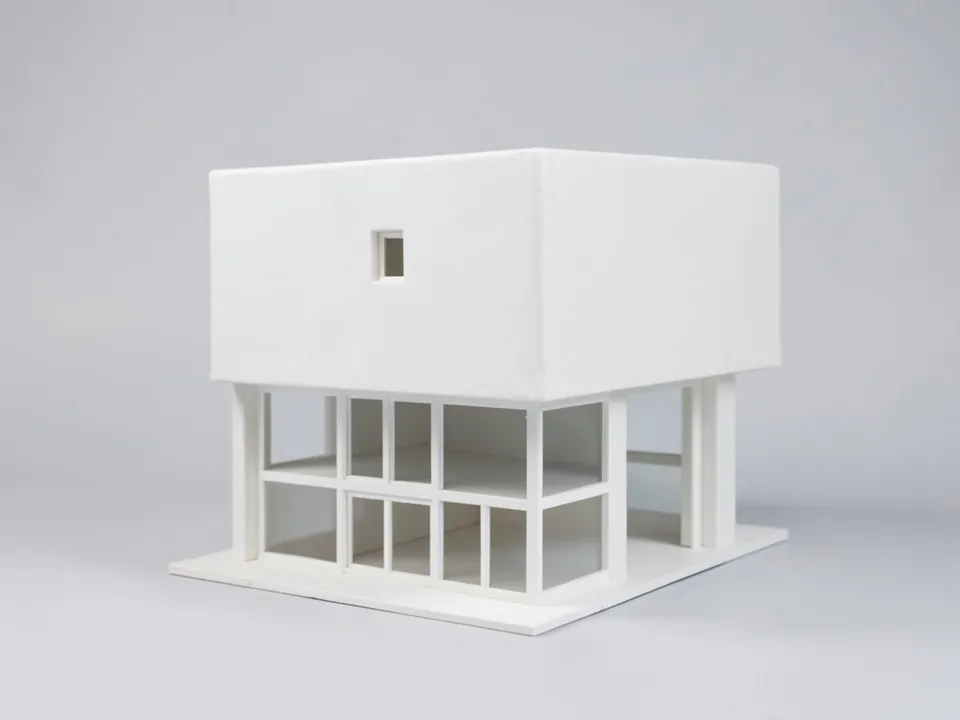
Before: clay model of a glass house (AI-drawn stand-in for a 3D model)
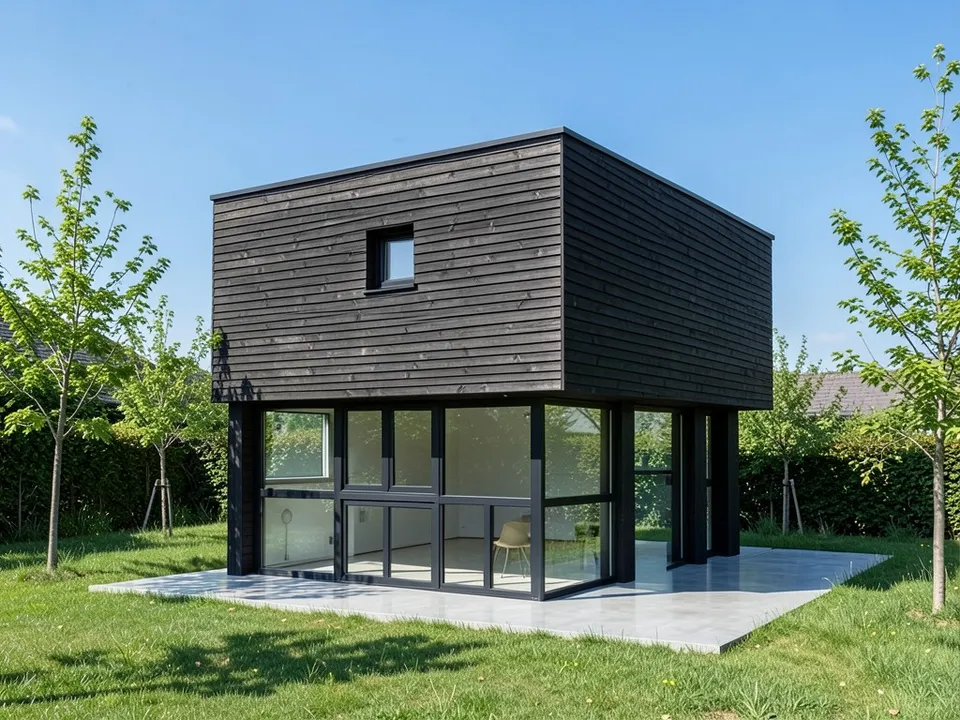
After: clay model turned into glass and dark timber
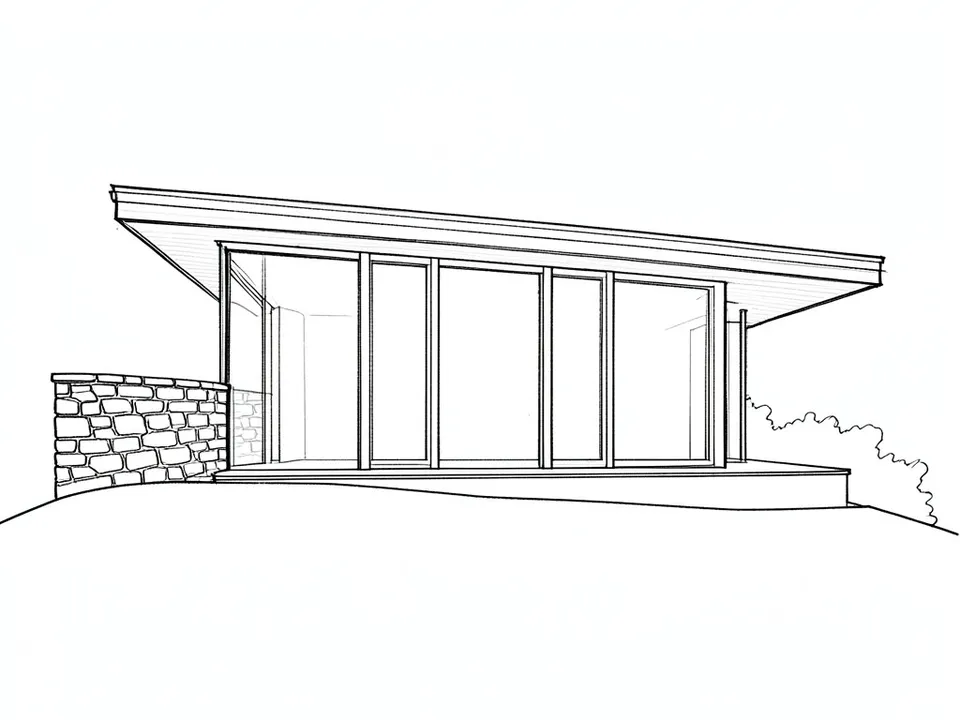
Before: line sketch of a glass house (AI-drawn stand-in for a hand sketch)
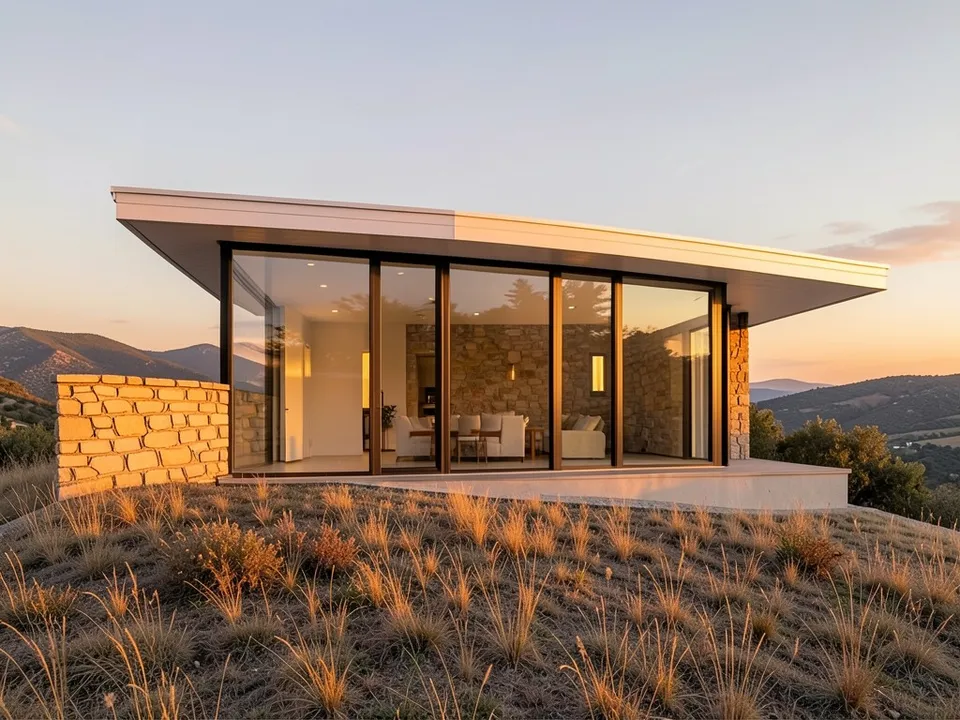
After: sketch turned into a golden-hour render
What the AI keeps and what it may change
- Usually kept: the camera angle, the landscape and the shape of a sketch or model.
- Often different from what you asked: the size of a new building on an open site.
- Often added without being asked: interiors behind the glass, hedges and neighbouring roofs.
- Never produced: floor plans, structure, glazing specifications, energy figures or approval drawings.
A glass room on an existing house
To add a glass room to the house you have, see our conservatory design page. For more modern houses, see the modern house design page.
Free tier and plans
You need a free account to render. New accounts get 2 free renders, and free renders carry a watermark. In India this site does not include free renders, so a paid plan is needed there. Weekly, monthly and yearly plans for more renders without the watermark are on the pricing page.
The site, the clay model and the sketch on this page are AI-drawn stand-ins, not real. Each example was run directly on the model, not through the tool above.
Frequently asked questions
Can AI design a glass house?
It can draw exterior idea pictures of one: on a photo of your site, or from your sketch or 3D model. It cannot check glazing, heat or structure; that needs an architect and an engineer.
Will the render show the inside?
Yes, if you ask. We asked for furniture in one example and warm lights in another, and both came through.
Is there a text box in the editor?
The prompt box exists only in Architecture Generator mode. The editor above opens in Render Architecture, where you upload an image and change the result with Edit Image (Edit Instructions) or Custom Action.
Is it free to try?
Yes. After you sign in, a new account gets 2 free renders with a watermark, in Low quality. In India this site does not include free renders. Paid weekly, monthly and yearly plans are listed on the pricing page.
See your glass house in its setting
Upload your site, your sketch or your model, compare a few versions in different light, and take the best one to your architect. Your first 2 renders on a free account are on us.
Upload your site photo or sketchRelated: Modern house design · Flat roof house design · AI conservatory design · Luxury house design · Japanese house design · Sketch to render · Render Architecture tool · Pricing