Results
Your landscape design will appear here
Complete selections and generate to see results
Upload a photo of your yard and see it redesigned with AI: child-safe and pet-safe gardens, plants for your climate and how the garden looks each season.
Create a safe outdoor space for children to play
Design a garden that's safe for your furry friends
See how your garden will look in different seasons
Polished, photoreal magazine look
Complete selections and generate to see results
Upload a photo of your yard or garden and the AI redraws it as a designed landscape. You get one image per run. Three modes give the design a focus: a yard that is safer for children, a garden that is safer for pets, or the same garden shown in another season.
Draws the yard with soft play surfaces, secure fencing and shaded areas, whichever of the options on screen (Soft Surfaces, Fenced Area, Non-Toxic Plants, Shaded Areas) you tick.
Draws the garden with a pet-friendly lawn, a digging zone and secure boundaries, whichever of the options on screen (Non-Toxic Plants, Digging Zone, Pet-Friendly Lawn, Secure Boundaries) you tick.
Shows your garden in the season you tap. One season per run; tap a season first, or you get spring.
Each picture is a real run of this tool from its own "Back garden" sample photo, not retouched. The two restyles were made with the Quick edits under the first result.
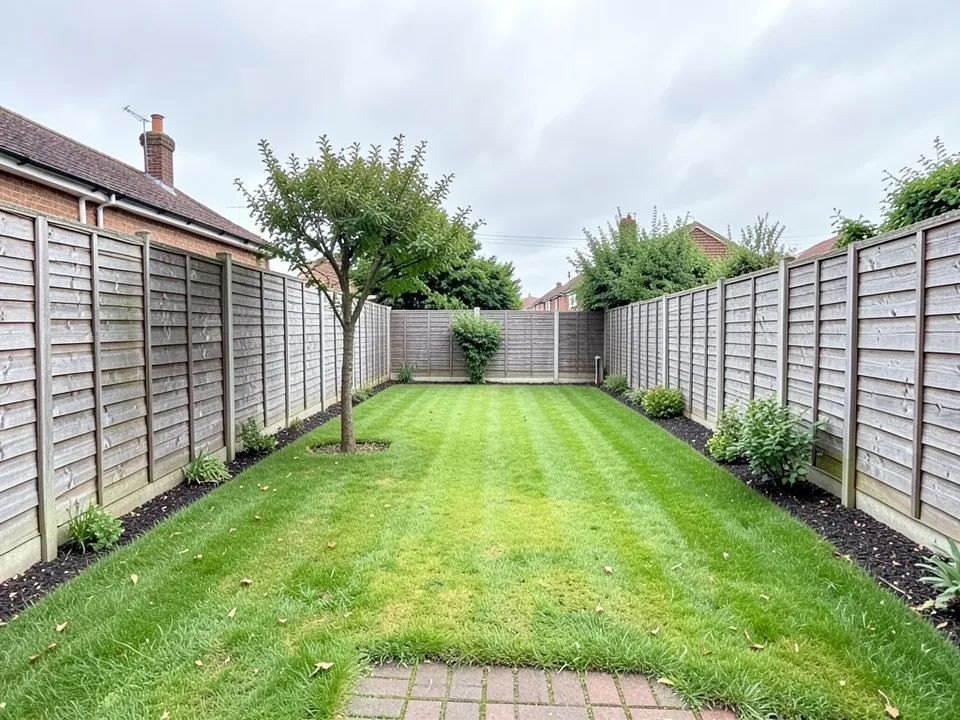
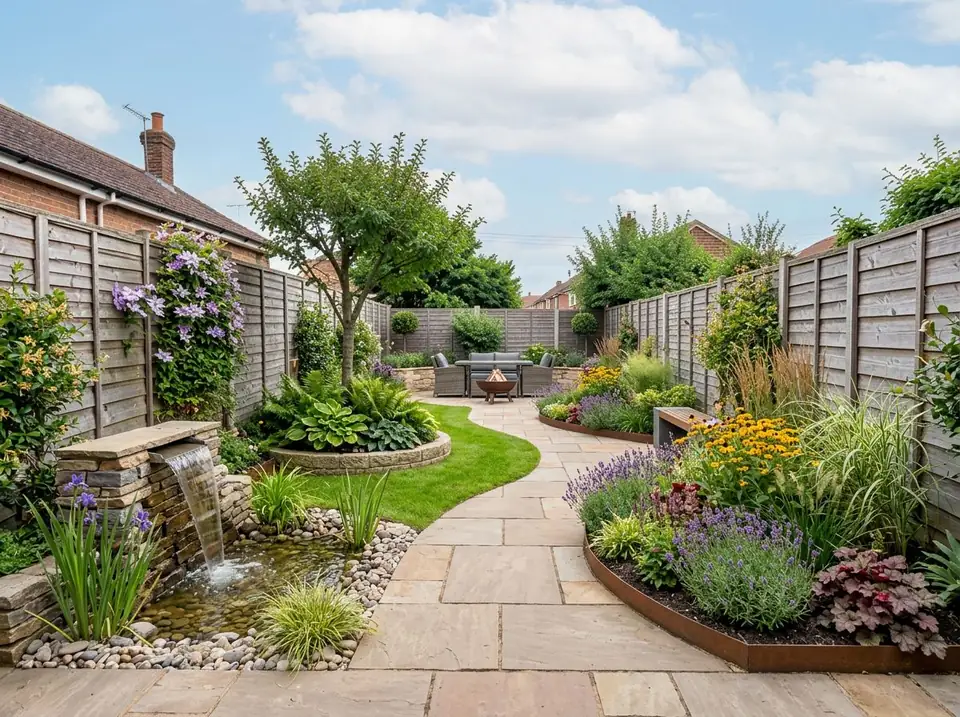
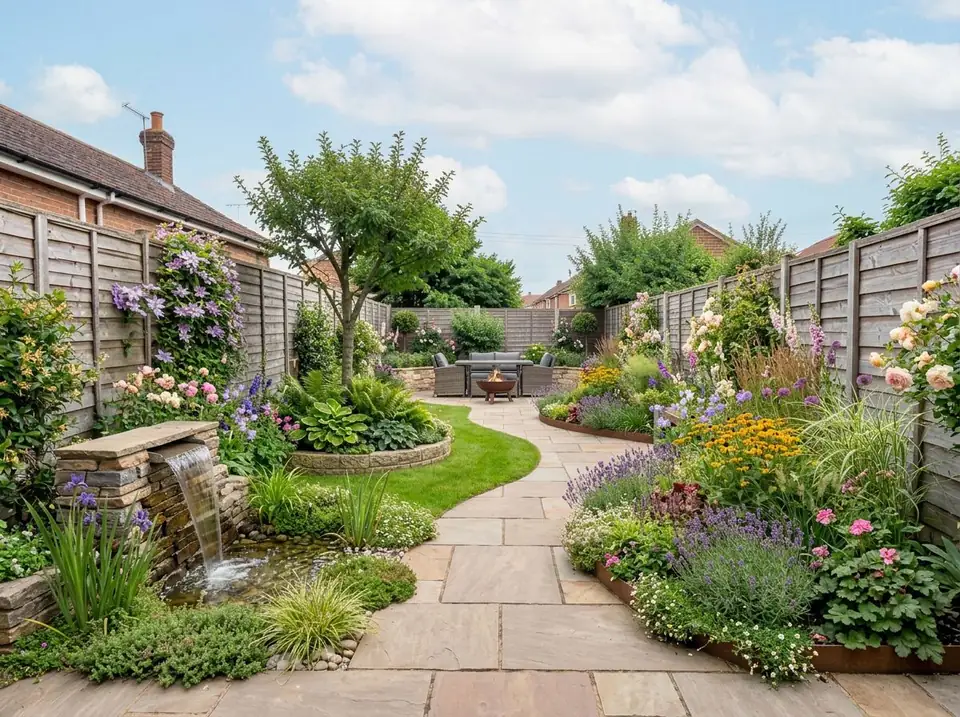
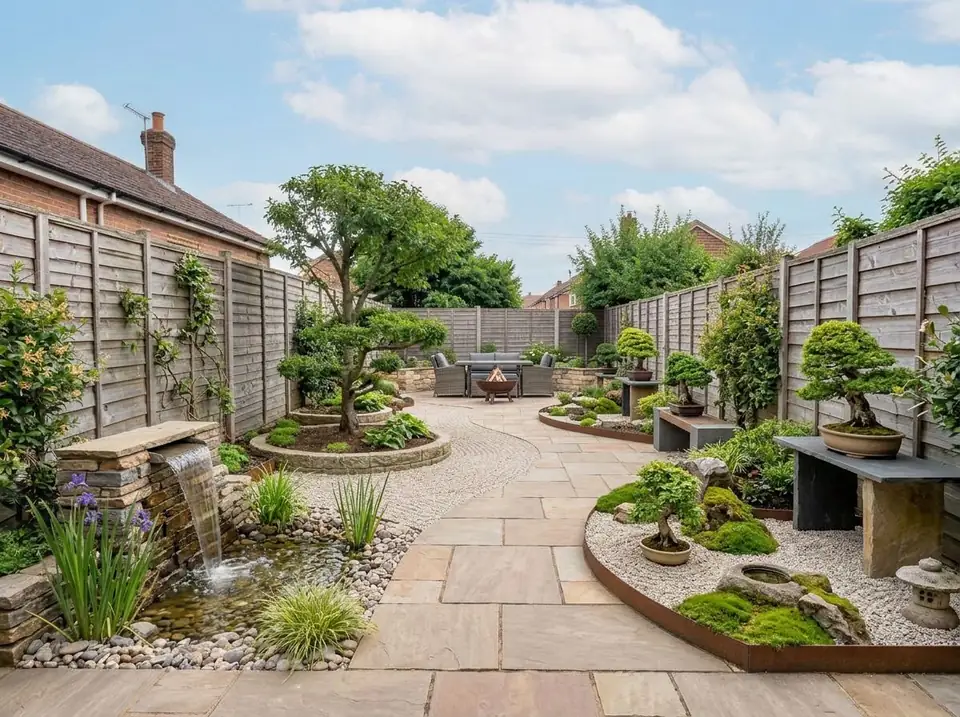
Every run with its exact settings is in How to Design a Backyard with AI.
Use it to compare garden ideas, plan a family or pet-friendly yard, or see how a space could look in winter before you plant. New accounts get 1 free render after verifying their email; plans are on the pricing page.
A site analysis is a record of what the land already gives you before you design on it: sun, slope, soil, water, wind, views and access. Landscape architects do it first, because a design that ignores it fails, for example a lawn in deep shade or a patio where rain collects.
This tool does not measure your site. It draws design ideas on your photo. Note the points below first, then use the AI to try designs that fit them. For the full method, free data sources and a diagram checklist, see our free site analysis guide.
Site analysis online: free guide and data sources · Landscape architecture rendering
Our platform supports a wide variety of languages. Choose your preferred language below to view the site in that language.
Our AI-powered landscape design tools help you create beautiful, functional outdoor spaces.
Transform your outdoor space with AI-powered landscape designs.
Preview how your landscape will look throughout different seasons.
Design and visualize patios, walkways, water features, and other hardscape elements in your landscape.
Start by uploading a photo of your outdoor space.
Choose your desired garden style (e.g., modern, cottage, Japanese).
Select from various plants, hardscape features, and outdoor living elements.
View how your landscape will evolve through different seasons.
Get care tips for the plants the AI recommends.
Discover how our technology can help in various scenarios
Create beautiful, functional outdoor spaces for homes of all sizes.
Design welcoming landscapes for businesses, offices, and public spaces.
Plan eco-friendly gardens that conserve water and support local wildlife.
Design complete outdoor living areas with landscaping, hardscaping, and amenities.
Create green spaces in urban environments with space-efficient designs.
Yes, our seasonal visualization tool shows how plants, colors, and features will change throughout the year.
Yes, plant recommendations include care tips for each suggested plant.
Our tools work for spaces of all sizes, from large yards to compact urban gardens.