Beach house design
Beach House Design: See Coastal Ideas on Your Own House or Lot
Beach house galleries show finished coastal homes. If you are planning one, you start somewhere else: a dated house near the water, an empty sandy lot, or a sketch. This AI beach house design page works from that picture. Upload it and ArchitecturesAI draws the same view as a photo-like beach house; then describe the walls, the roof, the deck, the railings or the pilings in a sentence. The result is an idea picture. It does not know your flood zone, wind rating or local rules, and it is not a plan or a quote.
Upload your house or lot photoSign in with Google or email to render. New accounts get 2 free renders (watermarked); free renders are not available in India on this site.
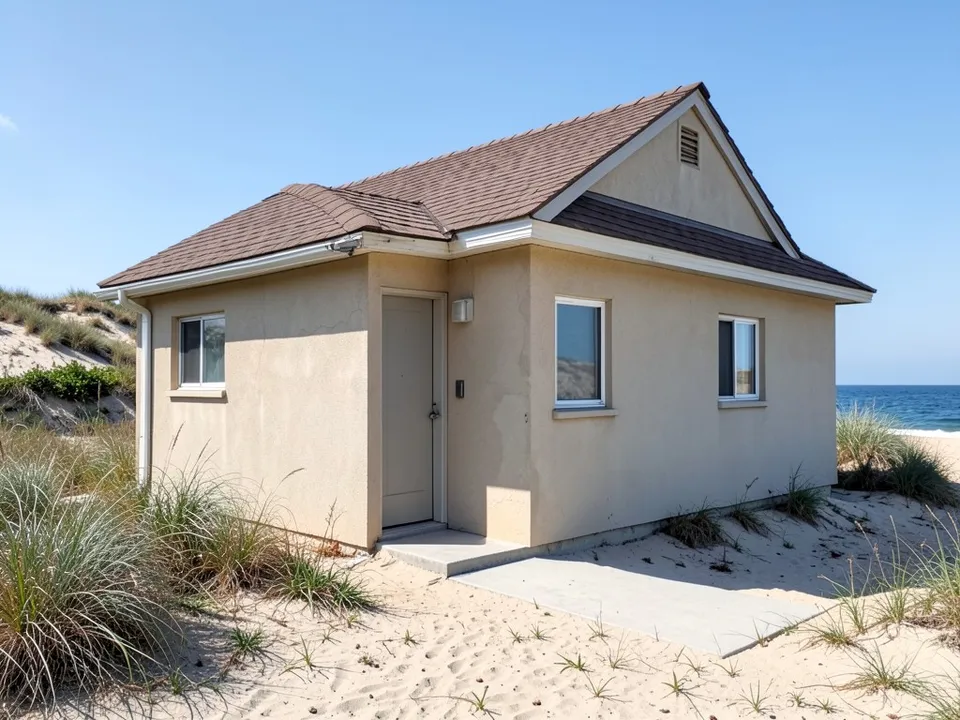
Before: dated beige stucco cottage by the dunes (AI-drawn stand-in for a photo)
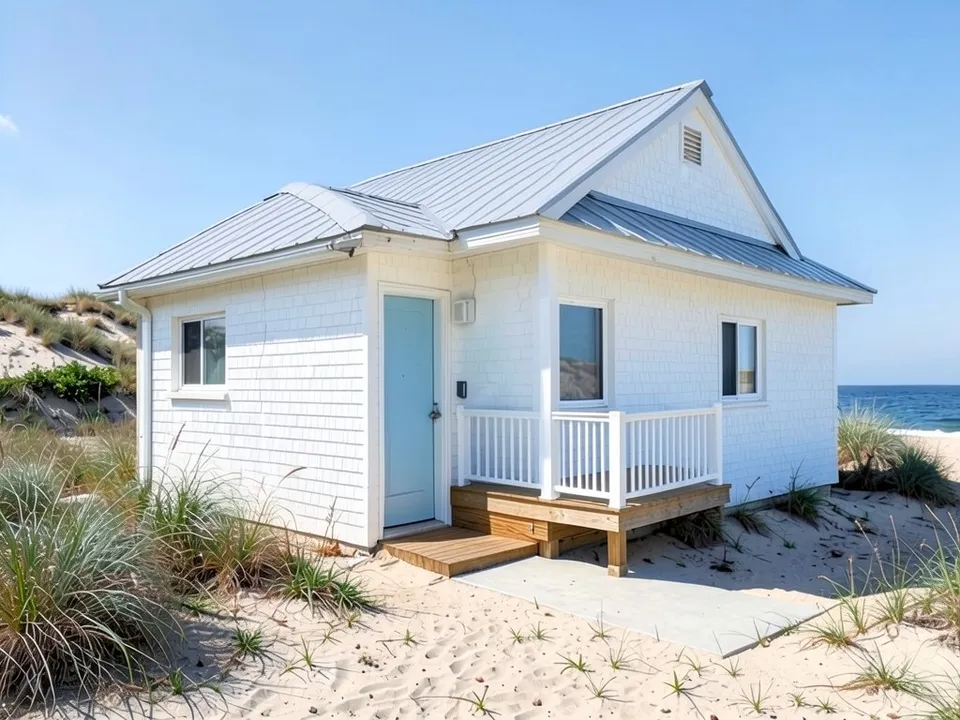
After: white shingles, grey metal roof, blue door, small porch
What makes a house look like a beach house
Beach-style galleries such as Houzz show a few features again and again. Most can be asked for in a sentence:
- Walls: cedar shingles left to weather silver, white or grey lap siding, or fibre-cement board.
- Roofs: metal or shingle, often with deep overhangs against the sun.
- Decks, porches and stacked balconies facing the water, with white railings.
- Houses raised on pilings, with parking or storage underneath, where the site floods.
- Light colours: white, grey and soft blue, with white trim.
- Beach grass, sand and dunes close to the house instead of a lawn.
How to try a beach house design with ArchitecturesAI
- In the editor above, the mode is Render Architecture and the type is Residential. This mode has no prompt box: you start from an image.
- Under Select Image, upload a JPG or PNG: a daylight photo of the house or the lot taken straight on, or a photo or scan of a sketch.
- Pick the style closest to the look you want (Modern is selected) and click Generate. Free accounts can only use Low quality (Medium and High are marked PRO). Sign in with Google or email when asked.
- To push it coastal, click Edit Image on the result (the box is called Edit Instructions) or use Custom Action, and describe the walls, the roof, the deck, the railings, the pilings and what must stay the same. Each edit is another render and uses credits. Run it a few times, since every result differs.
- The three examples below ran directly on our image model with the written instructions shown. They did not go through the editor above, so your own results will differ.
Restyle a house you already own
A dated house near the water can take a coastal look without changing its shape. This example changes the walls, the roof and the door, and shows that the porch came out smaller than asked.
Before: dated beige stucco cottage by the dunes (AI-drawn stand-in for a photo)
After: white shingles, grey metal roof, blue door, small porch
A new beach house on a lot or from a sketch
For a new build, start from a photo of the lot or from a sketch. The lot example raises a house on pilings; the sketch example keeps a tall gable, a deck and a balcony and dresses them in weathered shingles.
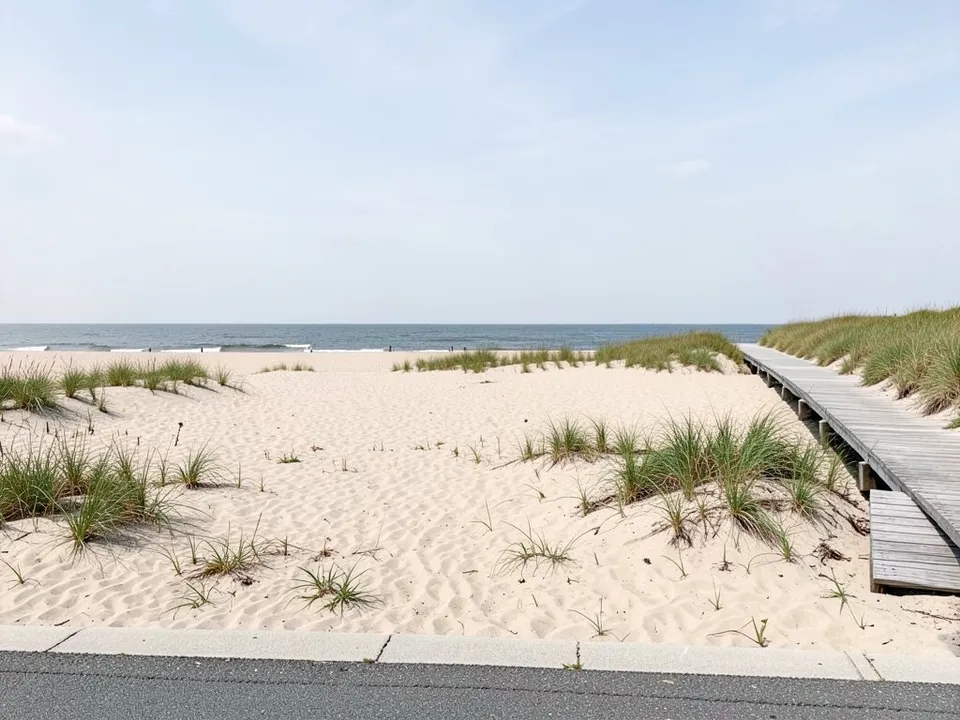
Before: empty sandy beach lot (AI-drawn stand-in for a photo)
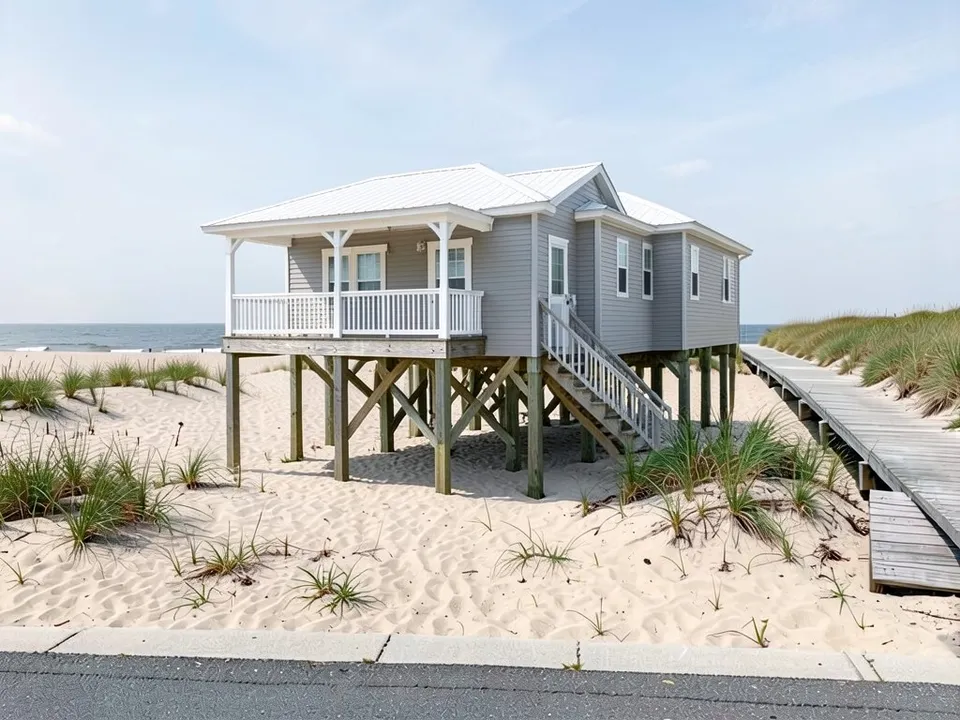
After: a grey beach house raised on pilings with a covered porch
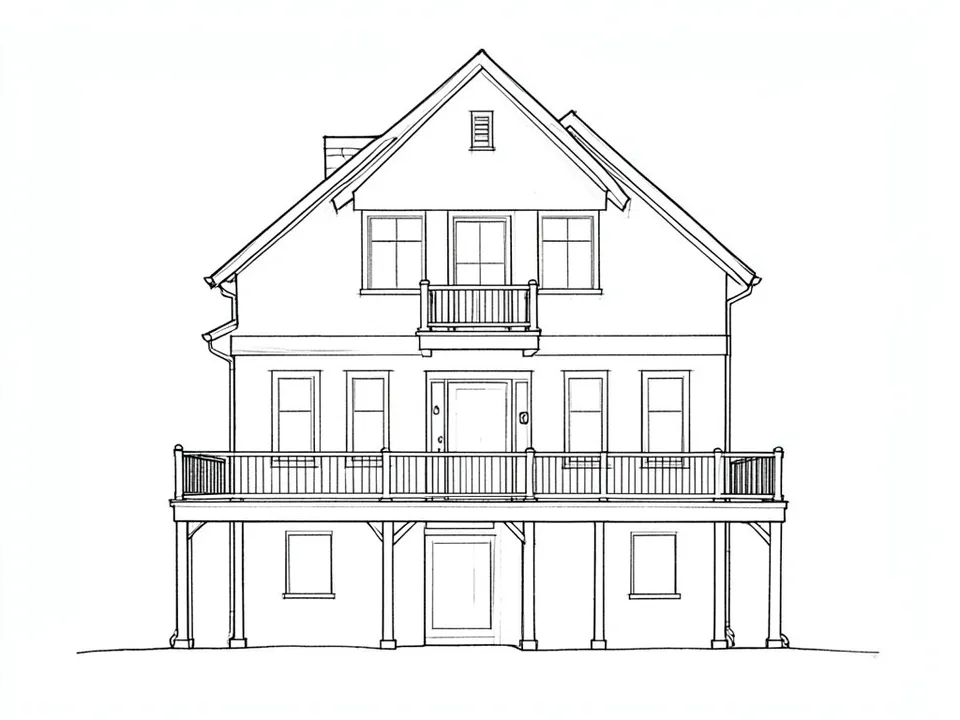
Before: line sketch of a tall house with a deck (AI-drawn stand-in for a hand sketch)
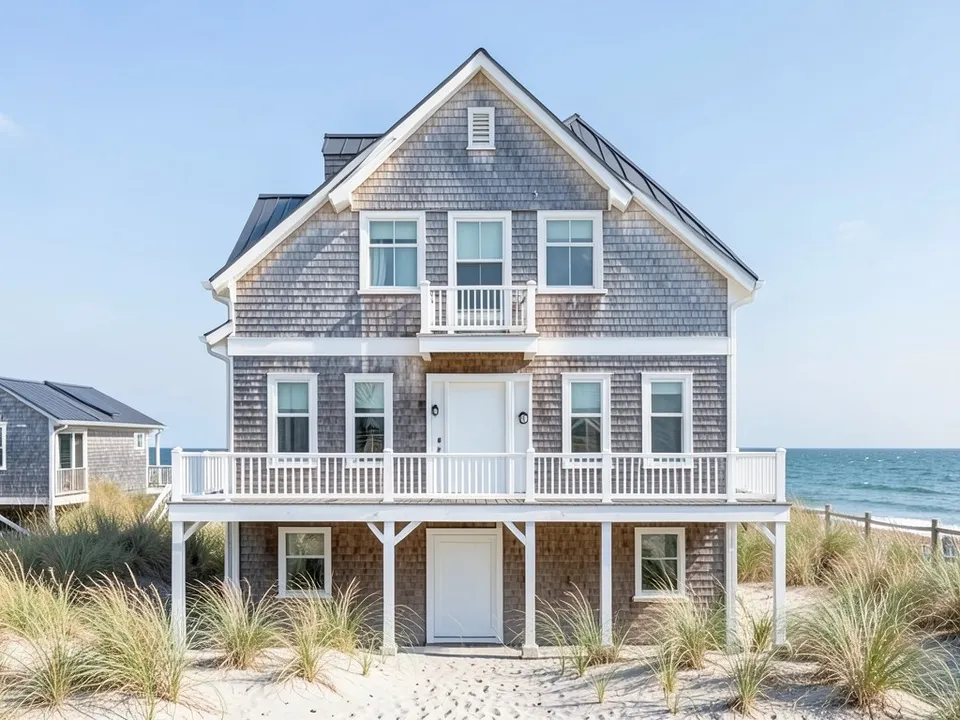
After: sketch turned into a silver-shingle beach house
What the AI keeps and what it may change
- Usually kept: the camera angle, the setting (sand, dunes, ocean) and the shape of an existing house or sketch.
- Often different from what you asked: the number of floors or balconies on a new build, the size of a porch, the depth of the overhangs.
- Often added without being asked: neighbouring houses, fences and beach grass.
- Never produced: flood elevations, piling or wind design, materials lists or approval drawings.
Before you build or remodel near the water
Coastal sites come with rules a picture cannot show: flood zones that set the floor height, wind ratings for roofs and windows, setbacks from the dune, and materials that survive salt air. Check them with your local building office and a designer who works on the coast. Use the picture to choose a direction and to brief them.
AI picture, a builder or an architect?
- ArchitecturesAI. Upload a house, a lot or a sketch and get a picture in minutes. Good for comparing looks; not to scale and not a design for building.
- A coastal builder. Knows the flood and wind rules and what lasts in salt air, and quotes the work.
- An architect or designer. Drawings, structure and the paperwork for approval.
Free tier and plans
You need a free account to render. New accounts get 2 free renders, and free renders carry a watermark. In India this site does not include free renders, so a paid plan is needed there. Weekly, monthly and yearly plans for more renders without the watermark are on the pricing page.
The houses, the lot and the sketch on this page are AI-drawn stand-ins, not real. Each example was run once, directly on the model, not through the tool above.
Frequently asked questions
Can AI design a beach house?
It can draw exterior idea pictures: a coastal restyle of a house photo, a new house on a photo of a lot, or a sketch turned into a photo-like house. It does not draw plans or check flood and wind rules.
Is there a text box in the editor?
The prompt box exists only in Architecture Generator mode. The editor above opens in Render Architecture, where you upload an image and change the result with Edit Image (Edit Instructions) or Custom Action.
Can it show my house raised on pilings?
Ask for it in your edit instructions. In our lot example the model drew a house on braced wooden pilings with space underneath, but one floor instead of the two we asked for, so check the result.
What materials make a house look coastal?
Weathered cedar shingles, white or grey lap siding, metal roofs, white railings and light colours, with beach grass instead of lawn.
Is it free to try?
Yes. After you sign in, a new account gets 2 free renders with a watermark, in Low quality. In India this site does not include free renders. Paid weekly, monthly and yearly plans are listed on the pricing page.
See the beach house before you build it
Upload your house, your lot or a sketch, compare a few coastal looks, and take the best one to your builder. Your first 2 renders on a free account are on us.
Upload your house or lot photoRelated: Cape Cod house design · Tropical house design · AI porch design · AI balcony design · Sketch to render · Render Architecture tool · Pricing