AI Exterior Design

Upload a photo of your house and redesign its facade or structure with AI in a modern, rustic, Scandinavian or other style. Compare exterior home design ideas before you renovate.

Design Preview

Your design will appear here

Complete your selections in the design panel and click "Generate Design" to create your visualization

AI exterior house design examples

Three houses before and after an AI exterior redesign. Each "before" is an AI-drawn stand-in for a photo, not a real house, and each pair was made with our own image model from a written instruction, run directly on the model rather than through the tool above, so your own result will differ. Under each pair: what was asked for, what stayed, and what the AI got wrong.
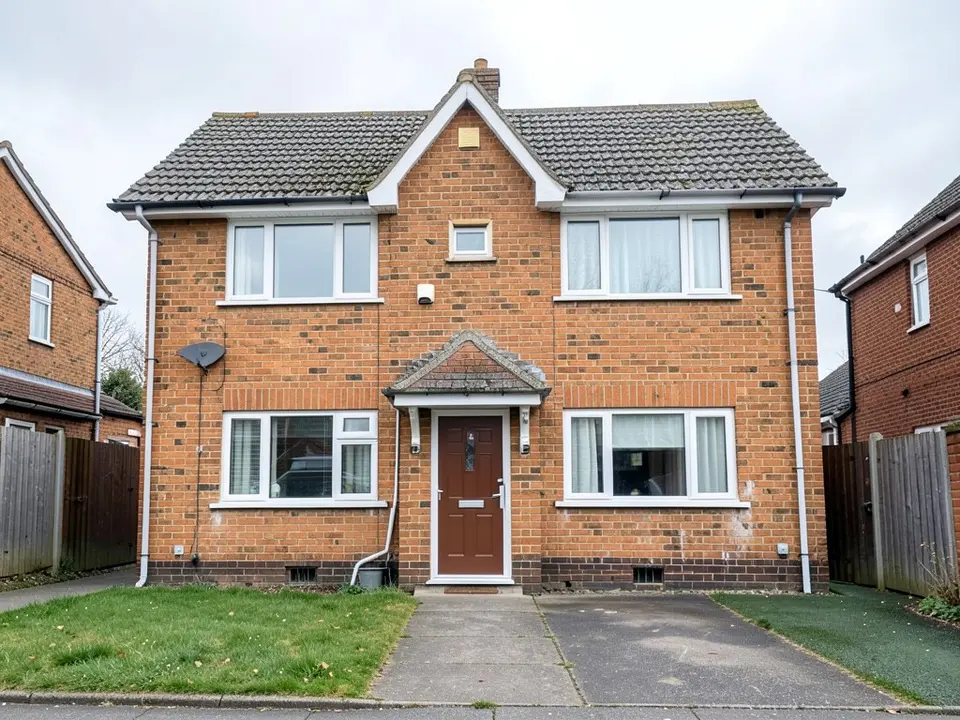
Two-storey house with orange-brown brick walls, a grey tiled gable roof and white window frames, AI-drawn stand-in for a photo

Before

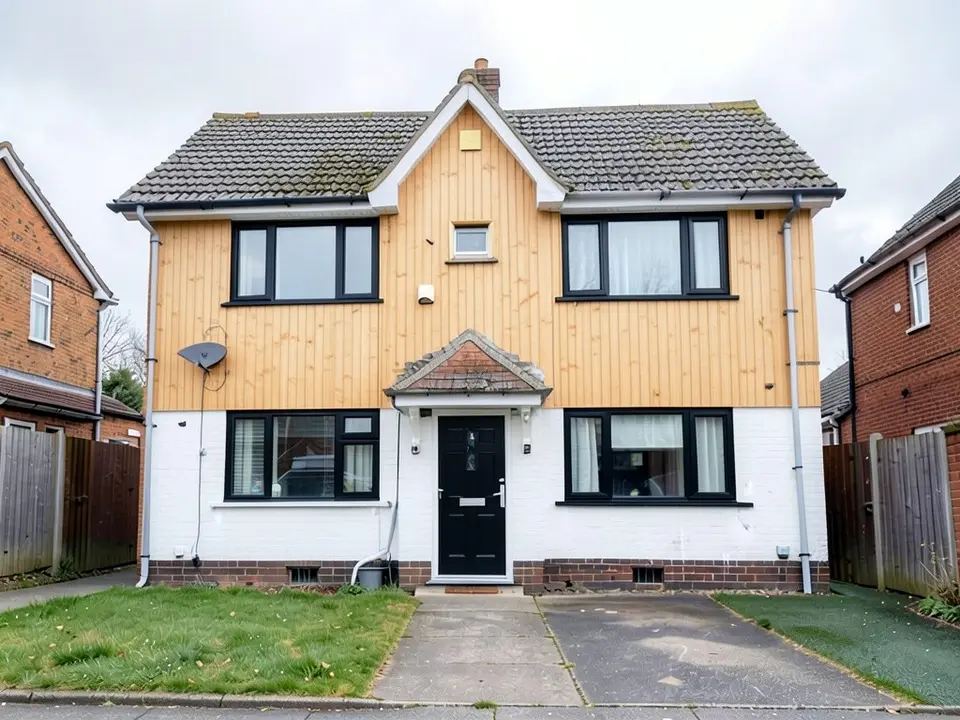
The same house after an AI exterior redesign: vertical timber boards upstairs, white painted brick downstairs, black window frames and a black front door

After

Dated brick house: timber upstairs, white downstairs. Asked for: light oak boards on the upper floor, white paint on the ground-floor brick, black frames and door. Kept: the shape, the roof, every window and door position and the camera. Not as asked: the timber came out as yellow-orange pine, not light oak.
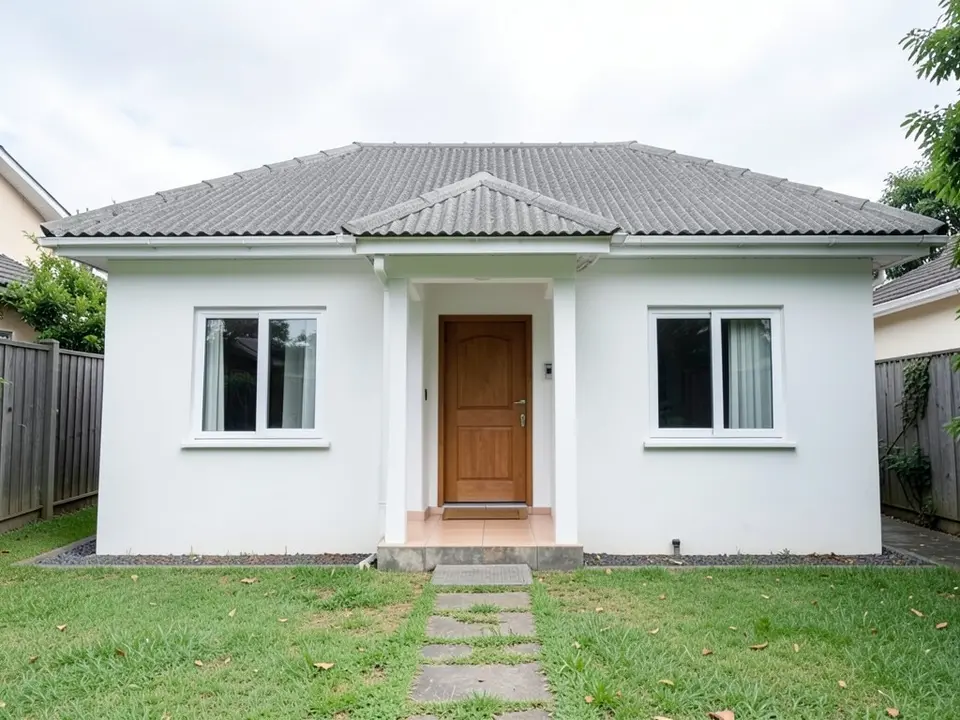
Single-storey white bungalow with a grey tiled hip roof and a small porch with two square columns, AI-drawn stand-in for a photo

Before

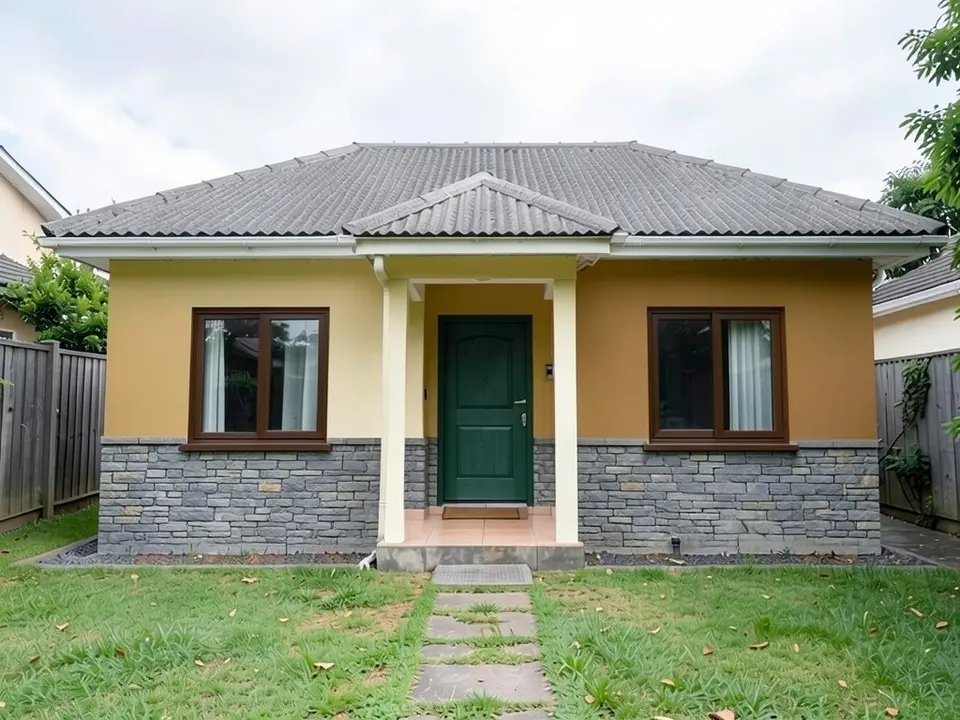
The same bungalow after an AI exterior redesign: grey stone on the lower walls, ochre upper walls, brown window frames and a dark green front door

After

White bungalow: stone base and a green door. Asked for: grey stone on the lower walls, warm cream above, dark bronze frames and a dark green door. Kept: the roof, the porch, the openings and the lawn. Not as asked: the cream came out as ochre yellow and the frames look brown.
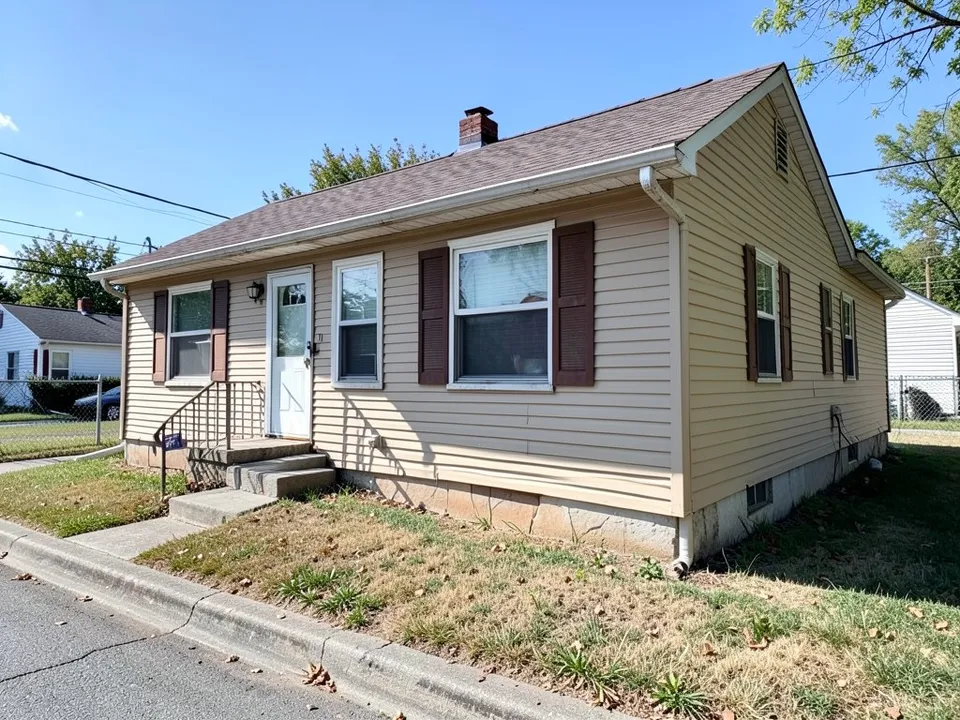
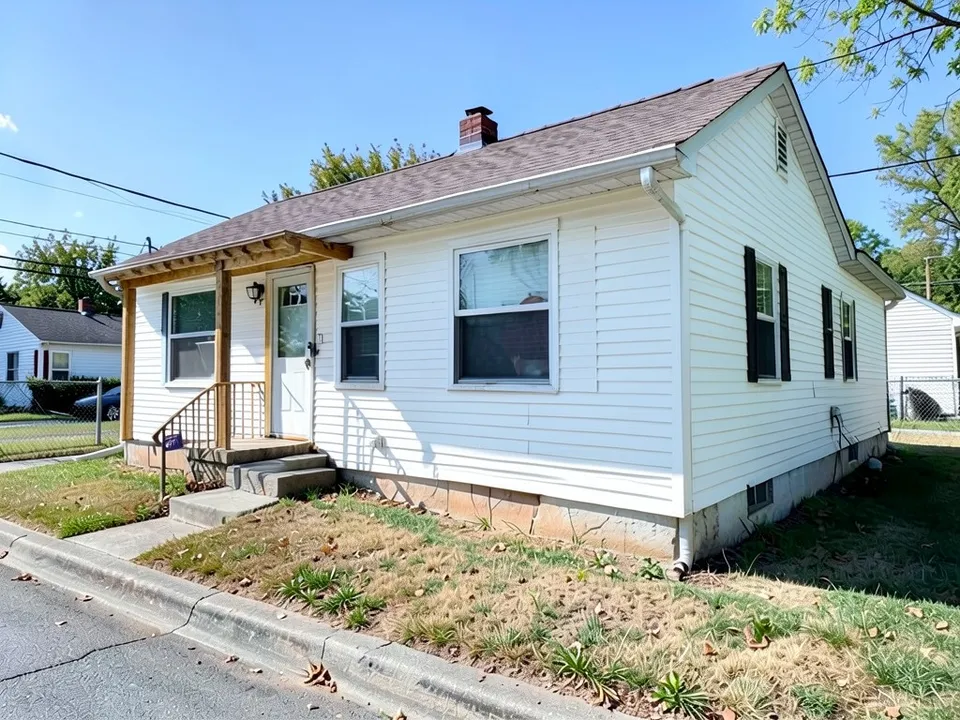
Small beige ranch house with shutters and a plain front door, AI-drawn stand-in for a photo

Before

The same ranch house after an AI exterior renovation: white siding, a wooden porch canopy on timber posts over the front door

After

Beige ranch house: white siding and a porch canopy. Asked for: white board and batten siding, black frames, no shutters, a wooden porch canopy and garden beds. Kept: the shape, the roof and the windows. Not as asked: lap siding instead of board and batten, white frames, shutters left on the side windows, no garden beds.

More pairs with the full prompts: house facade design AI and AI house exterior renovation. For a new house from a plot or a sketch, see the AI house design generator.

How AI exterior design works

Take a photo of the outside of your house or building, straight on and in daylight, and upload it. The AI keeps the shape of the building and where it stands, and redraws the outside in the style you pick, so you can see a new look before you spend money on a renovation.

  1. Upload one clear photo of the exterior.
  2. Choose a mode: Facade changes the front surfaces (cladding, finish, color, details), Structure lets the AI rework the wider form of the building.
  3. Pick the building type and a style.
  4. Click Generate Design, compare the result with your photo and download it, or try another style.

Building types

House, Apartment, Office, Restaurant, Hotel, Store, Villa, Bungalow, Townhouse, Cottage.

Styles

Modern, Minimalist, Rustic, Contemporary, Industrial, Scandinavian.

Tips for a better result

  • Show the whole front of the building, without cars or trees covering it.
  • Use daylight photos; night or very dark photos give weaker results.
  • Try two or three styles on the same photo and compare them side by side.

What it is good for

An AI exterior render is a quick way to compare ideas and show your family, architect or builder the direction you like. It is not a construction drawing: confirm materials, sizes and colors with your builder or supplier. New accounts get 1 free render (watermarked); plans are on the pricing page.

More exterior ideas