Rhino render AI
Render Your Rhino Model with AI, No V-Ray Needed
Capture a Rhino viewport in Arctic, Shaded or Technical mode, upload the image, and ArchitecturesAI turns the plain surfaces into a photorealistic render with materials, light, sky, people and landscape. Curved and parametric forms from Grasshopper keep their shape and camera angle, so the image still shows your design. It runs in the browser on Windows or Mac: no render plugin, no license and no graphics card needed. You get an image back, not a .3dm or a 3D model.
Render your Rhino modelSign in with Google or email to render. New accounts get 2 free renders (watermarked); free renders are not available in India on this site.
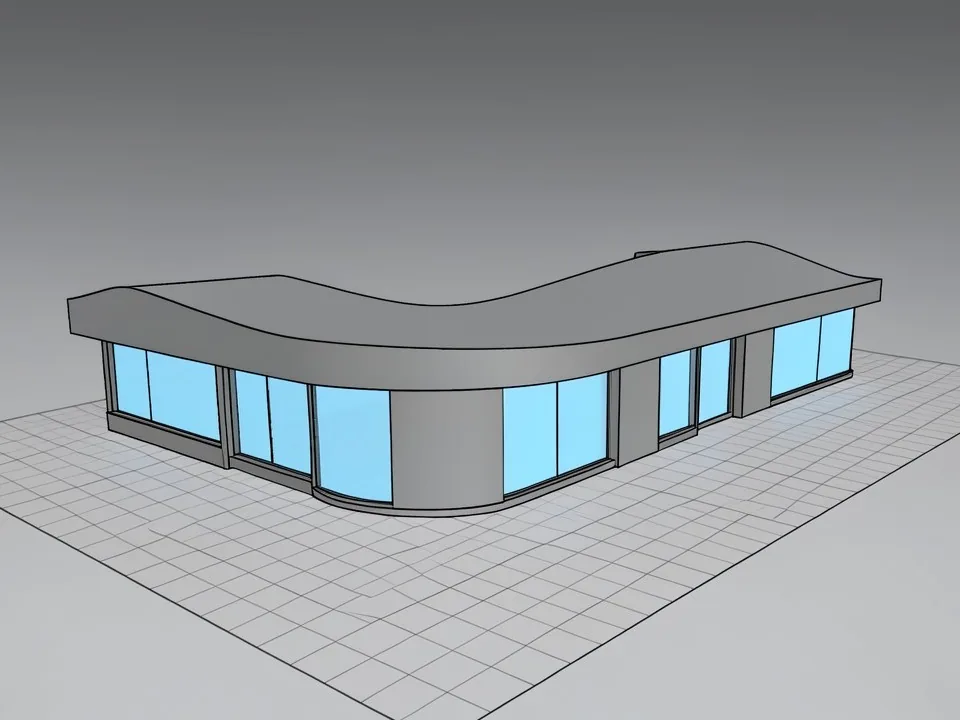
Before: Rhino-style Shaded viewport
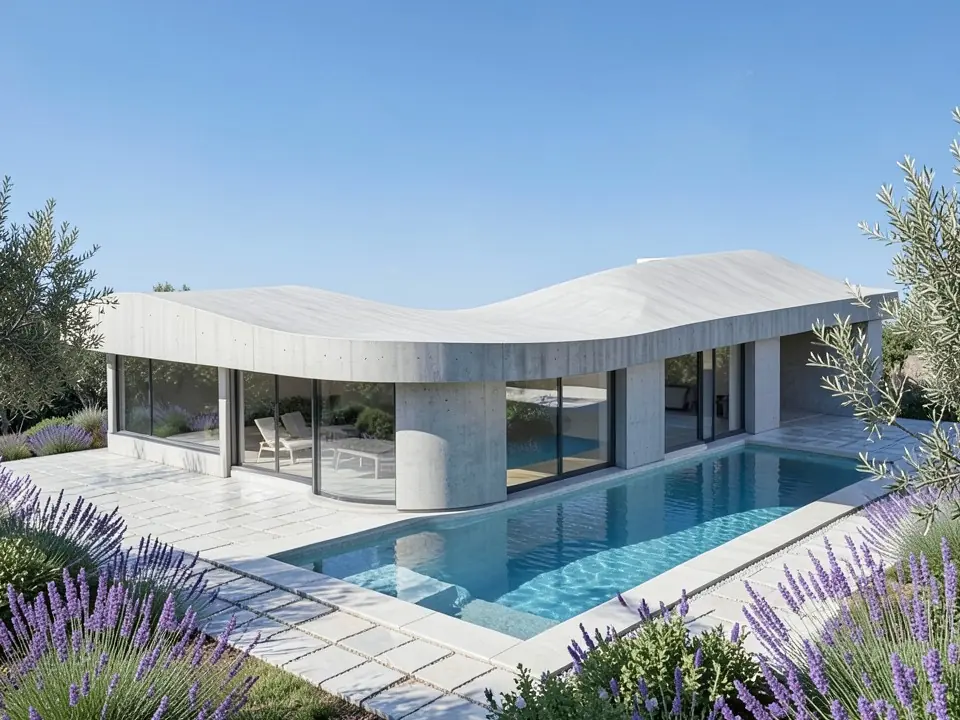
After: photoreal villa render
What Rhino render AI does
Rhino is a favorite for free-form and parametric design, and Grasshopper makes it easy to explore many versions of a form. Turning those versions into photographic images is slower: you assign materials, set lights and an environment, and render with Rhino Render, V-Ray, Enscape or KeyShot. Each option means setup time, a capable computer and sometimes a separate license.
Rhino render AI is a shortcut for concept and presentation images. You give it a viewport capture. The AI reads the geometry it can see (surfaces, curves, ribs, floor plates, openings) and paints a finished image over it, with materials, light, sky, people and landscape that fit the building type and style you choose.
The output is a still image for design reviews, studio crits, competition boards, client decks or social posts. Nothing goes back into Rhino or Grasshopper, and no .3dm, mesh or NURBS data is created.
How to render a Rhino model with ArchitecturesAI
- In Rhino, set up the Perspective viewport with the camera you want. Save it as a Named View so you can come back to the same angle after design changes.
- Switch to Arctic, Shaded or Technical display mode, then capture the viewport with the ViewCaptureToFile command (or ViewCaptureToClipboard, or a screenshot). Crop away toolbars and panels.
- Click "Render your Rhino model". The Render Architecture tool opens with Residential and Modern selected, and you sign in with Google or email.
- Upload the capture and pick the building type that matches, such as Residential, Villa, Cultural, Commercial, Office, Interior, Facade or Skyscraper (25 types in total).
- Pick a style such as Modern, Contemporary, Minimalist, Futurist, Sustainable, Mediterranean or Japanese (25 styles in total). The style sets the materials; to ask for a specific one, such as timber, concrete or glass, use Custom Action on the result.
- Press Generate and download the render. To change a material, the time of day or a detail, use Edit Image or Custom Action on the result and describe the change in words. Each edit is another render and uses credits.
Which Rhino display mode gives the best result
- Arctic is a great starting point. Its soft, white, shadowed look reads like a clay model, which gives the AI clear form and depth without confusing colors, as the pavilion example shows.
- Shaded works well when you want to keep the color separation between parts, for example glass in one color and walls in another, as in the villa example.
- Technical and Pen modes, and Make2D line drawings, give clean outlines. They work, but the AI has to guess more about depth, so expect more variation between runs.
- Rendered mode is fine too if you already applied materials. The AI may pick up their general colors, together with the style you choose.
- Avoid Wireframe, X-Ray and Ghosted. Lines from behind the surfaces show through and the AI may draw them as part of the building.
- Capture at about 1,600 pixels wide or more. ViewCaptureToFile lets you set a larger size than your screen, which helps thin ribs, mullions and fins.
- Turn off the grid, axes, control points, curves you do not want shown, and any dimensions or annotations before you capture.
- Keep verticals straight with a two-point perspective camera, and leave some space around the object so nothing is cut off.
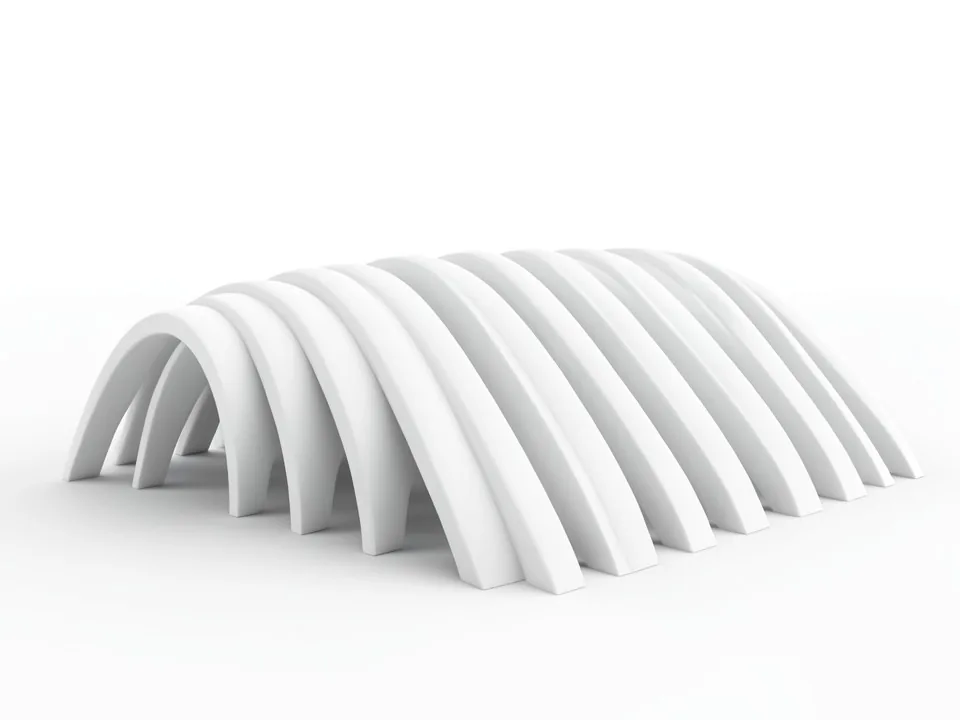
Before: Rhino-style Arctic viewport
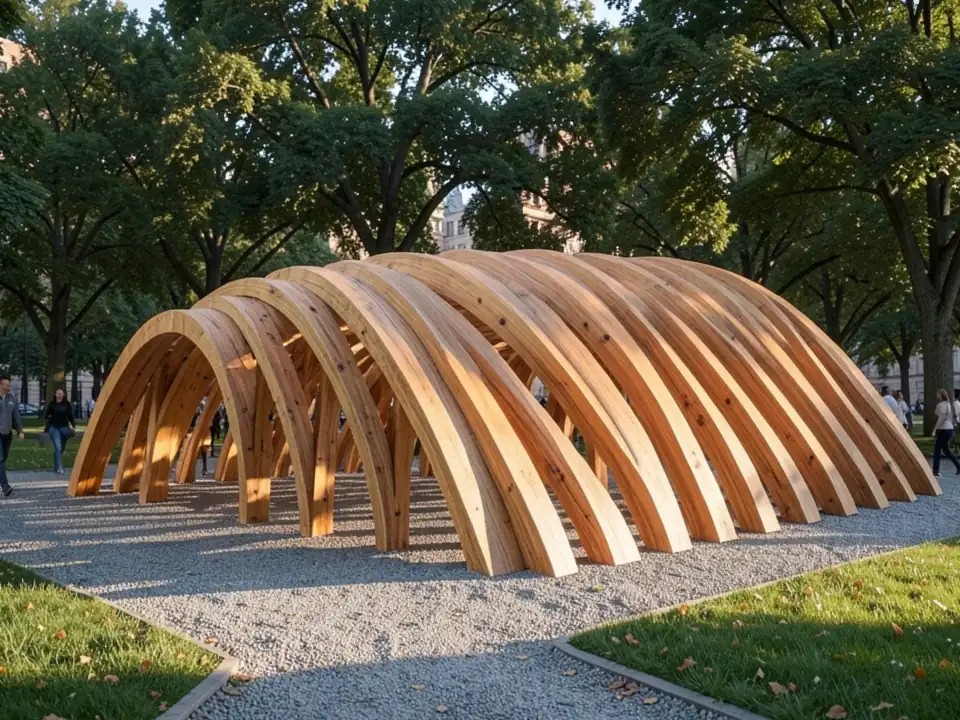
After: timber pavilion render
Grasshopper and parametric forms
Grasshopper geometry is just geometry in the Rhino viewport, so you render it the same way: bake it or preview it, capture the viewport and upload the image. Repeating ribs, panels, waves and shells come through well when the capture is clean, because the AI follows the pattern it can see.
This makes it quick to compare several iterations of a parametric design. Capture each version from the same Named View, render them in the same style, and put the results side by side. Very fine or dense patterns can be simplified by the AI, so check the rhythm and spacing in the result before you present it.
Line drawings and Make2D
A Make2D drawing in an axonometric or perspective view can be rendered too, as the tower example (an axonometric view) shows. Upload it with the Render Architecture tool, or use the Sketch to Render mode, which is made for line work and hand sketches. A plain elevation or plan from Make2D is flat, so expect a flat rendered drawing rather than a perspective photo.
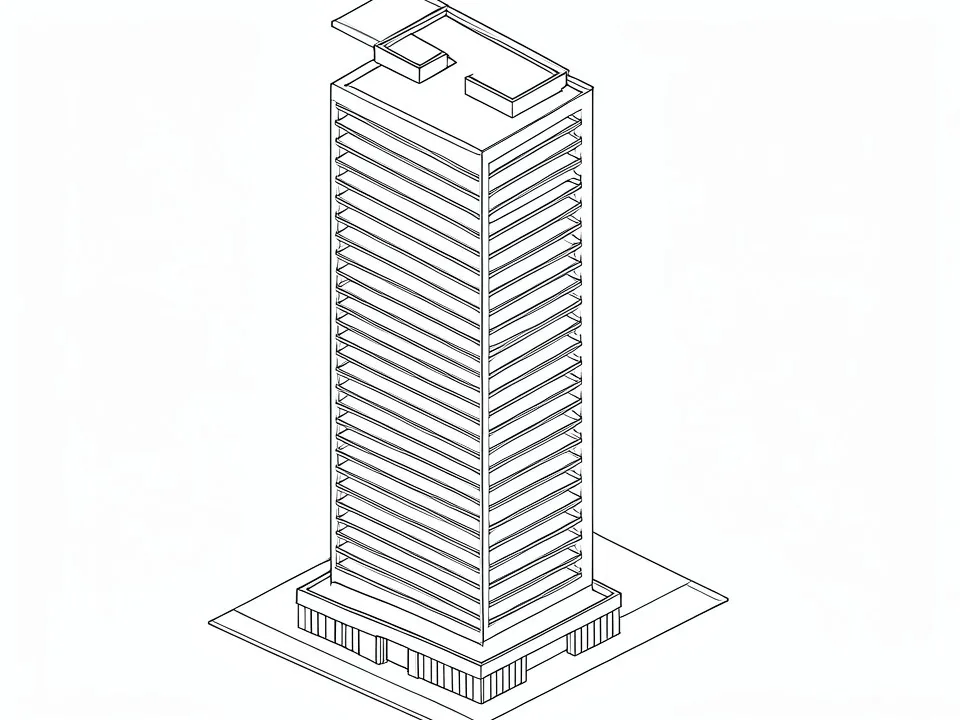
Before: Make2D-style line view
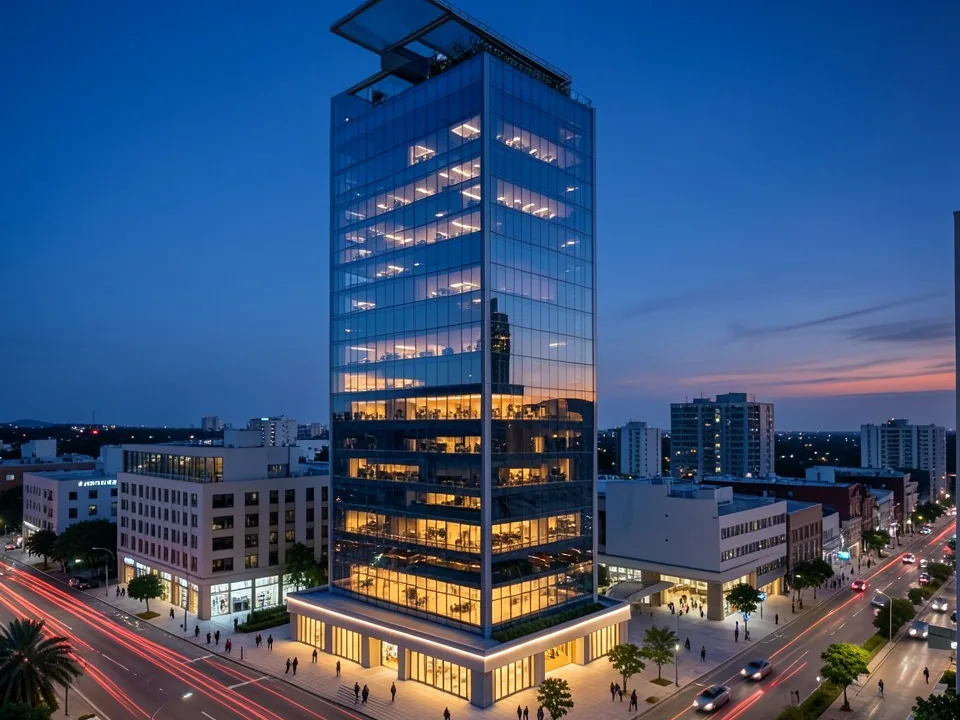
After: dusk tower render
Who uses it
- Architects and designers who model in Rhino and want a quick photoreal image of a concept without a full render setup.
- Architecture and design students who need presentation images of Rhino and Grasshopper projects for reviews and portfolios.
- Pavilion, facade and installation designers who want to see a parametric form in timber, concrete, metal or glass, in a real setting.
- Mac users who work in Rhino for Mac and want a rendering option that runs in the browser.
AI render or a render engine?
An AI render is fast and needs no material, lighting or environment setup, but it makes small decisions for you. It can add people, trees or furniture you did not model, change a material, smooth a curve or redraw a thin element in its own way. Exact colors, text and dimensions are not guaranteed, and each run differs a little.
A render engine such as Rhino Render, V-Ray, Enscape or KeyShot gives exact materials, repeatable results and animations, but it needs more setup and computing power. Many designers use AI renders to explore options and agree a direction, then a render engine for the final images.
Free tier and plans
You need a free account to render. New accounts get 2 free renders, and free renders carry a watermark. In India this site does not include free renders, so a paid plan is needed there. Weekly, monthly and yearly plans for more renders without the watermark are on the pricing page.
ArchitecturesAI is an independent web tool and is not affiliated with or endorsed by Robert McNeel & Associates. Rhino and Grasshopper are their trademarks, used here only to describe the files people capture.
Frequently asked questions
How do I render a Rhino model with AI?
Capture the Perspective viewport in Arctic, Shaded or Technical mode with ViewCaptureToFile or a screenshot. Upload the image to the Render Architecture tool, pick a building type and a style, and press Generate. You get a photorealistic image of the same view.
Do I need V-Ray, Enscape or a Rhino plugin?
No. ArchitecturesAI runs in the web browser and works from an image, so there is nothing to install in Rhino and no render engine license or graphics card is needed.
Which Rhino display mode gives the best result?
Arctic and Shaded give the clearest result, because they show solid surfaces with soft shadows. Technical, Pen and Make2D line views work too but leave more to the AI. Avoid Wireframe, X-Ray and Ghosted, where hidden lines show through.
Does it work with Grasshopper and parametric forms?
Yes. Capture the viewport with the Grasshopper geometry previewed or baked and upload it. Repeating ribs, panels and shells come through well; very dense patterns can be simplified, so check the result.
Will the AI keep my Rhino geometry accurate?
It follows the camera angle, overall form and openings it can see in your capture, as the examples on this page show. It can still smooth a curve, change a detail or add things you did not model, so check the result and generate again if something drifts.
Can I render Make2D or line drawings?
Yes. An axonometric or perspective Make2D drawing can be rendered with the Render Architecture tool or the Sketch to Render mode. Flat plans and elevations stay flat, so a 3D view gives the most photoreal result, and a perspective view looks the most like a photo.
Does it work on a Mac?
Yes. It runs in the web browser, so it works with captures from Rhino for Mac as well as Rhino for Windows.
Is it free to try, and do I get a 3D model back?
You can start for free: after you sign in, a new account gets 2 free renders with a watermark, and in India this site does not include free renders. The output is a still image only; no .3dm, mesh or other 3D file is created.
Render your next Rhino model
Capture a viewport, upload it, pick a building type and a style, and download a photoreal render to share. Your first 2 renders on a free account are on us.
Render your Rhino modelRelated: Sketch to render AI · Floor plan to 3D render · Render Architecture tool · Sketch to Render tool · Pricing