Hip roof design
Hip Roof Design: See a Hip Roof on Your House
A hip roof slopes down to the eaves on all four sides, so the house has no tall triangular gable walls at the ends. People search for hip roof designs when they plan a new house, add a roof to a flat-roofed one or compare a hip with a gable before talking to a builder. This AI hip roof design tool starts from a picture: upload a photo of your house or plot, a sketch or a clay model, and ArchitecturesAI renders it in the same view; then describe the roof, the tiles and the eaves in a sentence. The result is an idea picture of the outside. It is not a roof plan, a structural design or a quote.
Upload your house photo or sketchSign in with Google or email to render. New accounts get 2 free renders (watermarked); free renders are not available in India on this site.
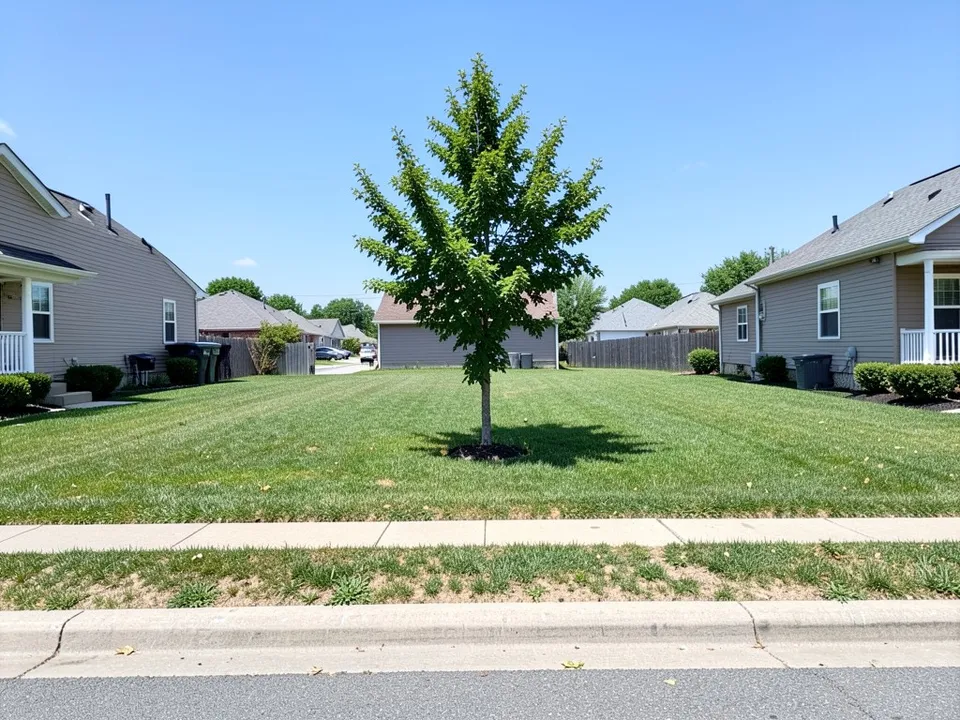
Before: empty lot on a street (AI-drawn stand-in for a photo)
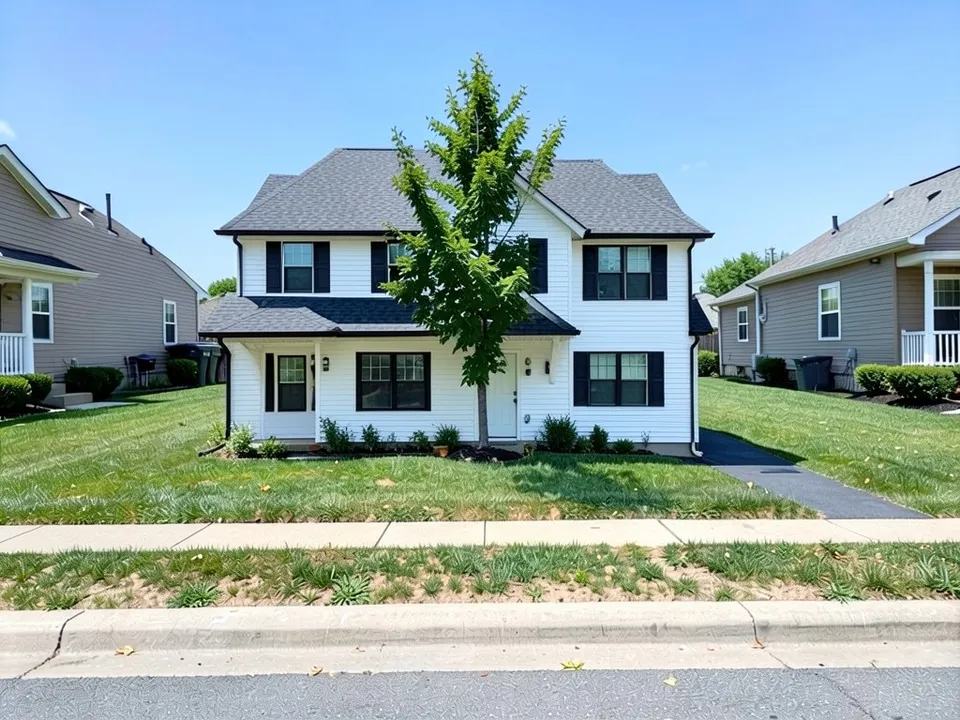
After: a new two-storey house with a hip roof
What a hip roof is
Roofing guides and the hip roof galleries on Houzz describe the same shape and the same trade-offs:
- Every side of the roof slopes down to the eaves, so all the walls end at the same height and there are no gable walls.
- A plain hip roof on a rectangular house has a short ridge in the middle; on a square plan the four slopes can meet at a point (a pyramid roof).
- L-shaped and T-shaped houses get a cross hip, where two hip roofs meet in a valley.
- The eaves run all the way round, which shades the walls and sends rain away from every side.
- The usual trade-off: less loft space than a gable roof and more complex framing, which a builder will price.
How to try a hip roof design with ArchitecturesAI
- In the editor above, the mode is Render Architecture, the type is Residential and the style is Traditional. This mode has no prompt box: you start from an image.
- Under Select Image, upload a JPG or PNG: a daylight photo of your house taken from the street, with the whole roof in view, or a sketch, a clay model or a screenshot from your 3D software.
- Click Generate. Free accounts can only use Low quality (Medium and High are marked PRO). Sign in with Google or email when asked.
- To steer the result, click Edit Image on it (the box is called Edit Instructions) or use Custom Action, and describe the roof shape, the slope, the tiles or shingles and the eaves and what must stay the same. Each edit is another render and uses credits. Run it a few times, since every result differs.
- The three examples below ran directly on our image model with the written instructions shown. They did not go through the editor above, so your own results will differ.
A hip roof on a new house
If you are building on an empty plot, start from a photo of it. The roof came out hipped with one front gable; that, the entry roof and the tree position are listed in the caption.
Before: empty lot on a street (AI-drawn stand-in for a photo)
After: a new two-storey house with a hip roof
A hip roof from a sketch or on a flat-roofed house
A sketch or a plain flat-roofed bungalow can both carry a new hip roof. In both examples the model also changed things it was not asked to, noted in the captions.
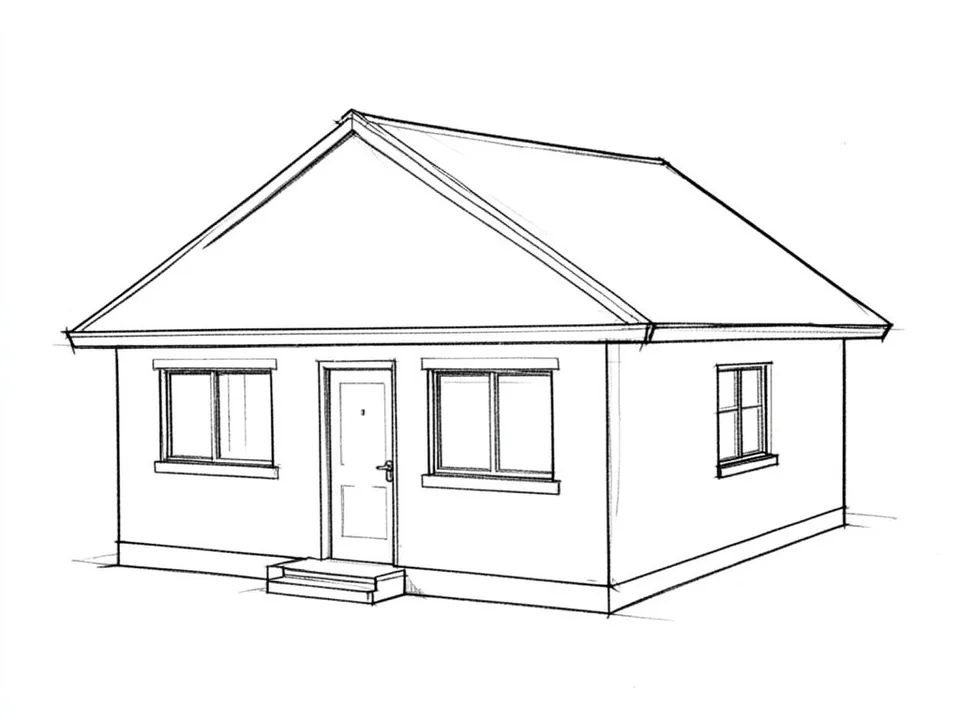
Before: line sketch of a bungalow (AI-drawn stand-in for a hand sketch)
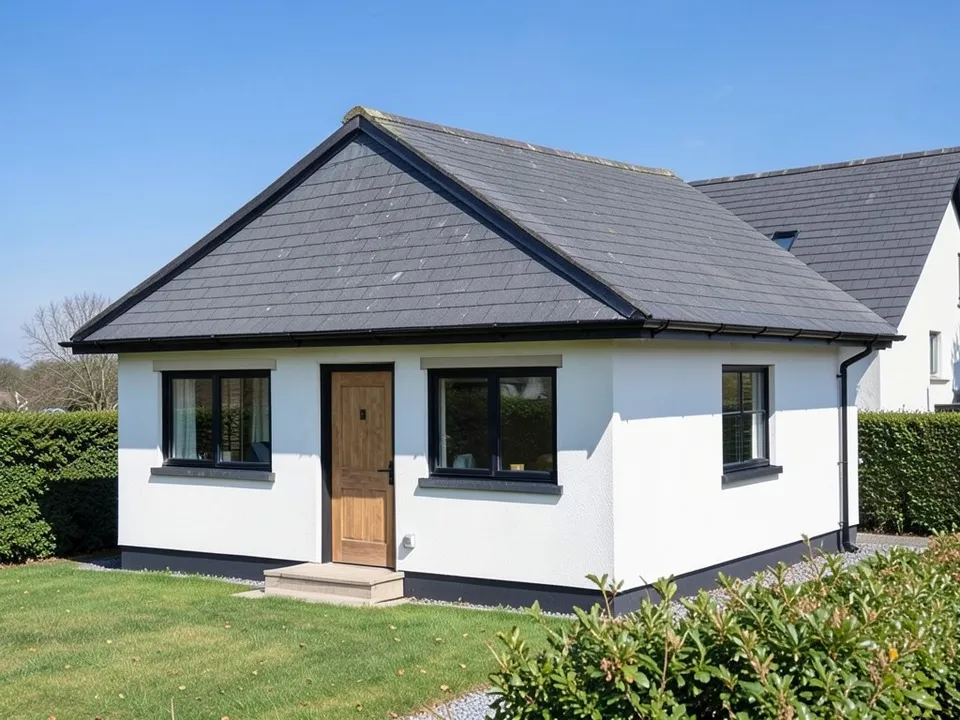
After: sketch turned into a bungalow with a hipped roof
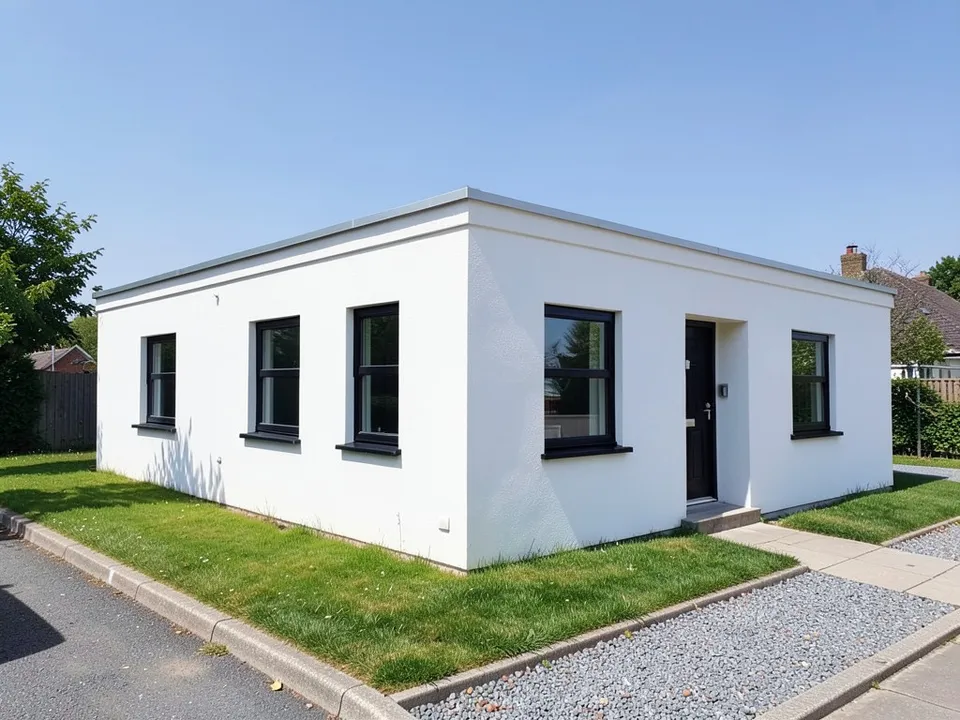
Before: flat-roofed bungalow (AI-drawn stand-in for a photo)
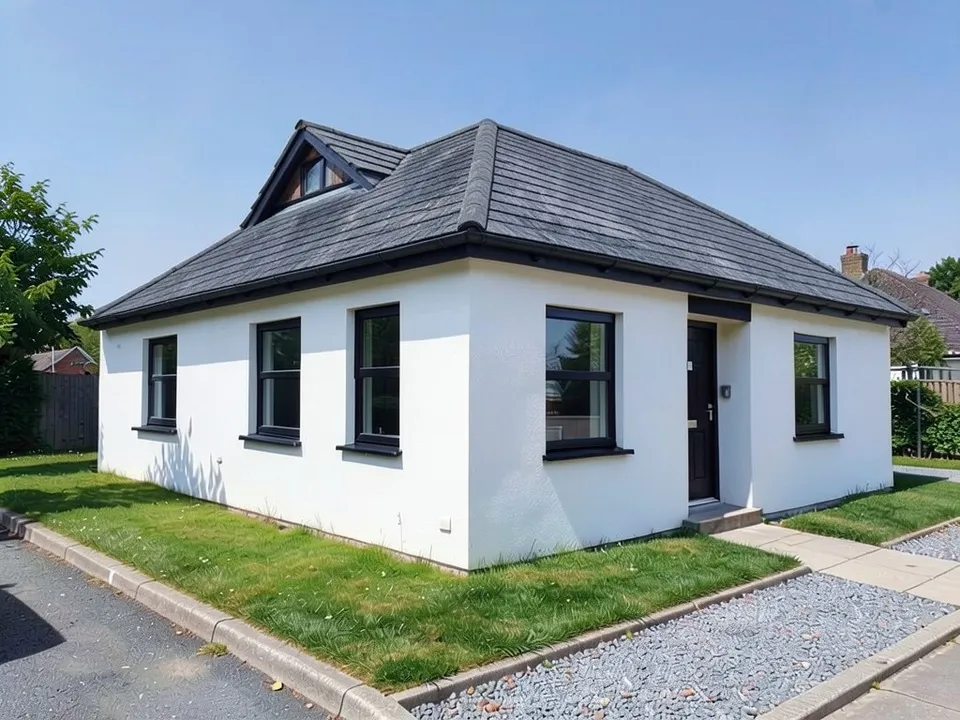
After: a hip roof added to a flat-roofed bungalow
What the AI keeps and what it may change
- Usually kept: the camera angle, the walls, the windows, the doors and the setting.
- Often different from what you asked: how far the eaves overhang, whether the ends are fully hipped and where small roofs go.
- Hard for the model: turning an existing gable roof into a hip roof. In our tests it left the gables in place, so a flat-roofed or new house works better.
- Often added without being asked: dormers, shutters and plants.
- Never produced: floor plans, structure, cost estimates or approval drawings.
Comparing roof shapes?
The gable roof page shows the other common pitched roof, the roof design page covers roof materials and colours, and the flat roof house page covers flat roofs. Dormers have their own page too.
Free tier and plans
You need a free account to render. New accounts get 2 free renders, and free renders carry a watermark. In India this site does not include free renders, so a paid plan is needed there. Weekly, monthly and yearly plans for more renders without the watermark are on the pricing page.
The plot, the sketch and the bungalow on this page are AI-drawn stand-ins, not real. Each example was run directly on the model, not through the tool above.
Frequently asked questions
What is a hip roof?
A roof that slopes down to the eaves on all four sides, with no vertical triangular gable walls at the ends. On a rectangular house it has a short ridge in the middle.
Hip roof or gable roof: which should I choose?
A gable roof is simpler to build and gives more loft space; a hip roof has eaves on every side and is often chosen for windy areas. The picture here only shows how each looks on your house; a builder or engineer decides what suits your site.
Is there a text box in the editor?
The prompt box exists only in Architecture Generator mode. The editor above opens in Render Architecture, where you upload an image and change the result with Edit Image (Edit Instructions) or Custom Action.
Can it change my gable roof into a hip roof?
You can ask for it with Edit Image, but in our tests the model kept the existing gables. Starting from a flat-roofed house, a plot or a sketch gave clearer hip roofs.
Is it free to try?
Yes. After you sign in, a new account gets 2 free renders with a watermark, in Low quality. In India this site does not include free renders. Paid weekly, monthly and yearly plans are listed on the pricing page.
See a hip roof on your house
Upload a photo of your house, your plot or your sketch, compare a few hip roof versions, and take the best one to your builder. Your first 2 renders on a free account are on us.
Upload your house photo or sketchRelated: Gable roof design · AI roof design · Flat roof house design · AI dormer design · Bungalow house design · Sketch to render · Render Architecture tool · Pricing