Preview
Your staged image will appear here
Complete your selections and click Stage to process your image
Create realistic virtual staging for empty rooms. We currently support 20 room types, 19 furniture styles, and 6 room characteristics - for a total of 2280 possible combinations!
Upload a photo of an empty room and furnish it with AI in the style you pick. Virtual staging for real estate listings, rentals and new builds.
Polished, photoreal magazine look
Complete your selections and click Stage to process your image
Upload a photo of an empty or nearly empty room, pick the room type and a furniture style, and the AI furnishes the room in that style. You get one staged image per run, which you can use to show buyers or renters how the space could look.
Apartment, Studio, House, Condominium, Office, Living Room, Bedroom, Kitchen, Bathroom, Dining Room, Home Office, Basement, Attic, Garage, Patio, Balcony, Garden, Loft, Penthouse, Villa.
Modern, Minimalist, Traditional, Scandinavian, Industrial, Bohemian, Rustic, Mid-Century Modern, Contemporary, Coastal, Farmhouse, Mediterranean, Asian, Tropical, Eclectic, Art Deco, Gothic, Neoclassical, Victorian.
Each picture is one run of this tool on the same photo, with the options named, not retouched. The empty room is an AI-made sample photo, not a real listing.
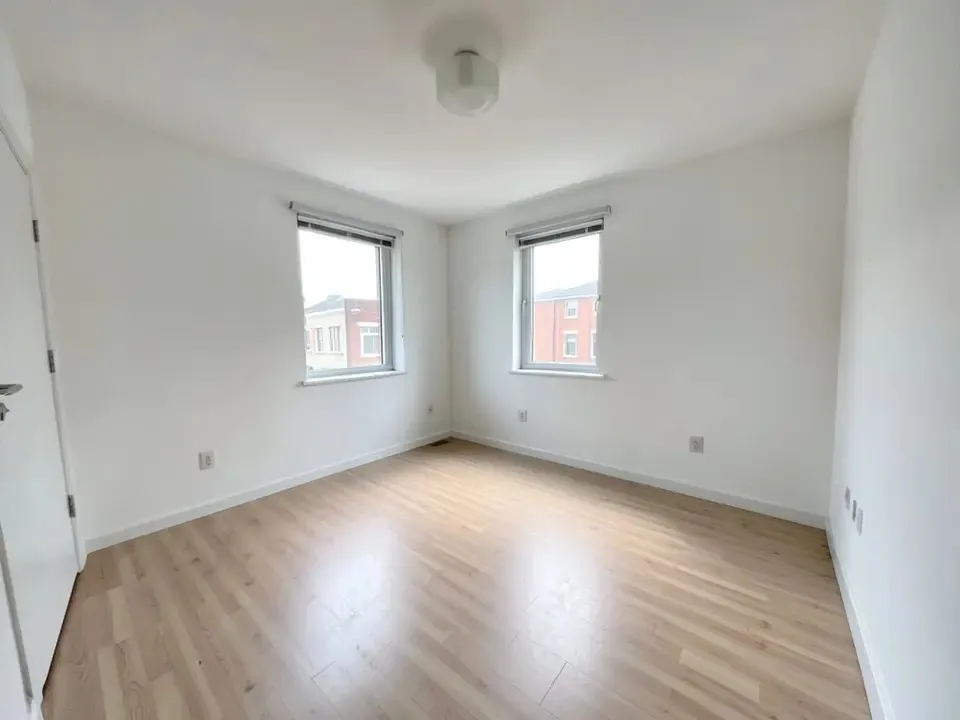
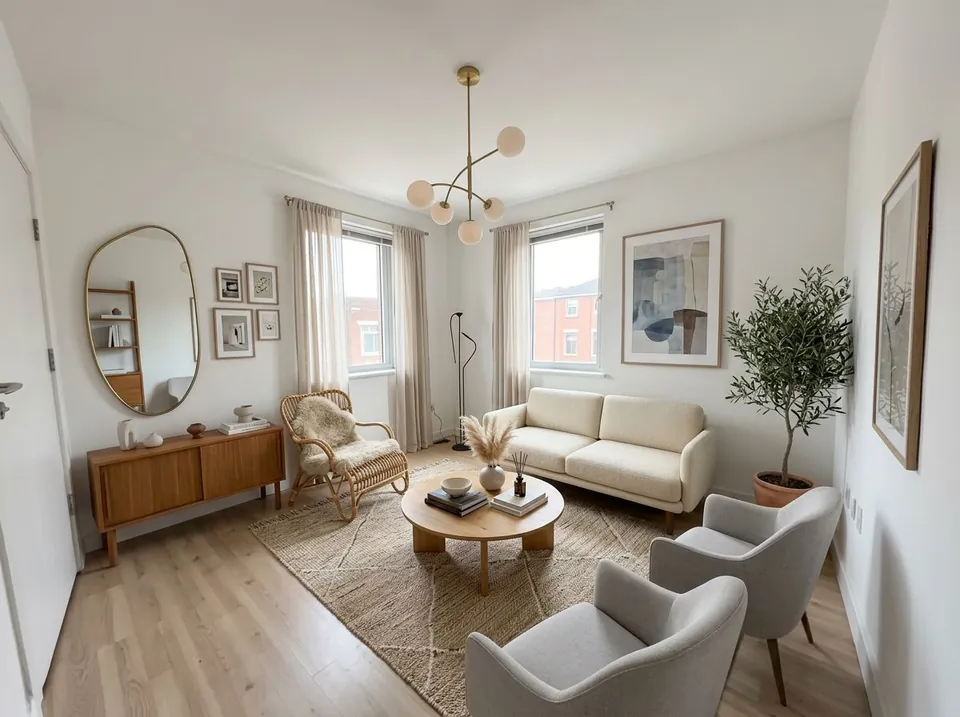
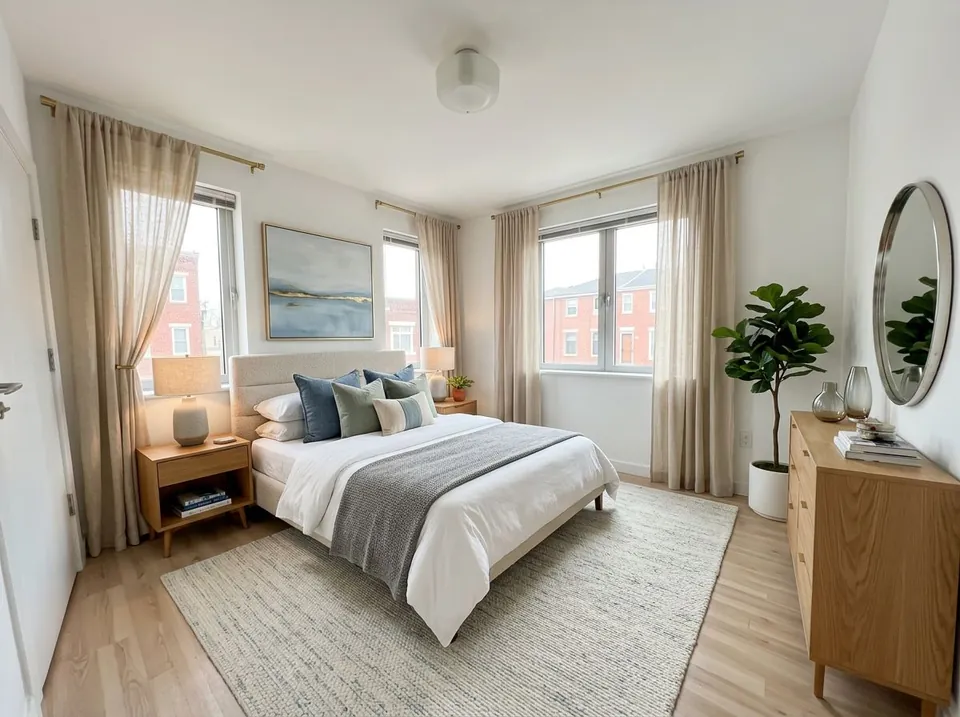
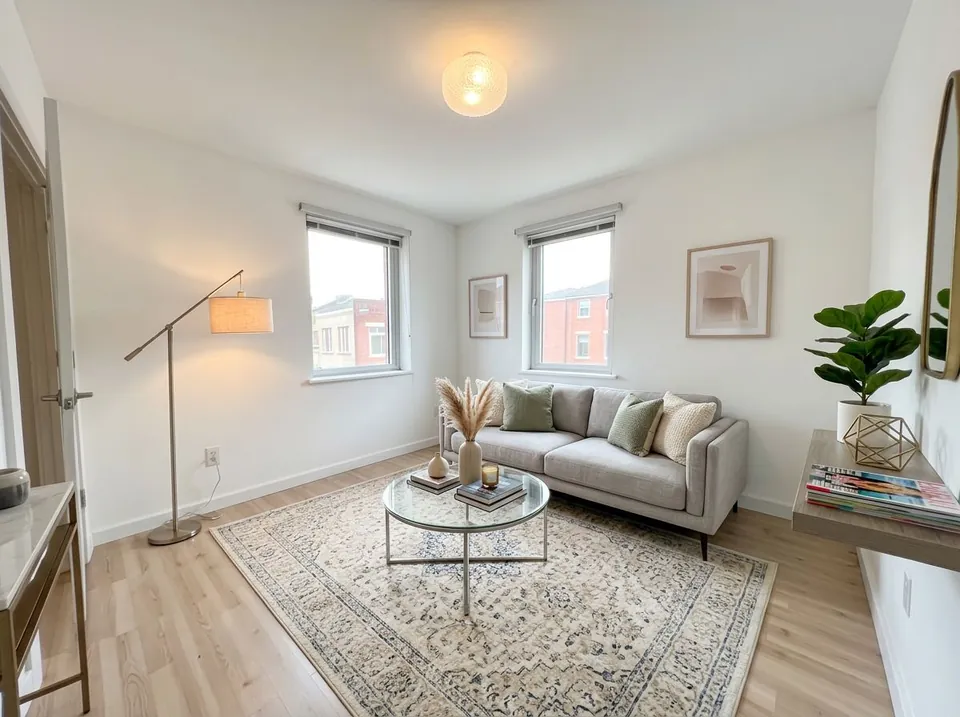
Every run with its exact settings is in How to Virtually Stage an Empty Room.
Virtual staging helps an empty listing look lived-in and lets buyers picture the space, at a fraction of the cost of real staging. New accounts get 1 free render after verifying their email; plans are on the pricing page.
Our platform supports a wide variety of languages. Choose your preferred language below to view the site in that language.
Transform your spaces with our AI-powered tools
Transform empty spaces with AI-generated furniture that perfectly matches lighting, shadows, and perspective for a natural look.
Access an extensive library of furniture styles from contemporary minimalism to classic elegance, with customizable options for every preference.
Start by uploading a high-quality photo of your empty room. Ensure good lighting and a clear view of the entire space.
Choose from our comprehensive list of room types, including living rooms, bedrooms, kitchens, and more specialized spaces.
Browse through our curated collection of interior styles, from modern minimalist to traditional luxury, and select your preferred aesthetic.
Fine-tune your virtual staging with options for color schemes and decorative elements.
Our AI creates a photorealistic staged room, which you can download in high resolution for your needs.
Discover how our technology can help in various scenarios
Help potential buyers visualize the potential of empty properties with professional virtual staging.
Test different furniture arrangements and styles before making expensive purchases for your home.
Make rental listings more attractive by showing furnished spaces that appeal to quality tenants.
Provide clients with visual representations of design concepts before implementation.
Our AI-powered virtual staging creates photorealistic results that look like professional photography of furnished spaces. The furniture has proper lighting, shadows, and perspective to match your room perfectly.
For best results, we recommend uploading photos of empty rooms. However, our advanced options allow you to selectively replace existing furniture with virtual alternatives.
Most virtual staging results are ready within 30-60 seconds, depending on image size and complexity.
For best results, upload high-resolution images (at least 1080p). Make sure the room is well-lit and the photo captures the entire space clearly.
We support JPG, PNG, and WEBP formats for uploads. The final staged images can be downloaded in high-resolution JPG or PNG format.
Yes, all generated images are royalty-free and can be used for commercial purposes, including real estate listings and marketing materials.
The number of images you can stage depends on your subscription plan. Free users get limited credits, while premium plans offer more generous limits.
Currently, our virtual staging is optimized for interior spaces. We're working on adding outdoor staging capabilities in future updates.