Mansard roof design
Mansard Roof Design: See a Mansard Roof on Your House
A mansard roof has two slopes on each side: a steep lower slope, usually with dormer windows, and an almost flat top. It gives a full extra floor of rooms inside the roof, which is why people search for mansard designs when they plan a loft or top-floor extension, or a French or Second Empire style house. This AI mansard roof design tool starts from a picture: upload a photo of your house, a sketch or a clay model, and ArchitecturesAI renders it in the same view; then describe the slopes, the slate and the dormers in a sentence. The result is an idea picture of the outside. It is not planning drawings, a structural design or a quote.
Upload your house photo or sketchSign in with Google or email to render. New accounts get 2 free renders (watermarked); free renders are not available in India on this site.
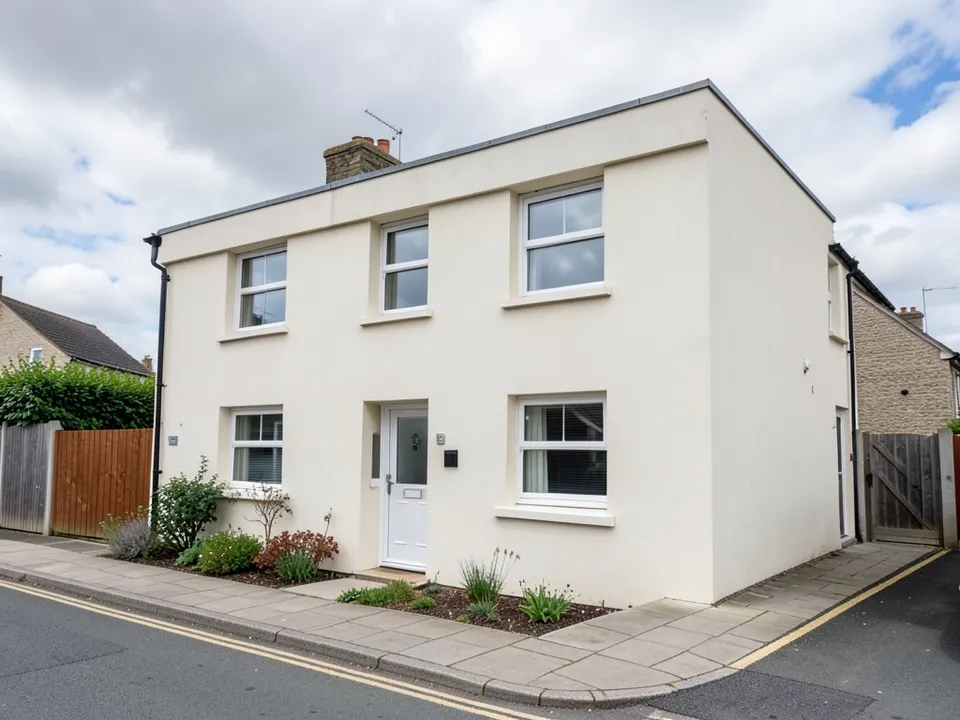
Before: flat-roofed two-storey house (AI-drawn stand-in for a photo)
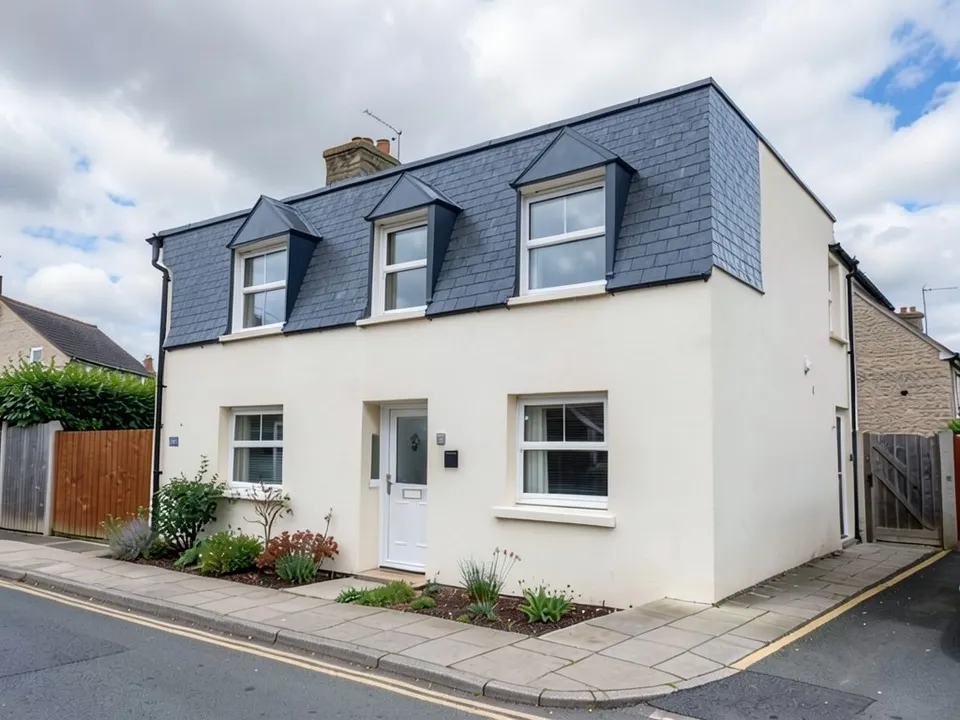
After: a slate mansard with three dormers on the upper floor
What makes a mansard roof
Designing Buildings, This Old House, Houzz galleries and the Tower Hamlets council guidance on mansard extensions describe the roof the same way:
- Two slopes on every side: a steep lower slope, close to vertical, and a shallow upper slope that is often hidden from the street.
- Dormer windows in the steep slope, so the roof holds a full floor of rooms.
- Slate is the classic finish, with lead or zinc on dormers and edges.
- It is named after the French architect François Mansart and is the signature roof of Second Empire houses.
- In cities such as London a mansard is a common way to add a top floor to a terrace; councils publish rules on set-backs and materials, so check before you build.
How to try a mansard roof design with ArchitecturesAI
- In the editor above, the mode is Render Architecture, the type is Residential and the style is Classical. This mode has no prompt box: you start from an image.
- Under Select Image, upload a JPG or PNG: a daylight photo of your house taken from the street, with the whole roof in view, or a sketch, a clay model or a screenshot from your 3D software.
- Click Generate. Free accounts can only use Low quality (Medium and High are marked PRO). Sign in with Google or email when asked.
- To steer the result, click Edit Image on it (the box is called Edit Instructions) or use Custom Action, and describe the mansard slopes, the slate or other roofing, the dormers and the trim and what must stay the same. Each edit is another render and uses credits. Run it a few times, since every result differs.
- The three examples below ran directly on our image model with the written instructions shown. They did not go through the editor above, so your own results will differ.
A mansard on a flat-roofed house
Adding a mansard to a flat-roofed house is one of the most common uses. The slate and the dormers came through, but the model rebuilt the upper floor as the mansard instead of adding a floor, as the caption explains.
Before: flat-roofed two-storey house (AI-drawn stand-in for a photo)
After: a slate mansard with three dormers on the upper floor
A Second Empire sketch and a terrace extension
A sketch of a full Second Empire house and a mansard on one house in a terrace both kept their setting. The caption notes where the terrace extension differs from a typical set-back design.
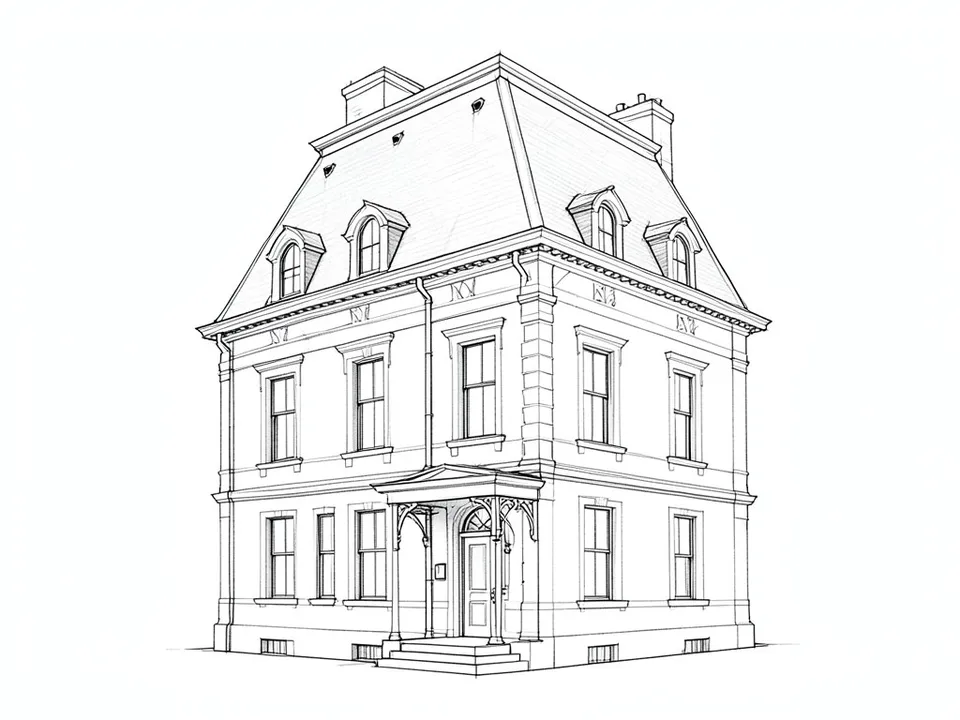
Before: line sketch of a Second Empire house (AI-drawn stand-in for a hand sketch)
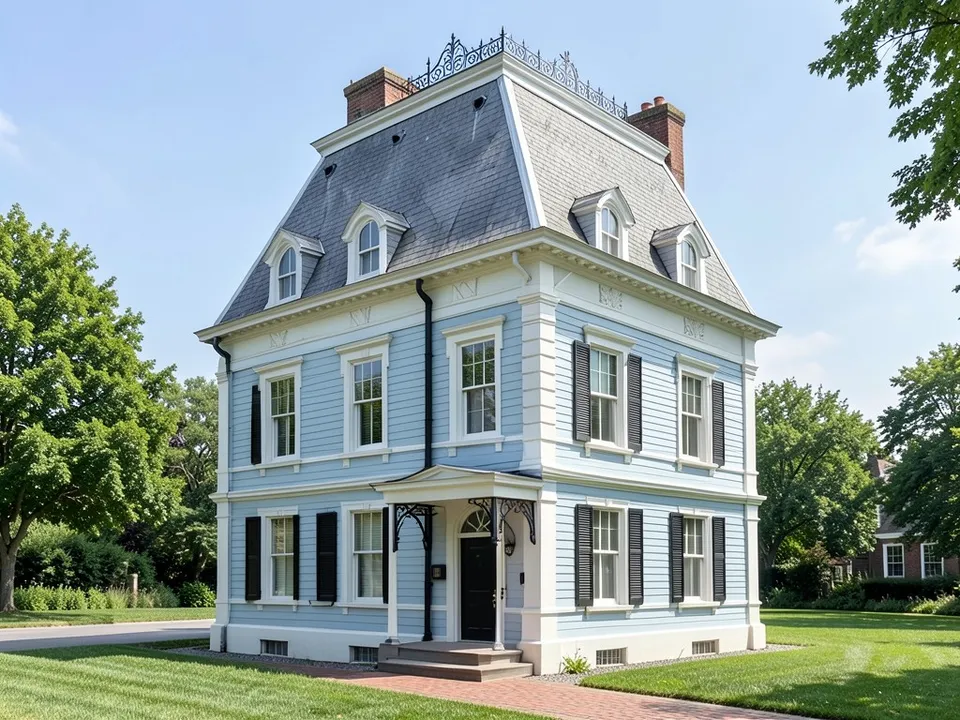
After: sketch turned into a pale blue Second Empire house
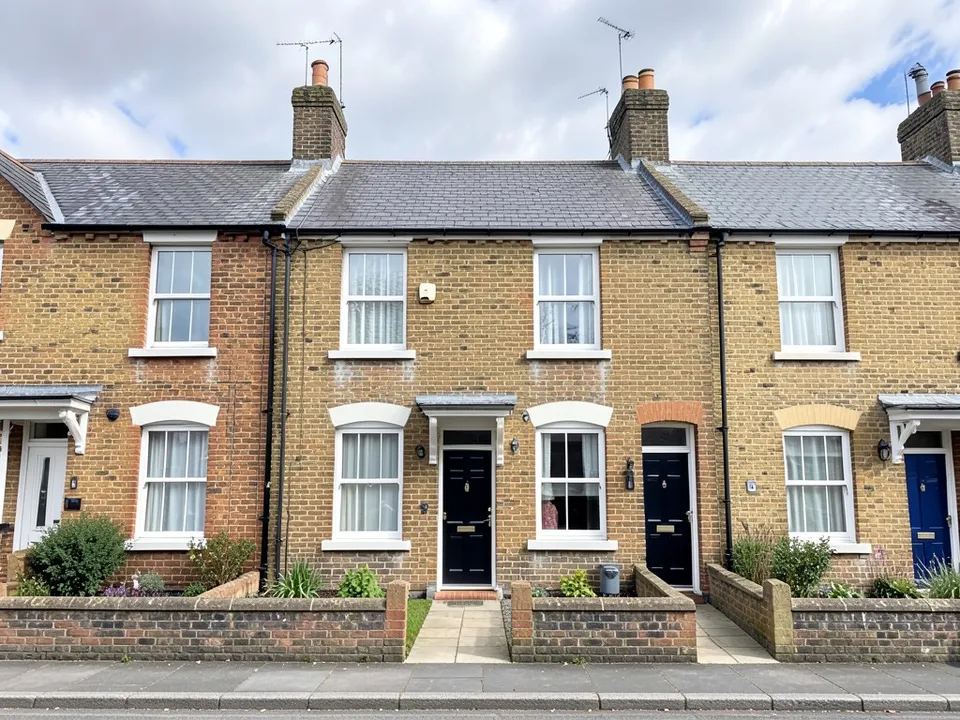
Before: row of terraced houses (AI-drawn stand-in for a photo)
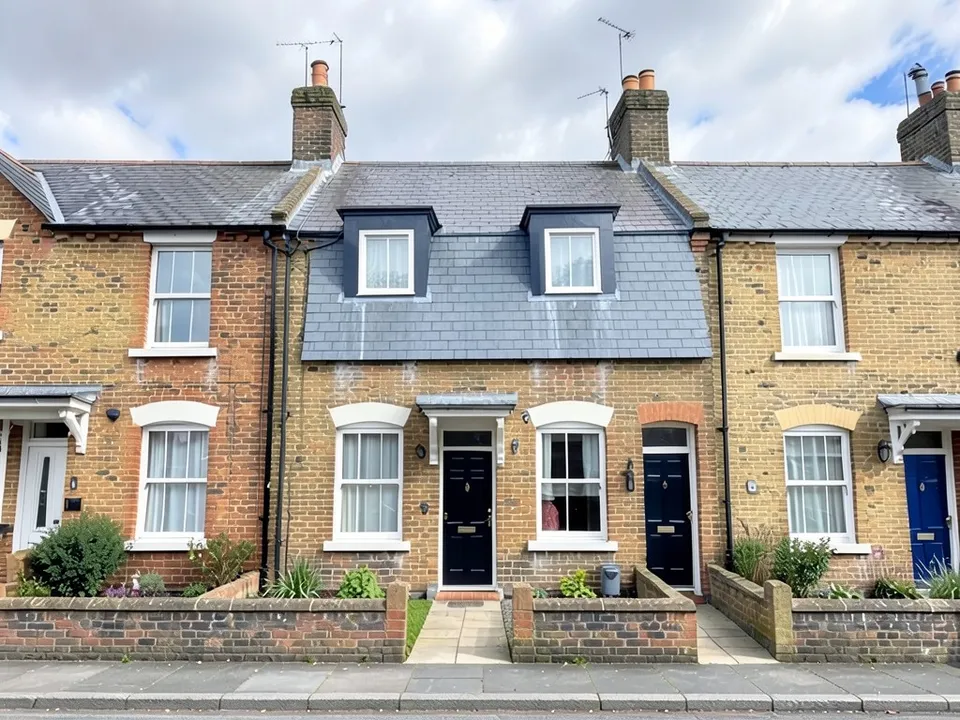
After: a mansard roof extension on one terraced house
What the AI keeps and what it may change
- Usually kept: the camera angle, the floors below, the neighbours and the street.
- Often different from what you asked: whether the mansard is a new floor or replaces the top floor, how far it is set back, and small trim details.
- Not visible from the street: the flat top of the roof.
- Never produced: floor plans, structure, cost estimates or approval drawings.
Planning a loft or top floor?
The dormer page covers single dormer windows, the second storey addition page shows full new floors, and the Victorian and Georgian house pages cover other period styles.
Free tier and plans
You need a free account to render. New accounts get 2 free renders, and free renders carry a watermark. In India this site does not include free renders, so a paid plan is needed there. Weekly, monthly and yearly plans for more renders without the watermark are on the pricing page.
The houses and the sketch on this page are AI-drawn stand-ins, not real. Each example was run directly on the model, not through the tool above.
Frequently asked questions
What is a mansard roof?
A roof with two slopes on each side: a steep lower slope with dormer windows and a nearly flat top. It turns the roof space into a full floor of rooms.
Can I see a mansard extension on my terraced house?
Yes, as an idea picture. Upload a street photo, render it, then use Edit Image to ask for a mansard on your house only. Check your local council rules before building, since many set limits on mansard extensions.
Is there a text box in the editor?
The prompt box exists only in Architecture Generator mode. The editor above opens in Render Architecture, where you upload an image and change the result with Edit Image (Edit Instructions) or Custom Action.
Is it free to try?
Yes. After you sign in, a new account gets 2 free renders with a watermark, in Low quality. In India this site does not include free renders. Paid weekly, monthly and yearly plans are listed on the pricing page.
See a mansard roof on your house
Upload a photo of your house or your sketch, compare a few mansard versions, and take the best one to your architect. Your first 2 renders on a free account are on us.
Upload your house photo or sketchRelated: AI dormer design · Second storey addition · AI roof design · Victorian house design · Georgian house design · Gable roof design · Render Architecture tool · Pricing