House exterior renovation
House Exterior Renovation: See Your Old House Renovated
An exterior renovation keeps the house you own and changes the outside: fresh paint or new siding, damp and stains cleaned, new window frames, a new front door, a porch canopy, and sometimes a rebuilt boundary wall or a new path. Seeing the result first helps you decide what to spend on and explain it to your builder. This AI house exterior renovation tool starts from a picture: upload a daylight photo of your house from the street, and ArchitecturesAI renders it in the same view; then describe what to renovate and what must stay. The result is an idea picture. It is not a survey, a damp report, a structural check or a quote.
Upload your house photoSign in with Google or email to render. New accounts get 1 free render (watermarked).
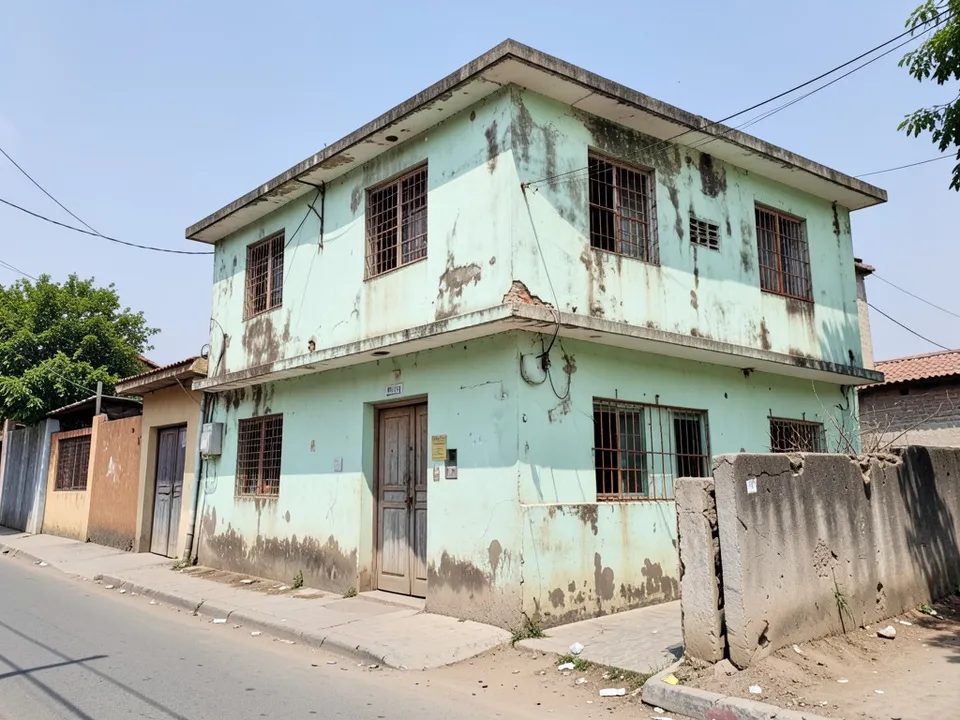
Before: old house with damp and peeling paint (AI-drawn stand-in for a photo)
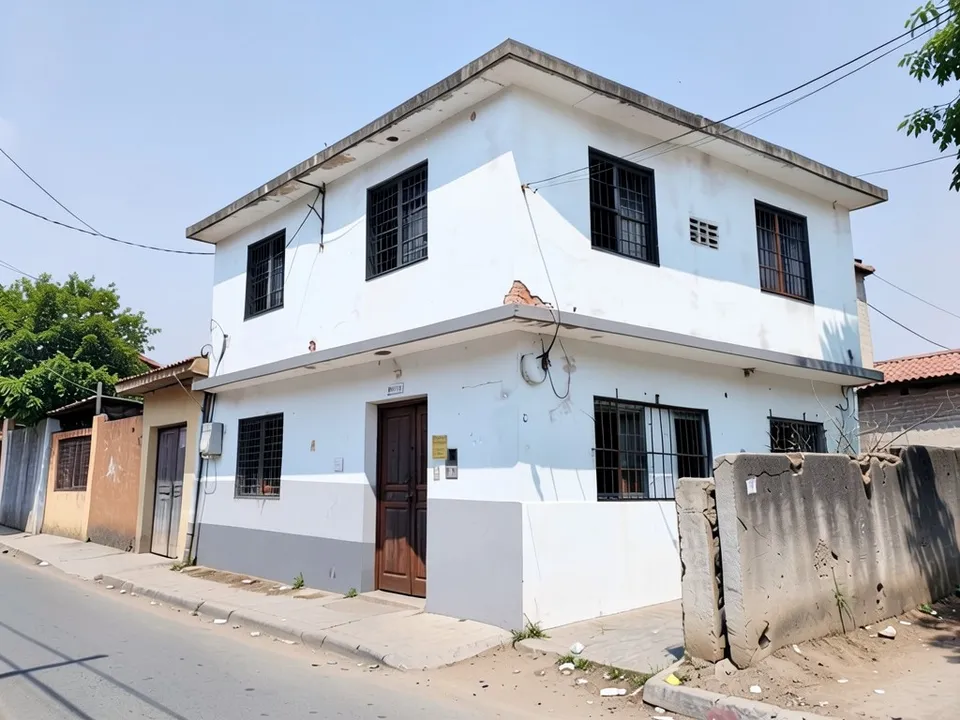
After: the same house renovated in white and grey
What an exterior renovation usually covers
OnGrid's AI elevation renovation guide and GenRoom's exterior makeover examples show the same common jobs:
- New paint or new siding, often with a contrast band or trim.
- Cleaning or repairing damp, stains and dirty brick before painting.
- New window frames and grills, and a new front door.
- A porch canopy or an entrance hood over the door.
- Outside work: boundary walls, gates, paths and planting.
How to try a house exterior renovation with ArchitecturesAI
- In the editor above, the mode is Render Architecture, the type is Residential and the style is Contemporary. This mode has no prompt box: you start from an image.
- Under Select Image, upload a JPG or PNG: a daylight photo of the front of your house taken from the street, or a sketch, a clay model or a screenshot from your 3D software.
- Click Generate. Free accounts can only use Low quality (Medium and High are marked PRO). Sign in with Google or email when asked.
- To steer the result, click Edit Image on it (the box is called Edit Instructions) or use Custom Action, and describe what to renovate (paint, siding, windows, door, porch) and what must stay and what must stay the same. Each edit is another render and uses credits. Run it a few times, since every result differs.
- The three examples below ran directly on our image model with the written instructions shown. They did not go through the editor above, so your own results will differ.
Renovating an old, damp house
A photo of the house as it is today is enough. The model repainted the walls and replaced the windows and door, but left the broken wall as it was, so ask for outside work separately.
Before: old house with damp and peeling paint (AI-drawn stand-in for a photo)
After: the same house renovated in white and grey
New siding or cleaned brick
The same works for siding and brick houses. In both tests the house shape and windows stayed, and a few asked-for details were skipped.
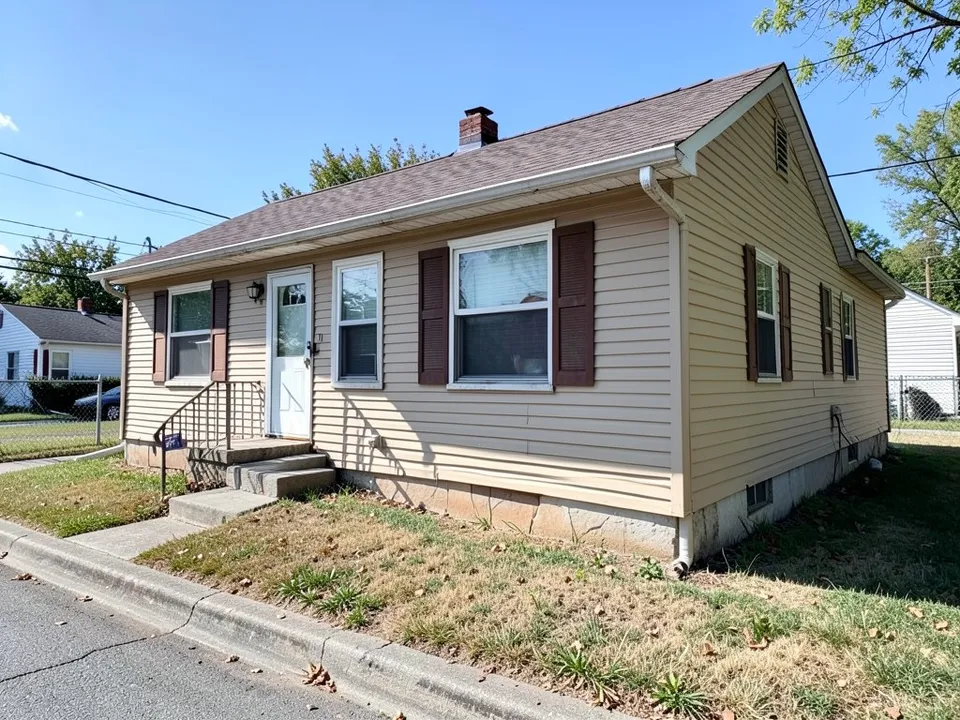
Before: beige ranch house with shutters (AI-drawn stand-in for a photo)
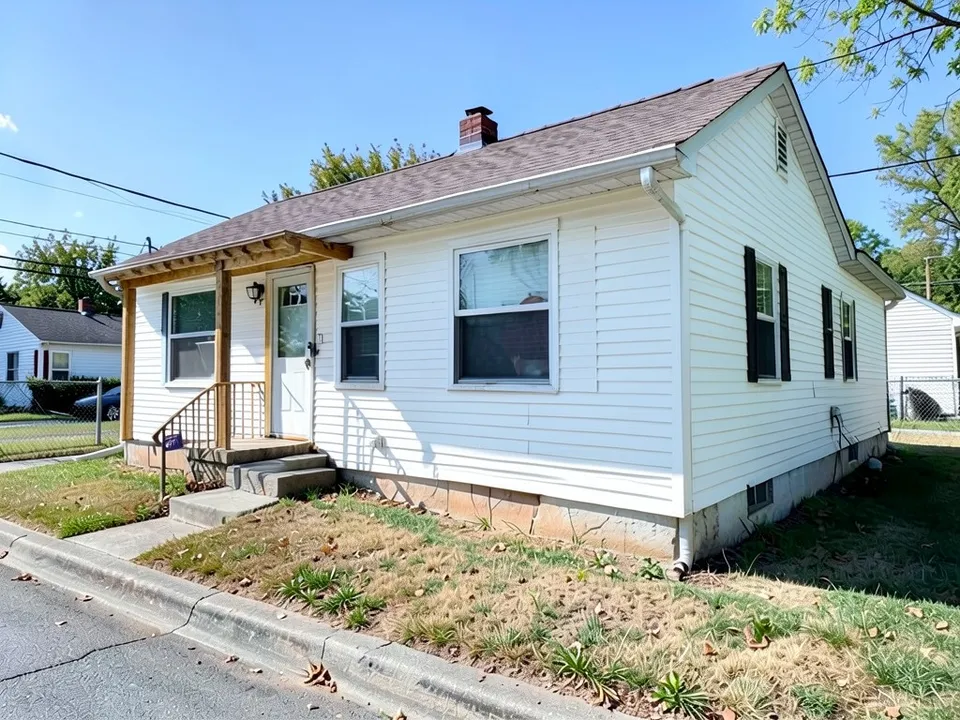
After: white siding and a wooden porch canopy
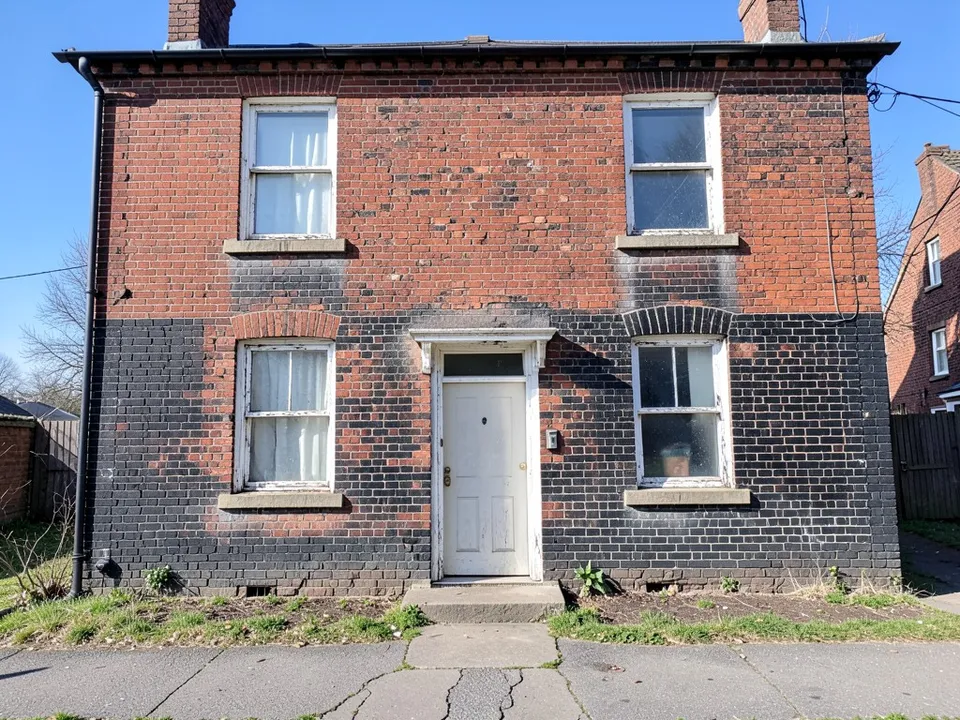
Before: dirty old brick house (AI-drawn stand-in for a photo)
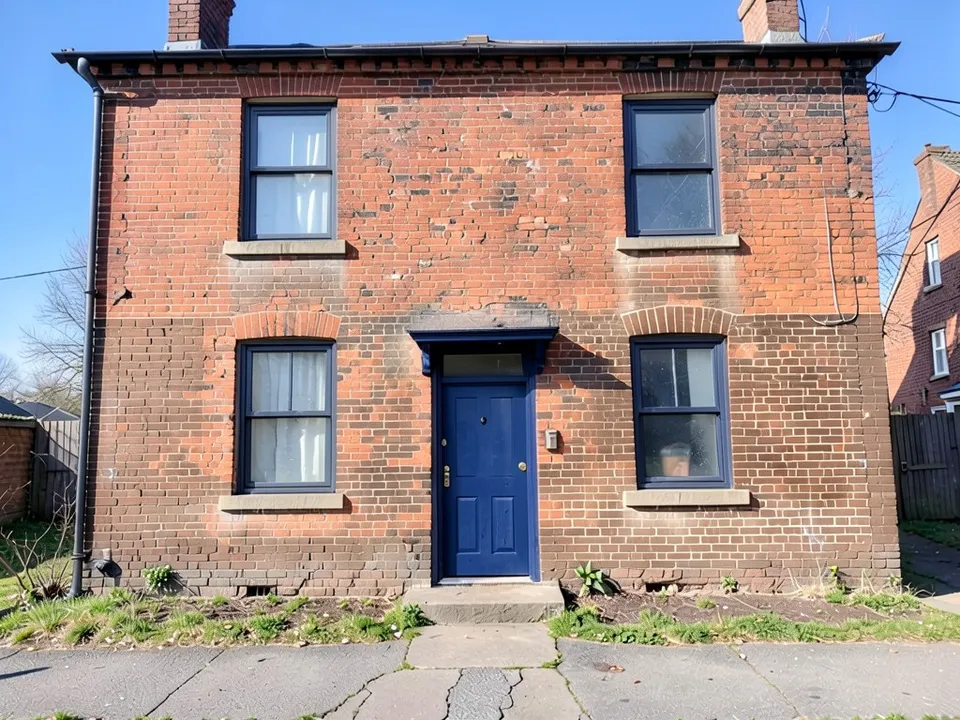
After: cleaned brick with a navy door
What the AI keeps and what it may change
- Usually kept: the camera angle, the house shape, the roof and the window and door positions.
- Often different from what you asked: the exact siding type, frame colours, and outside work such as walls, paths and hedges.
- Not shown: the real state of the walls behind the paint. A picture cannot find damp or cracks.
- Never produced: floor plans, structure, cost estimates or approval drawings.
Looking at one part of the house?
The front elevation page covers a whole new front design, the exterior wall texture page covers texture paint, and the porch, gate and boundary wall pages cover the front of the plot.
Free tier and plans
You need a free account to render. New accounts get 1 free render, and free renders carry a watermark. Weekly, monthly and yearly plans for more renders without the watermark are on the pricing page.
The houses on this page are AI-drawn stand-ins, not real. Each example was run directly on the model, not through the tool above.
Frequently asked questions
Can it show my old house renovated?
Yes. Upload a daylight photo of the house from the street and list what to change and what must stay. Run it a few times and compare.
Will it keep my windows and doors where they are?
In our tests it kept the window and door positions and changed their frames and colours.
Is there a text box in the editor?
The prompt box exists only in Architecture Generator mode. The editor above opens in Render Architecture, where you upload an image and change the result with Edit Image (Edit Instructions) or Custom Action.
Does it tell me what the renovation will cost?
No. It makes a picture. Costs and repairs are for your builder.
Is it free to try?
Yes. After you sign in, a new account gets 1 free render with a watermark, in Low quality. Paid weekly, monthly and yearly plans are listed on the pricing page.
See your house renovated
Upload a photo of your house as it is today, compare a few renovation ideas, and take the best one to your builder. Your first render on a free account is on us.
Upload your house photoRelated: Front elevation design · House facade design · Porch design · Boundary wall design · House extension design · Second story addition · Render Architecture tool · Pricing · AI house design generator · AI glass elevation design