Porch tiles design
Porch Tiles Design: See New Tiles on Your Porch Floor
Porch tiles cover the floor of a car porch or a front porch, so they need to handle sun, rain, car tyres and muddy shoes. Most people choose anti-skid outdoor tiles with a rough surface, patterned cement tiles for colour, or large stone look tiles, often with a border or a band in a darker shade. This AI porch tiles design tool starts from a picture: upload a daylight photo of your porch, and ArchitecturesAI renders it in the same view; then describe the tile, its colour and any border. The result is an idea picture. It is not a slip rating, a tile product or a quote.
Upload your porch photoSign in with Google or email to render. New accounts get 1 free render (watermarked).

Before: car porch with a concrete floor (AI-drawn stand-in for a photo)

After: grey anti-skid tiles with a border
What to look for in porch tiles
Flooring Clarity's front porch tile guide, Topps Tiles' outdoor tile advice and Kashmir Life's notes on porch flooring agree on the basics:
- Anti-skid tiles with a rough or textured surface, since porches get wet.
- Frost and weather resistant porcelain or stone for outdoor use.
- Strong tiles for car porches, which take the weight of cars.
- Patterned cement or encaustic tiles for a small front porch with colour.
- Borders or bands in a darker shade to frame the floor or mark a drive.
How to try a porch tiles design with ArchitecturesAI
- In the editor above, the mode is Render Architecture, the type is Residential and the style is Contemporary. This mode has no prompt box: you start from an image.
- Under Select Image, upload a JPG or PNG: a daylight photo of your porch or car porch with the floor in view.
- Click Generate. Free accounts can only use Low quality (Medium and High are marked PRO). Sign in with Google or email when asked.
- To steer the result, click Edit Image on it (the box is called Edit Instructions) or use Custom Action, and describe the tile, its colour and pattern, and any border or band and what must stay the same. Each edit is another render and uses credits. Run it a few times, since every result differs.
- The three examples below ran directly on our image model with the written instructions shown. They did not go through the editor above, so your own results will differ.
New tiles on a car porch
A photo of the porch is enough to try a tile. The model kept the pillars and the gate and tiled the steps to match.
Before: car porch with a concrete floor (AI-drawn stand-in for a photo)
After: grey anti-skid tiles with a border
Patterned or stone look tiles on a front porch
Patterned tiles and stone look tiles work on the same kind of photo. Check the edges and steps, and ask for stains to be removed, since the model kept them here.
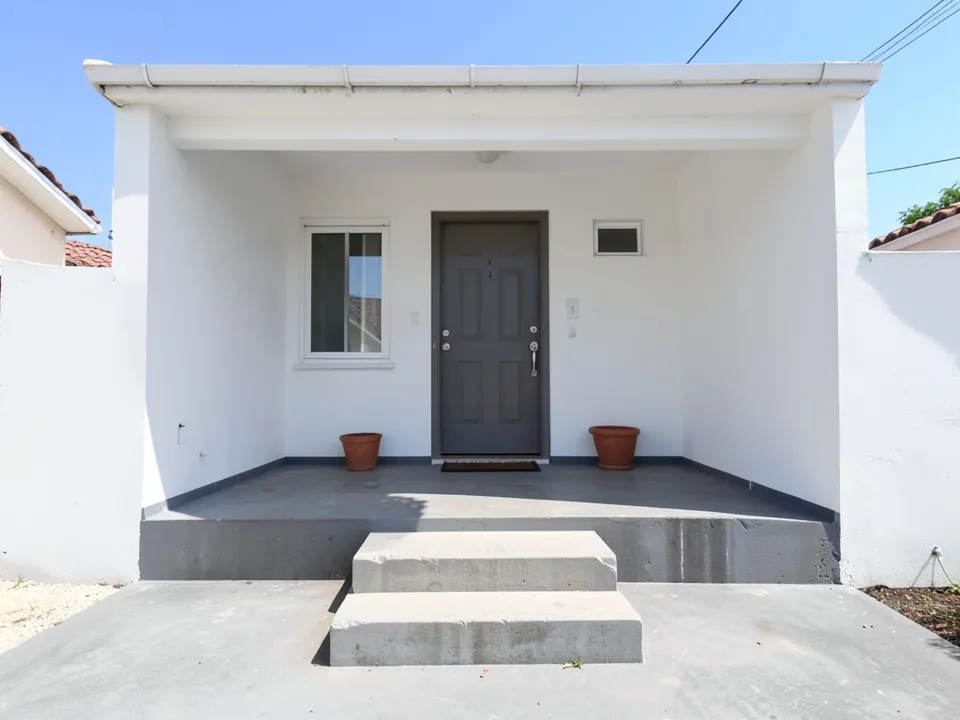
Before: front porch with a plain floor (AI-drawn stand-in for a photo)
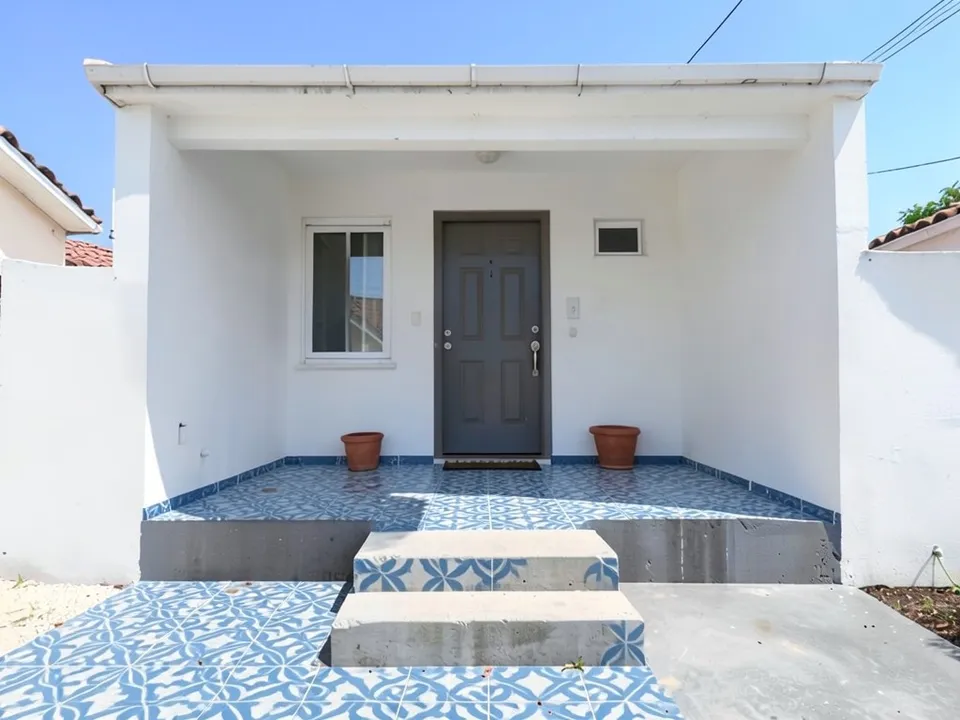
After: blue and white patterned tiles
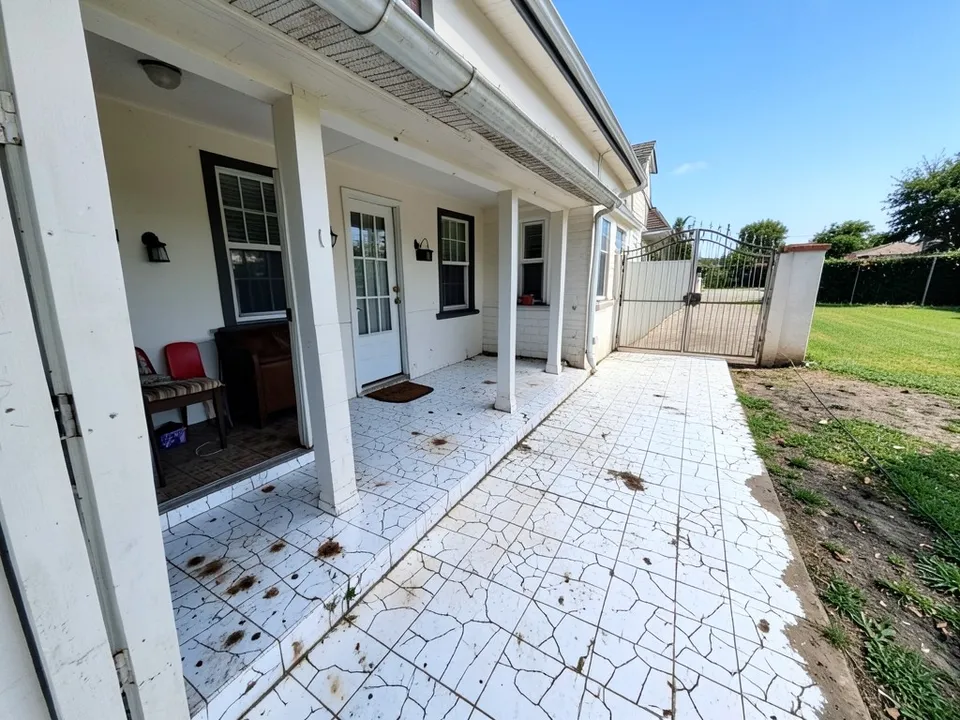
Before: porch with cracked, stained tiles (AI-drawn stand-in for a photo)
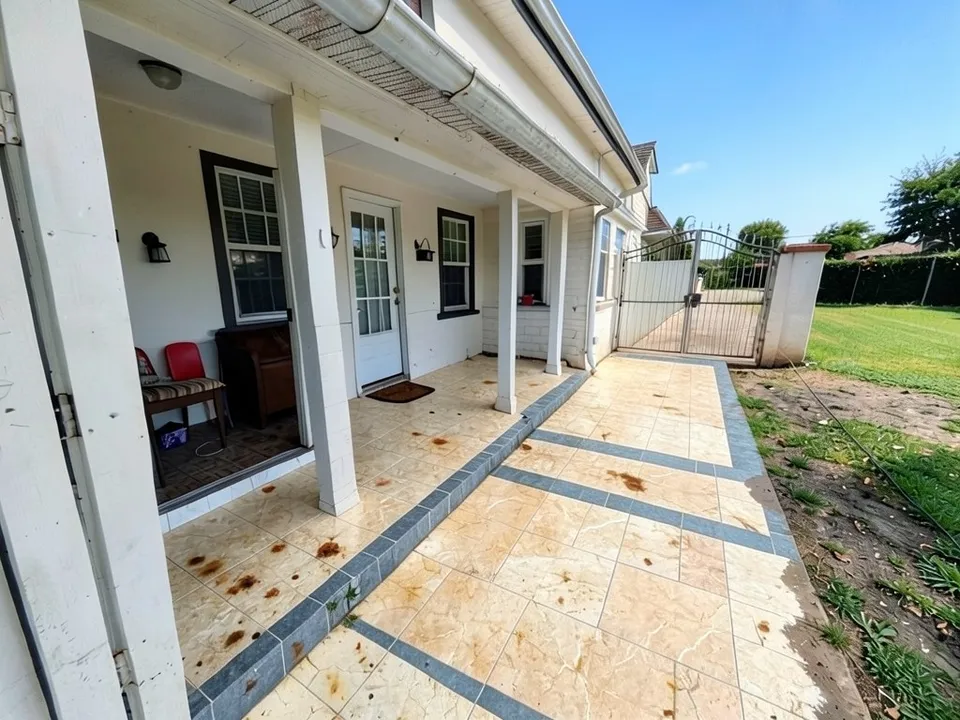
After: beige stone look tiles
What the AI keeps and what it may change
- Usually kept: the camera angle, the house, the pillars, the door and the gate.
- Often different from what you asked: where the tiles stop, the steps, and old stains.
- Not shown: slip resistance, tile sizes or how the floor drains.
- Never produced: floor plans, structure, cost estimates or approval drawings.
Looking at other parts of the porch?
The porch page covers the whole porch, the carport page covers covered parking, the front pillar page covers porch pillars, and the elevation tiles page covers wall tiles.
Free tier and plans
You need a free account to render. New accounts get 1 free render, and free renders carry a watermark. Weekly, monthly and yearly plans for more renders without the watermark are on the pricing page.
The porches on this page are AI-drawn stand-ins, not real. Each example was run directly on the model, not through the tool above.
Frequently asked questions
What tiles are best for a porch?
Outdoor anti-skid tiles with a rough surface are the usual choice. Car porches need strong tiles, and small front porches often use patterned cement tiles.
Can I try tiles on my car porch?
Yes. Upload a photo with the floor in view and describe the tile, its colour and any border. Our test kept the pillars and the gate.
Is there a text box in the editor?
The prompt box exists only in Architecture Generator mode. The editor above opens in Render Architecture, where you upload an image and change the result with Edit Image (Edit Instructions) or Custom Action.
Does it tell me if a tile is slip resistant?
No. It shows how the floor could look. Check the slip rating with your tile supplier.
Is it free to try?
Yes. After you sign in, a new account gets 1 free render with a watermark, in Low quality. Paid weekly, monthly and yearly plans are listed on the pricing page.
See new tiles on your porch
Upload a photo of your porch, compare a few tiles and patterns, and take the best one to your tile shop. Your first render on a free account is on us.
Upload your porch photoRelated: Porch design · Carport design · Front pillar design · Elevation tiles design · House gate design · Front elevation design · Render Architecture tool · Pricing · AI house design generator · Front door colors · AI porch enclosure design